
10 Best ChatGPT Prompts for a Viral TikTok Channel
ChatGPT does not make your videos for you. That part still belongs to you — your face, your voice, your energy, your camera. What it can do, when prompted correctly, is become the sharpest creative collaborator you have ever had access to. It can stress-test your hook before you film. It can map out a content series that keeps a niche audience coming back. It can write a script that builds tension exactly the way TikTok’s algorithm rewards.
The gap between a creator who uses ChatGPT and one who uses it well is entirely in the prompts. After studying hundreds of viral TikTok accounts across fitness, finance, cooking, education, and entertainment — and testing dozens of prompt structures — I have narrowed it down to ten that produce genuinely usable output. Not filler. Not generic advice. Actual scripts, hooks, captions, and strategies that feel like they came from someone who understands how TikTok works in 2026.
Each prompt below escalates in complexity, from the kind of thing you can paste in right now and get immediate results, to the kind of structured workflow that serious creators use to plan months of content at once. By the end, you will have a toolkit that puts your content planning on a different level than most creators who are still asking ChatGPT to “write me a TikTok script about fitness.”
Why ChatGPT Handles TikTok Content Differently Than Other Tools
The platform-specific nature of TikTok is what makes generic AI content tools fall short. TikTok is not YouTube with shorter videos. The hook window is three seconds, not thirty. The algorithm rewards watch time, shares, and comments — not just clicks. The audience expects pattern interrupts, fast pacing, and a payoff that feels earned. A tool that does not understand these mechanics produces content that feels transplanted from somewhere else.
ChatGPT’s strength here is its ability to internalize platform context when you give it clearly — and the GPT-4o model available in 2026 is genuinely good at understanding audience psychology, engagement mechanics, and persuasion structures. Compare that to Gemini, which produces reasonably clean scripts but tends toward a more formal, journalistic tone that often needs significant rewriting to feel native to TikTok. Claude Opus 4.7 excels at constrained, structured writing but can over-engineer short-form scripts that benefit from raw, conversational energy. ChatGPT hits a middle ground — versatile, fast, and naturally conversational — that maps well onto what TikTok content actually needs to sound like.
The real limitation is that ChatGPT does not know what is trending right now unless you tell it. Its training data has a knowledge cutoff, and TikTok trends move faster than any model update cycle. The prompts below account for this by asking you to inject current trend context rather than relying on the model to know it. That one structural choice separates prompts that produce timely content from prompts that produce content that feels three months behind the curve.
ChatGPT is excellent at TikTok content when you feed it the platform context it lacks — trending sounds, current audience mood, niche-specific language. Without that input, it defaults to generic content creator advice. The prompts below are built specifically around giving it that context.
Before You Start: How to Get the Best Results
A few things worth setting up before you run any prompt in this guide. First, use GPT-4o — not the mini or the older GPT-3.5 version. The quality gap in creative writing and audience psychology tasks is significant, and TikTok content depends on subtleties that smaller models consistently flatten out.
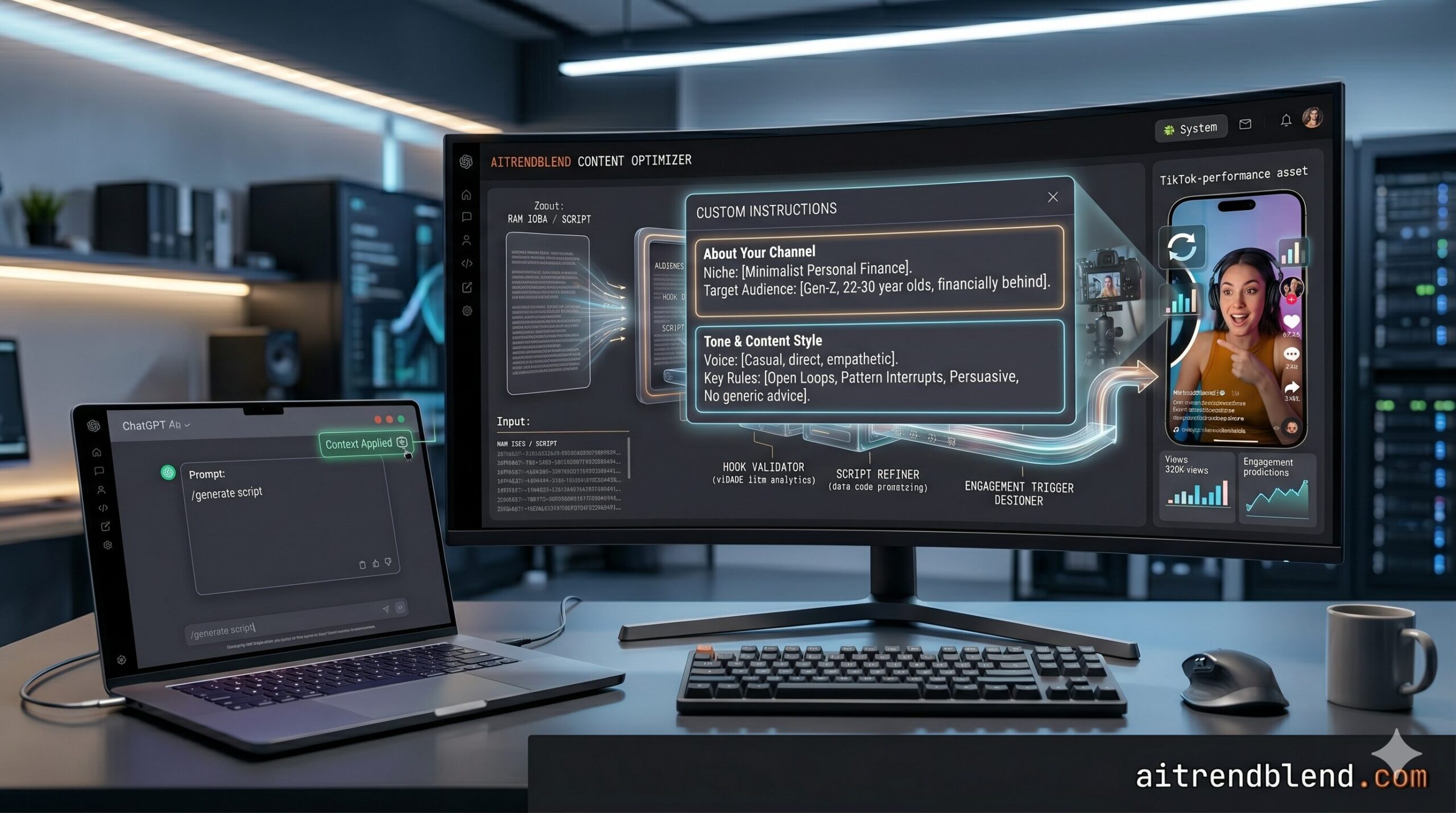
Build a short “channel brief” that you paste at the top of every ChatGPT session. It sounds like extra work, but it takes about two minutes to write and prevents the single most common problem: ChatGPT writing for the wrong audience. Your channel brief should include your niche, your posting style (educational, entertaining, storytelling, POV), your target viewer’s age range and what they care about, and one or two channels you admire. Think of it as the onboarding doc for a new writer who joins your team fresh every single session.
Custom instructions in ChatGPT — the persistent system settings available under your profile — are the faster version of this. Set your niche, tone, and platform there once, and every prompt you send benefits from that context automatically. Most creators skip this entirely and then wonder why ChatGPT keeps writing in a voice that is not theirs.
One last thing: tell ChatGPT your character limit or video length target at the start of every script prompt. A 60-second TikTok reads at roughly 150 words. A 3-minute video is closer to 450. Without that anchor, ChatGPT writes scripts that would take four minutes to deliver — and you find out when you are already on camera.
The 10 Best ChatGPT Prompts for a Viral TikTok Channel
Prompt 1: The Scroll-Stopping Hook Generator
The hook is the only part of your video that decides whether anyone sees the rest of it. Three seconds. That is what TikTok gives you before someone swipes. Most creators treat the hook as an afterthought — they plan the content, then slap an opener on the front. This prompt reverses that. You generate the hooks first, pick the strongest one, and build the video around it.
Asking for five distinct hook styles forces variety — you will not get ten slightly different versions of the same sentence. The “explain why it wins” instruction at the end makes ChatGPT articulate the psychology behind its own choice, which teaches you the principles so you can eventually write better hooks yourself without the prompt.
Run this prompt before you film anything. Use the winning hook as your opening line, then design the first five seconds of your video to visually match the promise of that hook — that alignment between what you say and what they see is what converts passive scrollers into viewers.
Prompt 2: The 60-Second Video Script Writer
The problem most people run into with AI-written TikTok scripts is that they sound like AI-written TikTok scripts. Stiff, slightly formal, missing the natural rhythm of how people actually talk when they are excited about something. This prompt corrects for that by being very specific about tone and by asking ChatGPT to write the way you speak, not the way a content strategy blog writes.
The five-part structure maps directly onto the pacing that keeps TikTok watch time high — front-loaded value, no wasted seconds, a payoff before the call to action. Specifying “the one thing the viewer should feel” shifts ChatGPT from writing an informational script to writing a persuasive one, which is a meaningful difference on a platform where emotion drives shares.
For educational content, replace “Payoff” with “Proof” — a specific statistic, example, or result that makes the insight credible. Credibility is a separate driver of saves and shares, especially in finance, health, and science niches.
Prompt 3: The Caption and Hashtag Builder
TikTok captions are not the same as Instagram captions. They are short, they often function as a second hook — something you read as the video starts playing — and they need to earn their place because most viewers never scroll down to read them at all. A good caption increases comment rate by giving people something specific to respond to.
The three-tier hashtag strategy accounts for something most creators get wrong — new accounts should not go all-in on hashtags with 50 million posts, because their content will never surface. Asking ChatGPT to advise on which tier to prioritize based on follower count forces it to give strategic advice, not just a list of popular tags.
Add “include one hashtag that describes the content format rather than the niche (e.g., #storytime, #learnontiktok, #dayinmylife)” — format-based hashtags help TikTok understand who is likely to watch, which can improve distribution to the right FYP audience.
Prompt 4: The 30-Day Content Series Planner
Here is where it gets interesting. One viral video is an accident. A viral channel is a system. The accounts that consistently grow on TikTok are not posting randomly — they are running content series that train the algorithm and build audience expectation at the same time. This prompt plans that system for you across a full month.
The four-week structure mirrors how TikTok’s algorithm learns your channel — early content trains it on your niche, middle-of-month content builds signals (saves, shares), and later content converts the audience TikTok has now begun sending you. Prompting ChatGPT with this framework means the calendar is strategic, not just a list of ideas.
Ask ChatGPT to give each video idea a difficulty rating (Low / Medium / High) based on production effort — then you can batch-film your easy videos in one session and save the high-effort ones for when you have more time. Smart scheduling, not just smart ideas.
Prompt 5: The Trend Hijacker
Trends are a shortcut to distribution — TikTok actively boosts content that uses trending sounds, formats, or topics because it keeps users engaged with what is already working. The problem is that most creators either ignore trends (and miss the push) or copy them so directly that they look derivative. This prompt finds the middle path: borrowing the trend’s energy without losing your channel identity.
Asking for a shelf life assessment is the detail that separates this from a standard “make me a trend video” prompt. Trends peak and die fast on TikTok. Knowing which of your ideas has a 48-hour window versus a two-week window lets you prioritize your filming schedule around urgency, not just inspiration.
After you identify your concept, run it through Prompt 2 (the script writer) with the trend’s hook as your starting line. Chaining these two prompts together turns a trend idea into a production-ready script in under ten minutes.
Prompt 6: The Emotional Storytelling Script
The videos that get shared are almost never the most informative. They are the most felt. Storytelling — personal stories, before-and-after narratives, “this happened to me” moments — generates the kind of emotional response that drives shares and follows in a way that pure information never quite matches. This prompt structures a real or hypothetical story for maximum emotional impact within TikTok’s time constraints.
The instruction to “open in the middle of the conflict” is the single most important line in this prompt. TikTok viewers decide in three seconds. Starting at “so six months ago I decided to try something new” loses them. Starting at “I was standing in the parking lot at 11 PM realizing I had made a massive mistake” keeps them. That structural move is the difference between a story that performs and one that does not.
The [beat] markers are worth keeping when you film. They are the moments where your facial expression or a pause does the work that words cannot. Creators who use them well tend to look more confident and natural on camera — the pauses read as thoughtfulness rather than hesitation.
Prompt 7: The Audience Psychology Researcher
Most tutorials skip this part entirely — and it is the foundation everything else rests on. Before you can write hooks that stop a scroll, you need to understand exactly what your target viewer is afraid of, what they secretly want, what language they use when they talk about their problem, and what they have already tried that did not work. This prompt builds that picture so your content speaks directly to where your audience actually is.
The “hidden desires” section is what elevates this beyond a standard persona exercise. What an audience will say they want and what they actually respond to are often different. A personal finance audience will tell you they want budgeting tips — but the videos that go viral are usually the ones about financial shame, the comparison trap, or the feeling of being behind. ChatGPT surfaces that gap when you ask for it directly.
Run this prompt once and save the output as a reference document. Paste the “language patterns” section into every subsequent script prompt — it gives ChatGPT the vocabulary your specific audience uses, and the output will sound significantly more native to the niche.
Prompt 8: The Viral Video Reverse-Engineer
This is not a small distinction: there is a difference between copying a viral video and understanding why it went viral so you can replicate the mechanics. This prompt takes a video you have seen perform well — not your own — and asks ChatGPT to extract the underlying structure, then build an entirely original version for your niche using that same structure.
Separating the framework from the content is the core move here. A video about “3 things every minimalist bathroom needs” and a video about “3 investing mistakes everyone makes at 25” can share the exact same underlying structure — list format, authority opener, counterintuitive item in slot three. When you see through to the structure, you have something you can use indefinitely across every niche and topic.
Build a personal library of frameworks you have reverse-engineered. After five or six of these, you will start recognizing the patterns without needing ChatGPT to name them — which means you can evaluate your own content ideas against proven frameworks before you ever film anything.
Prompt 9: The Comment Section Engagement Engine
Think about what TikTok’s algorithm actually measures. Watch time, yes — but also comment rate, share rate, and how long people spend in your comment section. A video that generates 300 comments where the creator actively responds will outperform a video that generates 1,000 passive likes every time. This prompt creates a system for engineering comment activity and responding to it in a way that keeps the engagement window open.
The “use it as the basis for a follow-up video” option in Part 2 is where engagement compounds. When a comment generates a reply video, TikTok notifies the original commenter, pulls them back to your page, and you get a second round of algorithm signal from one piece of content. Most creators never systematically identify which comments deserve a video reply — this prompt builds that decision into your workflow.
Run Part 1 before you film, so you can record the engagement trigger naturally as part of the video. Run Part 2 after you post, with your actual comment types pasted in. The second run will be more specific and useful than a hypothetical one.
Prompt 10: The Full Channel Growth Strategy Builder
Most tutorials skip this part entirely — probably because it requires thinking at a level most creators do not operate at until they are already successful. This prompt is a complete channel strategy session. It combines audience psychology, content architecture, posting mechanics, growth milestones, and monetization pathway into a single structured output. It is the prompt you run when you are serious about building a TikTok channel, not just posting videos and hoping.
That third prompt is doing something subtle — the approval gate after Step 1. Your channel positioning is the single most important decision you will make, and getting it wrong means everything downstream is optimized for the wrong target. Making ChatGPT pause and wait for your sign-off before building the content plan forces you to engage with the strategy rather than just consuming it, and it lets you catch a misaligned positioning before thirty days of content are planned around it.
After you complete all five steps, follow up with “Now write a one-page channel brief I can paste at the start of every future ChatGPT session” — it packages the entire strategy into a reusable context block that makes every subsequent prompt smarter without having to re-explain your channel from scratch.
The creators who grow consistently on TikTok are not the ones who post the most. They are the ones who understand their audience well enough that every video feels personal — and they use every tool available to sharpen that understanding before they ever hit record. — Observed across six months of studying TikTok growth patterns in 2026
Common Mistakes and How to Fix Them
You can run every prompt in this guide and still produce content that underperforms — if you make any of the following five mistakes. These are the patterns that show up again and again among creators who are putting in genuine effort but not seeing the results that effort should produce.
Mistake 1: Using ChatGPT’s output word-for-word without reading it aloud first. A script that looks good on screen often has rhythms that do not work when spoken. Every script ChatGPT gives you should be read aloud before filming. Change anything that trips your tongue — those are the places the AI’s sentence structure diverges from your natural speech pattern.
Mistake 2: Asking ChatGPT to “make it go viral.” That phrase produces exactly the kind of generic, try-hard content that never actually goes viral. ChatGPT cannot make content viral — only your audience can do that. What you can do is create the conditions for virality by focusing on emotion, specificity, and a strong hook. Ask for those things explicitly.
Mistake 3: Skipping the audience psychology step. Running script prompts before running Prompt 7 (the audience psychology researcher) is like writing a letter before you know who you are writing to. The audience profile only needs to be built once — but until it is built, every piece of content is aimed in the approximate direction of your audience rather than directly at them.
Mistake 4: Posting too fast, without a hook test. Prompt 1 gives you ten hooks for a reason — pick the best one, not the first one. Running a quick gut-check (which of these would actually stop me from scrolling?) before you film saves the video before it is shot.
ChatGPT is a creative accelerator, not a replacement for judgment. The prompts above give you better raw material to work with — but your instinct for what feels authentic to your voice is still the most important editorial filter in your workflow.
| Wrong Approach | Right Approach |
|---|---|
| “Write me a viral TikTok script about meal prep” | Specify niche, hook, target emotion, video length, and output format — then use Prompt 2’s structure |
| “Give me hashtags for my fitness video” | Specify your follower count and use the three-tier hashtag strategy from Prompt 3 |
| “What should I post this month?” | Use Prompt 4 with a stated monthly goal and specify which formats you are comfortable with |
| “Make this more engaging at the end” | Use Prompt 9 to design a specific comment trigger before filming, not after |
| “I want to grow my TikTok — help me” | Use Prompt 10 with your unfair advantage, constraints, and a specific 90-day measurable goal |
What ChatGPT Still Struggles With for TikTok
There are real limits here, and pretending otherwise would make this guide less useful. ChatGPT does not know what is trending on TikTok right now. Its knowledge has a cutoff date, and TikTok trends move faster than any model update cycle. Every trend-related prompt in this guide asks you to inject current trend context yourself for exactly this reason. If you skip that and let ChatGPT guess at what is trending, you will get references to sounds and formats that peaked months ago — which signals to your audience immediately that the content is not native to the platform.
ChatGPT also struggles to write in voices that are highly specific and unusual. If your channel persona is genuinely distinctive — very dry, very regional, very niche-specific in its humor — the model tends to sand down the edges toward something more broadly understandable. The fix is to paste two or three examples of your own past captions or scripts at the top of your prompt and ask it to “match this voice exactly.” It works better with examples than with descriptions, because voice is a felt thing that is hard to specify in the abstract.
Finally, and most importantly: ChatGPT cannot tell you whether your idea is actually interesting. It will write a script for a bad idea just as willingly as it writes one for a good idea. The creative judgment — is this topic something my audience will actually care about right now? — still belongs to you. The prompts above improve the quality of your execution dramatically. They do not replace the instinct for what is worth executing in the first place.
What you have built by working through this guide is not a collection of copy-paste shortcuts. It is a repeatable content system — one that handles the parts of TikTok content creation that drain creative energy without requiring creativity: structuring scripts, researching audience psychology, planning content calendars, mapping hashtag strategy, engineering comment engagement. Those tasks are real work. Offloading them to well-structured ChatGPT prompts frees your attention for the part that actually requires you: showing up on camera with genuine energy and a point of view nobody else has.
The deeper principle here applies beyond TikTok. Getting useful output from an AI tool is fundamentally a communication skill. You are telling a very capable system what you need, in enough detail that it can actually deliver it. Creators who develop that skill will keep finding new ways to use AI as platforms evolve — because the tool changes but the skill transfers. The prompt discipline you build here will make you better at using every AI tool that comes after this one.
None of this removes the human element that actually makes a TikTok channel worth following. The trust that turns a casual viewer into a loyal follower is built through consistency, authenticity, and a creator who clearly gives a genuine damn about their audience. ChatGPT can help you find the right words — the caring still has to be real.
TikTok will continue to evolve its algorithm, its formats, and its creator tools throughout 2026 and beyond. The specific tactics that work today will shift. The principle that will not shift is this: creators who understand their audience deeply, communicate with clarity and specificity, and build systematic workflows around their creativity will outperform those who rely on inspiration alone — regardless of what the platform looks like. Start with these ten prompts, build the habit of structured content thinking, and let the audience tell you where to go next.
Try These Prompts Right Now
Open ChatGPT with GPT-4o, set up your custom instructions with your niche and audience, and start with Prompt 7 to build your audience psychology profile. Everything else follows from there.