
10 Best ChatGPT Prompts for AI Image Generation in 2026
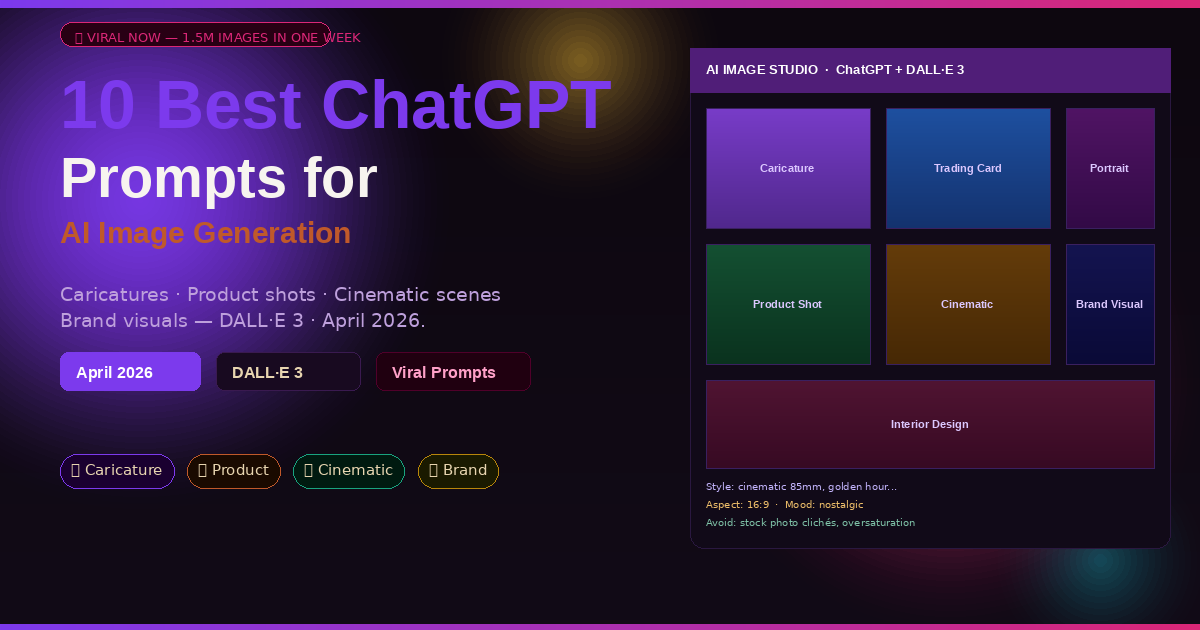
The caricature prompt crashed OpenAI’s servers in February 2026. Over 1.5 million images were generated in a single week. That was just the beginning. These 10 ChatGPT prompts cover the full range — from viral social media moments to professional product photography to complete brand visual systems.
My colleague kept seeing the same images flood his feed in February. Exaggerated cartoon portraits — people depicted as teachers, nurses, engineers, chefs, each one perfectly capturing both the job and the person’s personality in a single illustrated frame. He assumed they required design software, a digital artist, maybe hours of work. Then someone told him it was a single ChatGPT prompt. He tried it. His was generated in forty seconds.
That moment — the sudden realisation that a tool you already have can produce something that would have cost real money three years ago — is the defining experience of AI image generation in 2026. The caricature trend alone generated 1.5 million images in its first week, briefly overloading OpenAI’s infrastructure. It became a cultural moment, spreading across every social platform simultaneously. But caricatures are just the most visible tip of what ChatGPT’s image generation can do.
DALL·E 3, integrated directly into ChatGPT, has evolved significantly in 2026. It follows complex multi-part instructions better than any competing model, handles text in images accurately, and responds to nuanced style direction in ways that earlier versions couldn’t. The difference between an average result and a genuinely impressive one comes down almost entirely to prompt structure. These 10 prompts are engineered to get the impressive result every time.
Why ChatGPT Handles Image Generation Differently
Midjourney produces arguably more painterly results. Adobe Firefly integrates more cleanly into professional design workflows. Stable Diffusion offers more technical control. So why are millions of people using ChatGPT for image generation specifically? Because ChatGPT understands context across a conversation in a way that standalone image generators don’t.
When you tell ChatGPT “make her look more approachable” or “shift the mood to something more nostalgic”, it knows who “her” refers to and what “nostalgic” means in the context of the style you’ve been building. Standalone image generators reset with every prompt — you’re always starting fresh. ChatGPT maintains the thread. For iterative creative work — building a consistent visual brand, developing a character across multiple scenes, refining a single image through a dozen adjustments — that continuity is worth more than any single quality advantage a competitor might have.
The other advantage is instruction complexity. DALL·E 3 through ChatGPT handles multi-clause, multi-element prompts with a reliability that’s noticeably better than earlier generations. “A photorealistic product shot of a dark green glass perfume bottle on a marble surface, soft shadow from the left, morning light through a narrow window, styled editorial photography” — that prompt produces something professionally usable. The same instruction fed to a more basic model produces something usable only as a starting point.
ChatGPT’s image generation strength is iterative refinement through conversation. The prompts in this guide are structured to exploit that — each one designed to produce a great first result and give you clear handles for improving it through follow-up instructions.
Before You Start: Getting the Best Visual Results
Image generation in ChatGPT uses DALL·E 3 under the hood. A few quick notes before you run any of these prompts.
Aspect ratio matters more than most people realise. ChatGPT defaults to square images unless you specify otherwise. For social media posts, specify 9:16 (vertical) or 16:9 (landscape). For print or presentations, 4:3 or 3:2. The prompt structure below includes this, but it’s worth understanding why — a prompt optimised for square composition often produces poor results when forced into a different ratio.
Style references are your most powerful lever. Saying “cinematic photography” produces one type of result. Saying “cinematography style of Roger Deakins, Blade Runner 2049 colour palette” produces something dramatically more specific. The more clearly you can describe the visual world you’re aiming for — by naming photographers, film directors, art movements, or specific colour grading styles — the closer the output will land to your intention.
Start with what you don’t want. ChatGPT’s image generation responds well to negative constraints. Ending a prompt with “avoid cartoon style, avoid oversaturation, avoid stock photo lighting” tells the model what to steer away from and often produces cleaner results than simply describing the positive qualities you want. Several prompts below include this technique.
The 10 Best ChatGPT Prompts for AI Image Generation
Prompt 1: The Viral Caricature Creator
This is the prompt that broke the internet in February 2026. The “me and my job” caricature trend spread to every social platform within days of someone figuring out the right way to ask ChatGPT for it. The core mechanic is simple — exaggerated features, job-specific props, preserved identity — but the prompt needs to be specific enough to produce something genuinely personal rather than a generic cartoon.
You’ll need to upload a photo of yourself (or the person you want caricatured) along with this prompt. ChatGPT can work from a photo description alone, but the photo produces dramatically more recognisable results.
The instruction to “keep the face recognisable” is what makes caricatures shareable. The viral spread of the trend depended entirely on people seeing themselves in the image and feeling that it captured something true — not just a generic cartoon. Recognisability balanced with exaggeration is the sweet spot, and this prompt is built around that balance.
For a group caricature — perfect for team photos or family portraits — change “this person” to “these people” and upload a group photo. Specify each person’s job separately and ask ChatGPT to give each one distinct props. Group caricatures with 2–4 people produce particularly shareable results.
Prompt 2: The Trading Card Portrait
Trading card-style AI images are the second-biggest visual trend of 2026. The format works because it gives the image a clear structure — bordered frame, character in the centre, stats and icons, a title — that makes even a simple AI-generated portrait look polished and deliberate. Collectors-card aesthetics translate to any subject: people, pets, fictional characters, business personas.
Specifying aspect ratio as 2:3 is critical for trading cards — a square or landscape image breaks the visual logic of the format. The stats panel instruction drives ChatGPT to generate legible text within the image, which is where most image generators fail. DALL·E 3’s improved text rendering in 2026 makes this format finally viable.
Replace the subject with your business, product, or brand mascot and use it as a promotional asset — a “brand card” with your company values as the stats. These perform exceptionally well on LinkedIn and Instagram Stories.
Prompt 3: The Cinematic Scene Builder
This is the prompt for anyone who wants images that look like stills from a film — the kind of shots that make people ask “what camera was that taken on?” The secret is that cinema is a vocabulary. Once you learn a few terms — lighting setup, lens type, colour grade — ChatGPT translates them into visual language with remarkable precision.
Separating technical specifications (camera, lighting, colour grade) from aesthetic references gives ChatGPT two independent briefs to satisfy simultaneously — the technical accuracy of the photography and the emotional tone of the visual style. Merging these into a single description tends to produce one at the expense of the other.
For a series of consistent images — say, a visual story told across five stills — run this prompt once to establish your settings, then tell ChatGPT: “Keep all camera settings, colour grade, and style reference identical. Change only the scene.” The consistency carries through remarkably well.
Prompt 4: The Product Photography Studio
Professional product photography costs hundreds per shot at a commercial studio. ChatGPT in 2026 produces results that are genuinely usable for e-commerce listings, social media, and pitch decks — for free, in seconds. The key is treating ChatGPT like a commercial photographer: briefing it on the product, the surface, the lighting, and the intended use of the image.
The “avoid” line at the end — stock photo clichés, oversaturation, plastic lighting — consistently produces cleaner commercial results. ChatGPT has been trained on millions of mediocre product images and will default toward them without negative guidance. This line steers it away from the defaults.
Generate 3–4 variations by changing only the surface and lighting while keeping everything else constant. This is how real product photographers create a “shot suite” — multiple hero images with a consistent product look but varied environments. Use the one that performs best in testing.
Prompt 5: The AI Portrait Artist
Photorealistic AI portraits are technically impressive but often feel soulless — the “uncanny valley” effect from generic lighting and empty expressions. This prompt is designed to produce portraits that feel like they were taken by a photographer who had a genuine intention, not just a camera pointed at a subject. The trick is giving ChatGPT a strong emotional and stylistic brief alongside the technical specs.
“The difference between an AI portrait that looks generated and one that looks photographed is almost always in the lighting description and the expression note.”
— eWeek, 7 Best ChatGPT Image Prompts 2026
The “emotional quality” field — what the portrait should make the viewer feel — is where most image prompts skip a step. Technical specs tell ChatGPT the technical brief; the emotional quality tells it the creative intention. Portrait photography is fundamentally about communicating feeling, and the model responds to that framing.
For a historical or period portrait, add “Set in [DECADE/ERA], clothing and environment period-accurate” and remove the camera lens specification (lenses didn’t exist for oil portraits). ChatGPT produces excellent painted portrait styles — Renaissance, Baroque, Impressionist — using the same structure.
Prompt 6: The Viral Social Media Content Creator
Not all images are made to be admired — some are made to be scrolled past and stopped. Viral social media content follows specific visual patterns: high contrast, strong focal point, readable at thumbnail size, surprising or emotionally resonant subject matter. This prompt reverse-engineers those patterns into a structured image brief.
Asking ChatGPT to “optimise for immediate emotional impact at thumbnail size” is a constraint that changes the entire compositional approach. Instead of a detailed scene with many elements, it generates something with one dominant visual element that reads clearly even at 50×50 pixels — exactly what stops a thumb mid-scroll.
Run this prompt three times with the same topic but different “hook elements” and different colour palettes. A/B test the resulting images in your first post, then use the winning visual style as a template for your next ten pieces of content.
Prompt 7: The Architectural and Interior Visualiser
Interior designers, property developers, and homeowners use ChatGPT to visualise spaces before committing to them — rendering a room redesign, previewing a paint colour in a specific room, or exploring what a building facade would look like with different materials. This prompt is used by professionals and complete beginners alike, and the quality gap between them narrows considerably when the prompt is structured correctly.
The materials section — floors, walls, key materials — is where architectural visualisations succeed or fail. Vague descriptions like “modern living room” produce generic results. Named materials (“white oak herringbone floors, warm white plaster walls, unlacquered brass fixtures”) give ChatGPT a precise palette to render, producing results that look like they came from a specific design vision rather than a mood board generator.
Upload a photo of your actual room and add “Based on this existing room, visualise the space redecorated in this style…” ChatGPT will interpret the existing proportions and architectural features while applying your new design direction — useful for renovation planning without hiring a designer.
Prompt 8: The Illustrated Children’s Book Scene
AI illustration for children’s books is one of the most searched image generation use cases in 2026 — parents, teachers, self-publishing authors, and content creators all use ChatGPT to create illustrated scenes for stories. The challenge is consistency across a series of images. This prompt is designed to produce a single scene that also establishes a style guide you can use to maintain consistency across every image in a series.
The explicit consistency instruction — “lock the character design, colour palette, and illustration style” — is the critical addition for series work. Without it, DALL·E 3 naturally drifts across images, subtly changing character proportions and colour relationships. The instruction forces the model to treat visual consistency as a hard constraint rather than a soft preference.
Change “children’s picture book” to “graphic novel” and adjust the art style to “detailed ink illustration, high contrast, dramatic shadows” for an adult illustrated narrative. The same character consistency framework applies to any serialised visual storytelling format.
Prompt 9: The Brand Visual Identity Generator
This prompt produces brand visuals — hero images, background textures, social media templates — that feel like they come from the same design system rather than a random collection of AI images. It’s the prompt for anyone building a brand, launching a product, or trying to establish a consistent visual presence without hiring a design agency.
Providing hex codes for brand colours is the difference between “roughly that shade of green” and the exact green your brand uses. DALL·E 3 doesn’t interpret hex codes with pixel-perfect accuracy, but it responds to the specificity — the more precisely you define the palette, the less drift you get across a series of brand images.
After establishing the hero image, use the “visual system description” it generates as a preamble for every subsequent brand image prompt: “Using this brand visual system: [paste description], create a social media post showing…” This creates brand coherence across every image you generate.
Prompt 10: The Master Creative Director System Prompt
This is the prompt that turns ChatGPT from an image generator into a creative director. Instead of briefing a single image at a time, you establish a complete visual world — the rules, the palette, the style, the mood — and then request images within that world. Every image comes out of the same creative universe. It’s the difference between one good photo and a coherent visual story.
This prompt is designed to be used as a Custom Instruction in ChatGPT settings, so the creative world persists across every conversation. Set it once, and every image you generate afterwards exists within the system you define here.
The “what this world is NOT” section does more work than the positive descriptions. Defining exclusions — “not loud, not corporate, not cluttered” — gives ChatGPT a set of guardrails that prevent the visual drift that accumulates across many images. Constraints in creative direction are at least as valuable as aspirations.
Once this system prompt is active, run simple one-line image requests: “Generate a hero image for a Monday motivation post.” ChatGPT will apply the full visual system automatically — you only need to specify the subject, not the entire style brief. This is what “creative direction” looks like in practice.
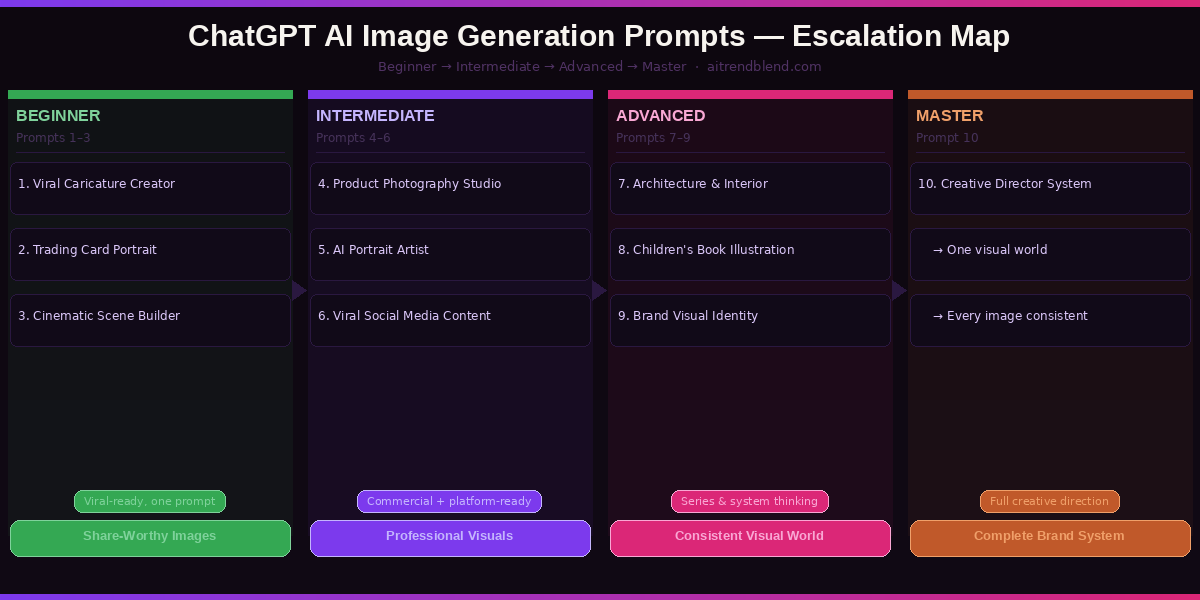
The escalation from Prompt 1 to Prompt 10 mirrors how professional visual communication actually works — from one-off social content (caricatures, trading cards) through applied commercial work (product shots, portraits) to systematic brand building (visual identity, creative direction). The prompts in the upper tier are not more difficult — they just require more upfront definition. Put in the definition once and you get it back across every image you generate.
Common Image Prompt Mistakes and How to Fix Them
These are the errors that separate impressive AI images from mediocre ones. All of them are correctable with one small change to the prompt.
Mistake 1 — Over-describing the subject, under-describing the style. Most prompts spend 80% of their words on what the image shows and 20% on how it should look. In visual communication, how usually matters more than what. “A woman standing in a city” with a precise photography brief produces better results than a detailed character description with no style guidance.
Mistake 2 — Forgetting to specify aspect ratio. ChatGPT defaults to square. Square compositions look wrong on website headers (16:9), printed pages (A4), Instagram Stories (9:16), and almost everywhere professional images appear. Specify aspect ratio in every prompt.
Mistake 3 — No negative constraints. “Avoid stock photo clichés” or “no heavy retouching” might seem optional — they are not. ChatGPT’s training includes enormous quantities of mediocre commercial imagery, and without negative guidance it defaults toward it.
Mistake 4 — Iterating with vague feedback. “Make it better” produces random changes. “Warm the colour grade, reduce the depth of field, and move the subject to the left third” produces exactly the change you’re after. Vague feedback in AI image generation compounds into results that drift further from your intention with every iteration.
| Wrong Approach | Right Approach |
|---|---|
| “A beautiful photo of a sunset over the ocean.” | “Cinematic 16mm film photograph, golden hour, Pacific coastline. Rembrandt lighting, teal and orange grade, shallow depth of field. No people. Widescreen 16:9.” |
| Generating 10 images for a series without establishing style first. | Using Prompt 10 to set the visual world once, then generating all 10 images within that system. |
| “Make it look more professional.” | “Reduce the saturation by 20%, remove the lens flare, shift the colour balance slightly cooler, and increase the shadow detail.” |
| Skipping the style reference entirely. | Naming one photographer, film, or brand whose aesthetic you admire — even loosely. The reference sets 50 implicit style decisions instantly. |
| Prompting without aspect ratio and cropping afterwards. | Specifying the exact ratio needed for the intended platform before generating. Composition changes completely with ratio. |
What ChatGPT Still Struggles With in Image Generation
ChatGPT’s image generation in 2026 is genuinely impressive — but there are specific limitations that are worth understanding before you depend on it for professional deliverables.
Hands remain a persistent weak point. DALL·E 3 has improved significantly over earlier versions, but generating human hands with accurate anatomy — correct number of fingers, natural positions, realistic proportions — remains unreliable for complex poses. For images where hands are a focal point, generate several variations and choose the best, or specify “hands not visible” if the composition allows it.
Exact text rendering is inconsistent. DALL·E 3 is better at text in images than most competing models, but longer phrases, unusual fonts, and text in challenging positions (curved, angled, small) still produce errors. For images where specific text must be legible and accurate — packaging, signage, infographics — add the text using a separate design tool after generating the base image. ChatGPT is not a substitute for Photoshop or Canva for text-critical work.
Consistent character identity across separate sessions is hard. Within a single conversation, ChatGPT maintains character consistency reasonably well when instructed. Across separate sessions — even with identical prompts — the same character will have subtle variations in features, proportions, and style. For characters that need to be truly consistent across a large project, establish the design in one session and never start fresh. If you must start a new session, upload the best previous image as a reference alongside your prompt.
The Creative Power These Prompts Give You
Ten prompts that span from a viral social moment to a complete brand visual system — that range reflects how broadly AI image generation has moved into real creative practice in 2026. The caricature trend matters because it showed millions of people in one week what was suddenly possible. These other nine prompts show what becomes possible once you move past the viral moment and start treating AI as a genuine creative tool.
There is a real skill being built here, and it is not technical. It is visual — learning to describe what you see in your imagination precisely enough that a model can render it. That skill is closer to art direction than to software engineering. The people developing it now will find it increasingly valuable as AI image generation becomes a standard part of creative and commercial work.
Some things remain genuinely better done by human photographers and illustrators. Complex narrative illustration, photography that requires genuine human presence, work that depends on real-world texture and light — these have qualities that AI cannot replicate in 2026. The role of ChatGPT image generation is not to replace those things but to make everything around them more accessible: prototyping concepts, generating reference material, producing volume content, exploring visual directions before committing to professional production.
The tools will keep improving. Aspect ratio handling is already better than it was six months ago. Text in images is better. Character consistency is better. The trajectory is clear. Learning to prompt well now means every improvement in the underlying model makes your work better automatically — you’re not starting from scratch each time the model updates, you’re starting from a foundation of prompting knowledge that compounds.
Start Generating Images Right Now
Open ChatGPT, try Prompt 1 with a photo of yourself, and see why the caricature trend crashed OpenAI’s servers. Then work through the rest at your own pace.
Disclaimer: aitrendblend.com is an independent editorial publication. Not affiliated with OpenAI or any AI company. All product names are trademarks of their respective owners.