
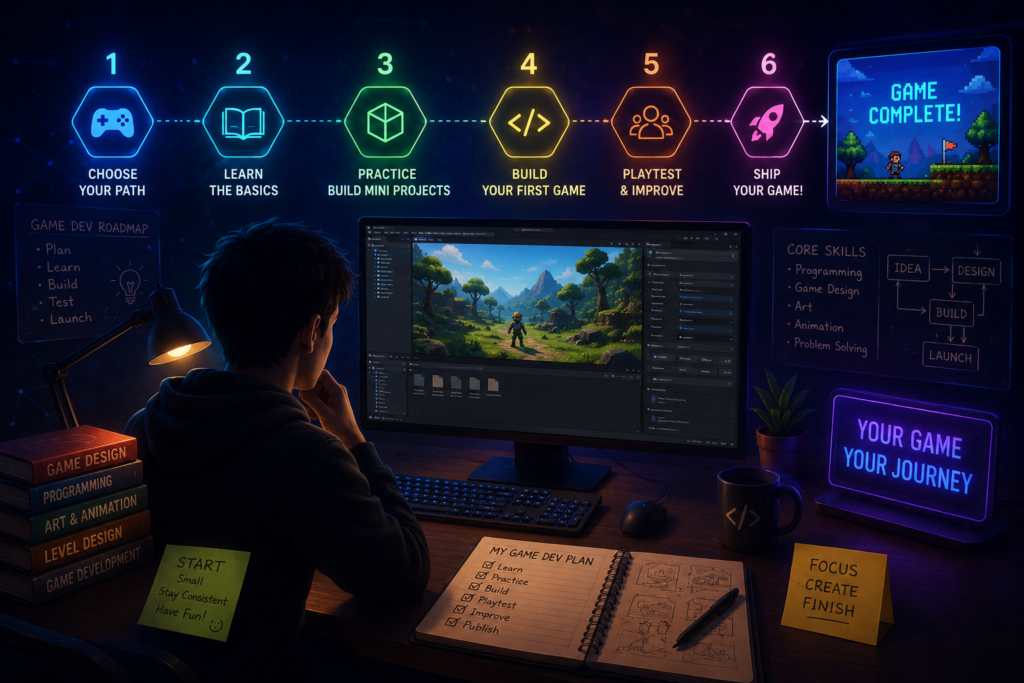
Quick answer: To start game development as a beginner, pick one beginner-friendly engine (Godot for a gentle, free, code-light start; Unity for the biggest tutorial library and job market; Unreal only if visuals are your main motivation), finish one official “first game” tutorial end to end, then build a tiny original project — a 2-minute game, not a dream RPG. Ship it somewhere public, like itch.io, before starting project number two.
Every developer who has ever shipped a game started exactly where you are now: with an idea, no experience, and too many tabs open comparing engines. The good news is that getting started in 2026 is easier than it has ever been. Engines are free, tutorials are abundant, and communities are large and welcoming. The hard part isn’t access to tools — it’s knowing which order to do things in so you don’t burn out before you finish your first project.
This guide lays out a practical, step-by-step path: how to choose an engine, what to learn first, how to scope a project you’ll actually finish, and where to go once you’ve shipped your first game.
Key Points
- Pick your engine based on your goal, not raw power — the “best” engine is the one whose first ten hours feel rewarding rather than frustrating.
- Godot suits a free, code-light 2D start; Unity offers the deepest tutorial library and the most industry relevance; Unreal rewards patience with visual fidelity.
- Your first project should be tiny — a single mechanic, playable in under two minutes — not the game you’ve been dreaming about for years.
- Finishing and sharing a small game teaches you more than months of unfinished tutorials.
Step 1: Decide What Kind of Developer You Want to Be First
Before touching any software, get honest about your goal, because it changes everything downstream. Someone who wants a games-industry career should optimize differently than someone who just wants to make a small game for fun with friends.
- Want a career in games? Favor the engine with the deepest job market and transferable skills.
- Want to make something fun, fast, without deep coding? Favor visual-logic or code-light tools.
- Want to become a strong programmer through games? Favor an engine that won’t let you hide from code forever.
- Want stunning visuals above all else? Favor the engine built for cinematic rendering, and accept a longer runway.
Step 2: Choose One Engine and Stop Comparing
This is where most beginners lose weeks. Comparison paralysis is a bigger threat to your first game than any technical obstacle. Here’s how the three most-discussed engines actually differ for a true beginner in 2026.
| Engine | Best For | Language | Cost Model | Time to First Moving Sprite |
|---|---|---|---|---|
| Godot 4 | 2D indie games, free/open-source, gentlest learning curve | GDScript (Python-like), also C#/C++ | Free forever, no royalties | ~15 minutes |
| Unity | Mobile, cross-platform, largest tutorial library and job market | C# | Free to start, fees at scale | ~30–60 minutes |
| Unreal Engine 5 | Cinematic 3D visuals, AAA-style projects | Blueprints (visual) or C++ | Free to start, royalty after revenue threshold | ~60–120 minutes |
Beginners tend to finish more often when their first ten hours with an engine feel rewarding rather than frustrating, and the time it takes to get something moving on screen is one of the strongest predictors of whether someone sticks with it. If you want no code at all, engines like GDevelop and Construct 3 use visual event systems instead. If your only goal is publishing on Roblox specifically, Roblox Studio locks you into that one platform but gets you there directly.
✓A Simple Rule of Thumb
Want the gentlest first week and a free 2D game shipped fast? Start with Godot. Want the biggest safety net of tutorials and a future games-industry résumé? Start with Unity. Want your first project to already look cinematic and don’t mind a longer runway? Start with Unreal. When genuinely torn, run the same 15-minute “hello world” tutorial in two engines and go with whichever felt less frustrating — that feeling is a better signal than any comparison chart.
Step 3: Follow One Official Beginner Tutorial, Start to Finish
Don’t jump between five YouTube series. Pick one complete, well-reviewed beginner track for your chosen engine — the official documentation’s “Your First Game” walkthrough, a well-known creator’s full course, or a structured platform course — and finish it end to end before improvising. The goal isn’t to memorize every menu; it’s to build the muscle memory of moving between the editor, the code, and a running build without getting lost.
Expect to feel behind at times. Every engine has a genuine learning curve, and confusion in week one is normal, not a sign you picked the wrong path.
Step 4: Learn the Handful of Concepts That Show Up in Every Engine
Underneath the different menus and languages, nearly every game runs on the same small set of ideas. Get comfortable with these and you can move between engines later far more easily:
- The game loop — how a game continuously updates state and redraws the screen, dozens of times per second.
- Scenes, objects, or nodes — how an engine organizes a level into reusable pieces.
- Input handling — turning a key press, tap, or controller signal into an in-game action.
- Collision and physics basics — detecting when two things touch and reacting to it.
- Variables and simple logic — tracking score, health, or state, and branching on conditions.
- Assets and animation basics — importing sprites or models and making them move convincingly.
Step 5: Scope a Project You Can Actually Finish
This is the step beginners skip most often, and it’s the one that determines whether you finish anything at all. Your first original project should be embarrassingly small: a single mechanic, one level, playable in under two minutes. Think “catch the falling objects,” “avoid the obstacles,” or “match three tiles” — not an open-world RPG.
1Write a one-sentence game concept
Example: “A player dodges falling rocks for as long as possible while the game speeds up.” If you can’t describe it in one sentence, it’s too big for a first project.
2Build the core loop before anything else
Get movement, one interaction, and a win/lose condition working with placeholder graphics — squares and circles are fine — before touching art or sound.
3Add feedback and polish last
Sound effects, screen shake, particles, and real art all come after the core loop is genuinely fun. Polish on a boring loop won’t save it; a fun loop barely needs polish to feel good.
4Ship it publicly
Upload the finished build to a platform like itch.io, even if it’s rough. A shipped small game teaches you more than a polished unfinished one ever will, and it gives you something real to show and get feedback on.
Step 6: Join a Community Around Your Engine
Every major engine has active forums, Discord servers, and subreddits where beginners ask exactly the questions you’ll have. Game jams — timed events where developers build a small game around a theme in 48 hours or a week — are one of the fastest ways to practice finishing, meet other developers, and see how experienced people scope their projects.
Step 7: Decide What to Learn Next
Once you’ve shipped one small game, you’re in a much better position to choose your next step deliberately:
- Loved the process, want to go deeper on programming? Study your engine’s scripting language more formally and start reading its architecture patterns.
- Loved the visual/design side more than the code? Explore game design theory, level design, or 2D/3D art fundamentals.
- Realized you prefer a different engine? That’s a normal and valuable discovery — switch now, while you only have one small project’s worth of sunk cost.
- Want to work toward a team or studio setting? Start building a small portfolio of finished (even tiny) projects; finished work speaks louder than unfinished ambition.
Frequently Asked Questions
Do I need to know how to code to start game development?
No. Visual-logic tools like Construct 3 and GDevelop let you build real, playable games using drag-and-drop event systems instead of code, and Unreal’s Blueprint system lets you build gameplay visually too. That said, even light scripting knowledge in engines like Godot or Unity opens up far more flexibility once your ideas grow beyond what visual tools handle easily.
Which game engine should a total beginner choose in 2026?
There’s no single universal answer — it depends on your goal. Godot suits a free, code-light 2D start with the gentlest first week. Unity offers the largest tutorial library and the most industry relevance for a games career. Unreal rewards beginners chasing cinematic visuals but comes with a longer learning curve. Try a short “hello world” tutorial in two engines and pick whichever felt less frustrating.
How long does it take to make your first game as a beginner?
A truly small first project — a single mechanic with placeholder art — can realistically be built in a weekend to a few weeks of part-time work once you’ve finished one full beginner tutorial. Ambitious first projects routinely take months and are far more likely to be abandoned before completion.
Is Unity or Godot better for beginners?
Both are considered beginner-friendly for different reasons. Godot is fully free with no account required to start and a gentler install, while Unity has more learning material available and greater relevance if you’re aiming for a games-industry job. Many beginners try short tutorials in both before committing.
Can I make a mobile game as a complete beginner?
Yes. Unity and Godot both have strong mobile export support and large communities focused specifically on mobile development, making either a reasonable starting point if mobile is your target platform from day one.
Have a Follow-Up Question About Game Development?
Ask our AI research assistant for a deeper dive into engines, workflows, or specific beginner roadblocks, or browse more Game Dev coverage on AI Trend Blend.
Ask AI Explore Game Dev