
Game Dev AI
Key Points
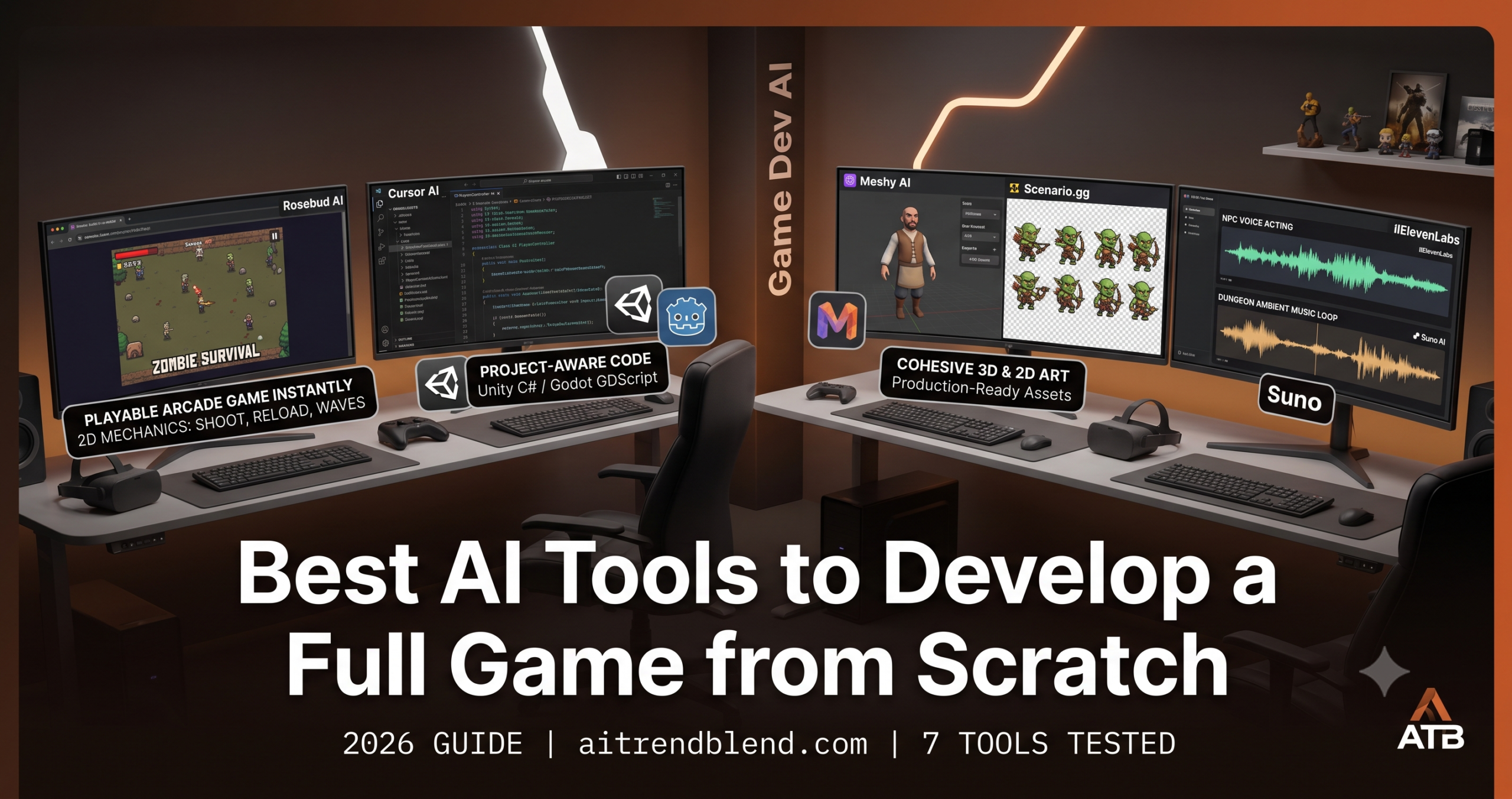
- Rosebud AI is the fastest path from idea to a playable browser game for anyone with no coding background.
- Cursor AI is the strongest choice for developers who already work in Unity or Godot and want faster, project aware scripting.
- Meshy AI and Scenario.gg cover 3D and 2D art respectively, both with real limitations that still need a human cleanup pass.
- ElevenLabs and Suno AI together remove the excuse for skipping audio, the discipline most solo developers cut first.
- No single tool covers every phase, the strongest pipelines combine three or more tools matched to specific phases.
- AI cannot tell you whether your game is fun, that judgment still requires a human playtesting repeatedly.
You have probably been at a game jam at least once, either in person or in the form of a weekend side project that stalled out somewhere between “I have a great idea” and “why is the collision detection broken at 2am.” The idea was real. The ambition was real. What ran out was time, technical skill, or both. Building a game is genuinely hard, not because of one thing, but because of how many disciplines it requires simultaneously. You need code, art, sound, music, level design, and someone who can decide whether the whole thing is actually fun to play.
AI has not made all of that disappear. What it has done is lower the barrier to entry at every stage of the pipeline enough that a motivated solo creator can now ship something real, not a demo, not a prototype, but a complete, playable experience, without a background in any of those disciplines individually. The tools that make this possible are specific. They are not AI in the vague sense of large language models writing code. They are purpose built systems for generating 3D models, training on your art style for consistent sprites, composing adaptive soundtracks, and turning a plain English description into a running JavaScript game.
This guide maps all of it. Seven tools are covered across the full development pipeline, code, art, audio, design, and planning. Every tool includes a real example, an honest assessment of its limitations, and a verdict on who should actually reach for it.
What Building a Full Game Actually Requires
The problem most people run into when they search for “AI game development tools” is that results treat game development as a single activity. It is five or six different activities happening in parallel, each with its own toolchain. Before reaching for any AI tool, it helps to understand which phase of the pipeline you are in.
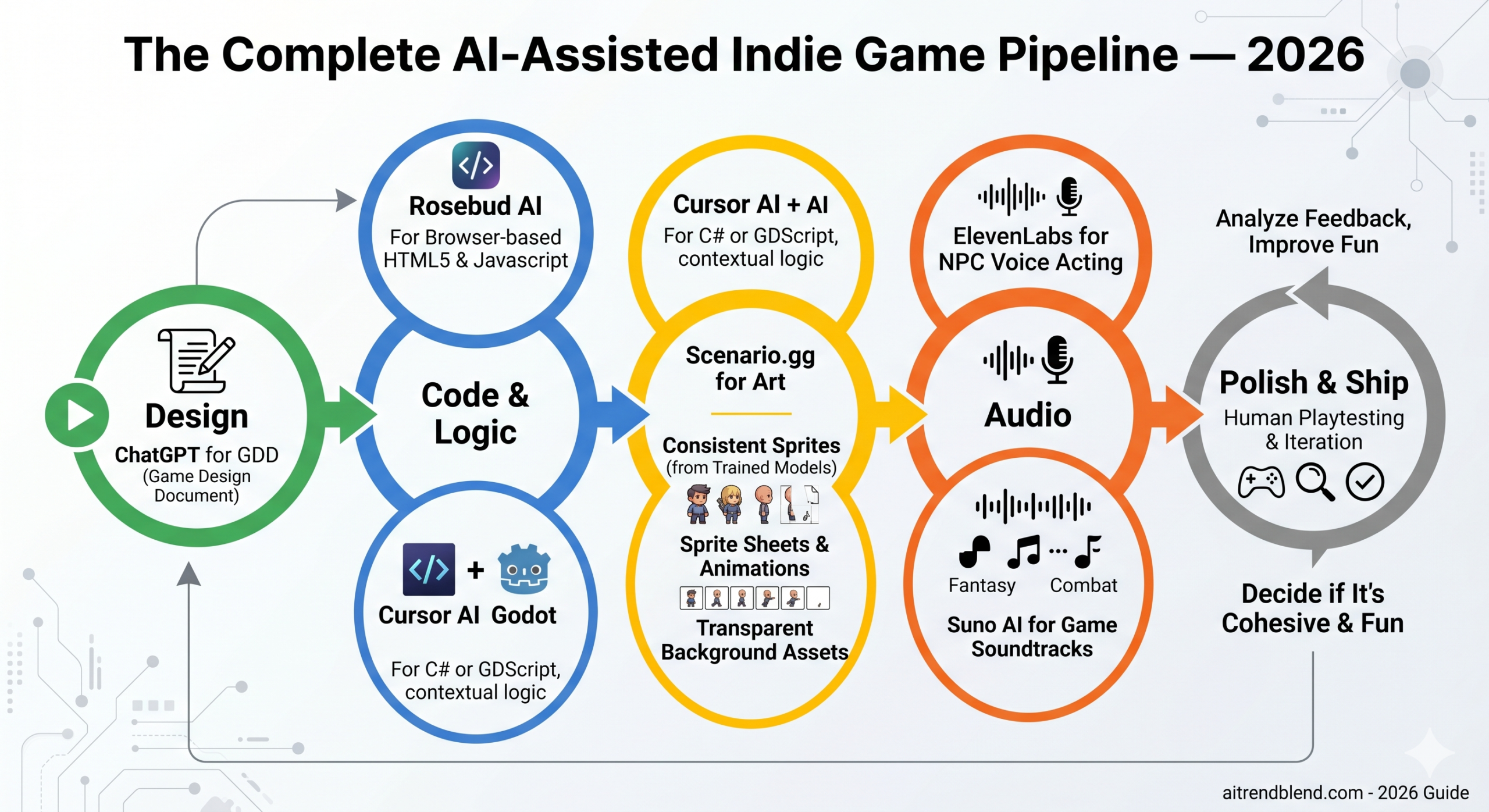
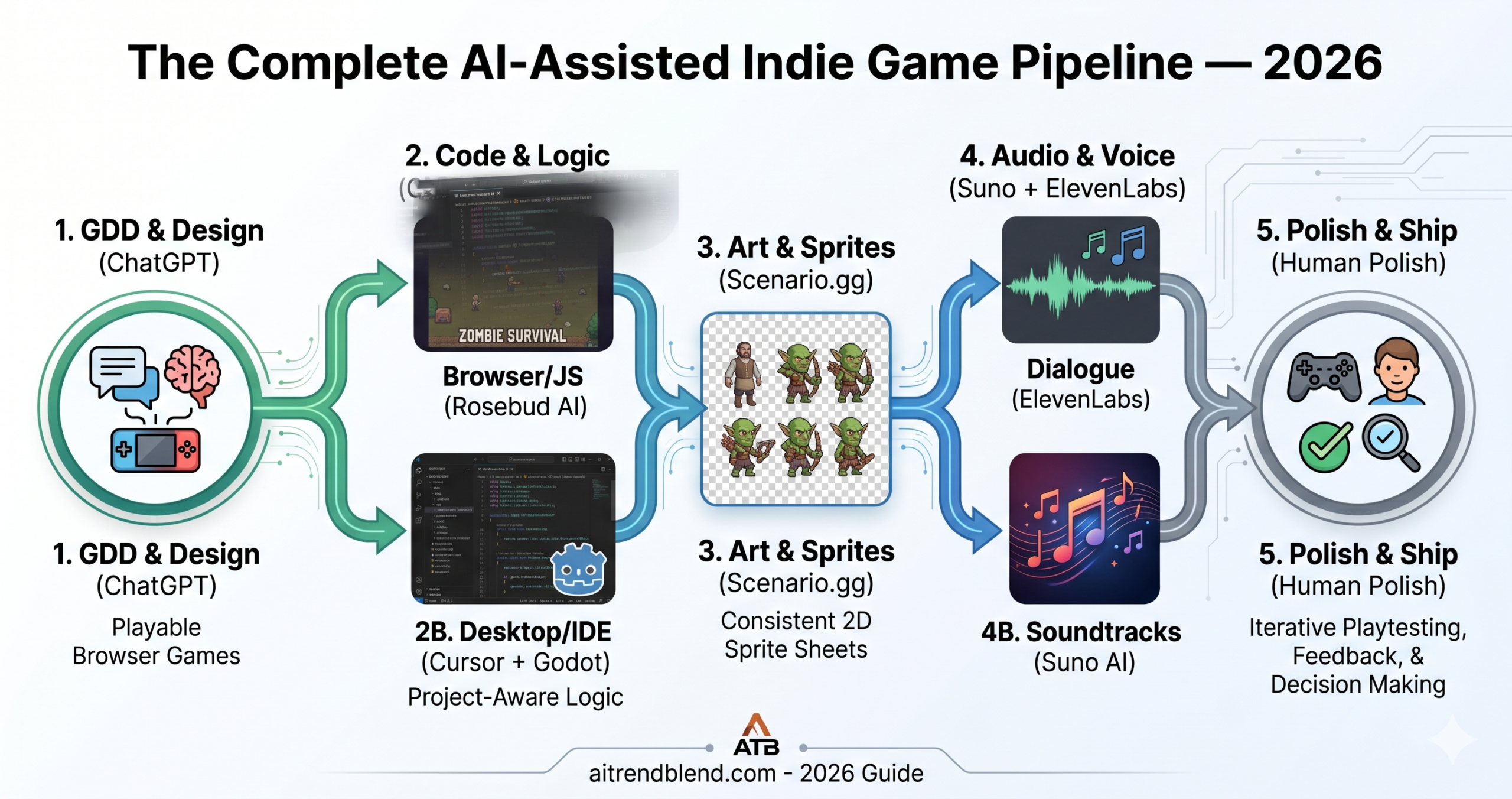
Each of the tools in this guide maps most strongly to one or two of those phases. Rosebud AI collapses phases 1 and 2 into a single prompt. Meshy AI owns phase 3 for 3D projects. ElevenLabs and Suno handle phase 4. Cursor AI accelerates phase 2 for developers who already have 1 covered. Understanding which phase you are in stops you from reaching for the wrong tool at the wrong moment — which is the most common reason AI-assisted game projects stall out.
No single AI tool covers all five phases of game development. The most productive approach is to match specific tools to specific phases — and start with Rosebud AI or ChatGPT for design before writing a single line of code.
The 7 Best AI Tools for Developing a Full Game from Scratch
1. Rosebud AI — Best Overall for Non-Developers
⭐ Editor’s PickRosebud AI is the closest thing the game industry has to Bolt.new — you describe a game in plain English, and within minutes you have something running in a browser. Not a mockup, not a design document: an actual playable game with physics, collision detection, a scoring system, and a game-over screen. The output is browser-based HTML5 and JavaScript, which means zero installation and a shareable URL from day one.
The gap between Rosebud and the older wave of “AI game generators” is the iterative design loop. You do not prompt once and accept what you get. You play the first version, notice that the enemy speed is wrong, type “make the zombies 30% slower and add a reload mechanic,” and watch it update in the preview. That loop is fast — usually under thirty seconds per iteration — which means you spend more time playing and less time waiting. For a game jam where you have 48 hours and no programmer on your team, that iteration speed is the whole game.
Build a 2D top-down zombie survival game:

Player controls: WASD to move, mouse aim, left-click to shoot
Weapon: pistol with 12 bullets. Press R to reload (1.5 second animation)
Enemies: zombies spawn from the map edges every 4 seconds, speed increases every 30 seconds
Pickups: killing a zombie has 30% chance to drop ammo (+6) or health (+20)

// HUD: health bar top-left, ammo counter top-right, score top-centre
// Score: +10 per zombie, +50 bonus every wave survived
// Game over: show final score, wave reached, and a "Play Again" button
// Visual style: dark top-down map with a concrete floor texture
// Sound effects: gunshot, reload click, zombie groan, pickup chime
The honest limitation: complexity has a ceiling. A Rosebud AI game is rarely going to be a 20-hour RPG or a networked multiplayer shooter. The tool shines on tight, single-mechanic games — arcade games, platformers, simple puzzle games, tower defence concepts. Push it toward anything with complex state management or procedural generation and the output starts showing seams. That is not a dealbreaker; it is a scope definition. Know what Rosebud is for, and it delivers.
- Playable game from a single text prompt
- Fast iteration loop — seconds per change
- No installation, no engine setup needed
- Shareable browser URL immediately
- Sound effects and basic visuals included
- Game logic, scoring, and UI generated together
- Complex games hit context and logic limits
- Visual quality is functional, not polished
- No 3D support — 2D only
- Output code is hard to extend in a standard IDE
- Multiplayer and persistent data not supported
If you have a game idea and no programming background, start here. Rosebud AI is the fastest path from concept to playable — period. Scope your idea to fit one core mechanic and you will ship something real.
2. Cursor AI — Best for Game Developers Working in Unity or Godot
Top Pick · Developer WorkflowThis is not a small distinction. Cursor AI does not generate a game — it generates game code inside a real IDE, while you remain in control of the architecture, the engine, and every decision about what gets committed. For an experienced developer building in Unity or Godot, that is exactly the right relationship between tool and creator. You describe a game system in plain English in the Composer panel, Cursor writes it using your engine’s API conventions, and you review and accept each change before it touches your project.
The quality gap between Cursor’s Unity C# output and a typical ChatGPT code snippet is substantial. Cursor understands your full project context — the scripts already in your Assets folder, the MonoBehaviour architecture you have established, the specific Unity version you are targeting. When you ask it to write a PlayerController, it writes one that fits what already exists in your project rather than a generic tutorial script that you then spend an hour retrofitting. That contextual awareness is what separates it from every general-purpose AI writing game code.
// In Cursor Composer — Unity 2D platformer project open:

Create a PlayerController.cs for a 2D platformer with these behaviours:

Movement: Rigidbody2D-based, configurable speed (default 5f)
Jump: Space key — single jump only when grounded
Ground detection: BoxCast below player using a LayerMask ("Ground")
Coyote time: 0.15 seconds — allow jump briefly after leaving a platform edge
Jump buffering: 0.1 seconds — register jump input before landing
Feel: instant acceleration (no momentum), snappy stop when input released
Sprite flip: flip SpriteRenderer.flipX based on horizontal movement direction

// Expose all tuneable values as [SerializeField] private fields
// Use the existing AnimatorController already on the prefab — call SetBool("isRunning") and SetTrigger("Jump")
// No external dependencies — pure Unity standard components
// Add XML summary comments on public methods only
Cursor handles Godot GDScript equally well. The Composer can scaffold an entire scene — nodes, scripts, signal connections — from a description, then pause for you to review before anything is written to disk. For complex systems like a state machine, a dialogue tree, or a procedural level generator, this review step is not optional — it is where you catch the architectural decisions you would have made differently. Cursor accelerates the writing; the thinking remains yours.
- Full VS Code IDE — no workflow compromise
- Understands your entire project at once
- Unity C#, Godot GDScript, Unreal C++ all supported
- Multi-file editing with review-before-apply
- Best output quality for complex game systems
- Tab autocomplete for fast inline scripting
- Requires programming knowledge to use well
- No built-in game preview or asset management
- Occasional hallucinated Unity API methods — always verify
- Cannot generate art, audio, or 3D assets
The best AI tool in this guide for developers. If you already know Unity or Godot and want to cut your scripting time in half, Cursor belongs in your daily workflow. Non-developers should start with Rosebud instead.
3. ChatGPT (GPT-4o) — Best for Game Design Documents and Narrative
Top Pick · Design & PlanningEvery game starts as a document before it becomes code. The game design document — the GDD — is where mechanics are defined, progression systems are mapped, and the core gameplay loop is articulated clearly enough that anyone working on the project knows what they are building toward. Writing a GDD is hard, and most developers skip it, which is why most indie games end up with scope creep and no coherent identity. ChatGPT is genuinely excellent at this phase.
The key is specificity in the prompt. A vague request produces a vague GDD. A prompt that specifies the target platform, the core mechanic, the monetisation model, and the target audience produces something you can actually hand to an artist or a programmer as a reference document. ChatGPT can also write quest dialogue, NPC scripts, item descriptions, and loading screen tips — the narrative scaffolding that makes a game world feel inhabited rather than assembled.
Write a Game Design Document for a mobile puzzle game called [GAME TITLE].

Core concept: [Describe the central mechanic in 1–2 sentences]
Target audience: [Specific player profile — age, gaming experience, platform habits]
Platform: [iOS / Android / Both]
Monetisation: [Free-to-play with ads / Premium / No monetisation]

The GDD must include:

1. Executive Summary — one paragraph that could pitch this game in 60 seconds
2. Core gameplay loop — written as: Player does [ACTION] → receives [FEEDBACK] → earns [REWARD]
3. Ten level concepts with escalating difficulty and one new mechanic introduced per level
4. Player progression system — how skill, unlocks, or story advance across the full game
5. Art direction — 3 sentences describing visual style, colour palette, and UI language
6. Audio direction — 2 sentences on soundtrack style and sound design approach
7. Engine recommendation with a one-paragraph justification
8. Three production risks with a mitigation strategy for each

// Write it as a working document a developer could hand directly to a collaborator
// Use headers, bullet points, and numbered lists — this is a reference doc, not an essay
Where ChatGPT falls behind for game development is in code generation for engines. It writes Unity C# and Godot GDScript that is often correct for simple scripts, but it does not know your project context, your existing architecture, or the specific engine version you are targeting. You will spend time retrofitting outputs. For anything beyond a standalone utility script — anything that needs to connect to your existing systems — Cursor handles the code; ChatGPT handles the design.
- Game Design Documents that are actually usable
- Quest design, dialogue, and NPC scripts
- Game mechanic brainstorming and iteration
- Level design concepts with clear structure
- Market research and competitor analysis
- Code snippets for simple standalone scripts
- Code lacks project context — needs manual integration
- Cannot generate art, audio, or 3D models
- Generic outputs without specific constraints in the prompt
- Hallucinated Unity/Godot APIs occasionally appear
Use ChatGPT before you write a single line of code. A GDD written with GPT-4o in 30 minutes saves weeks of scope confusion later. For anything beyond planning — art, code, audio — reach for a specialist tool.
4. Meshy AI — Best for 3D Game Asset Generation
Top Pick · 3D Art PipelineThe cost of 3D art has historically been one of the two biggest barriers to solo indie game development — the other being audio. A single character model with proper rigging and textures from a freelance artist costs hundreds to thousands of dollars. Meshy AI does not produce the same quality as a skilled 3D artist working for three days. What it produces is a textured, engine-ready 3D model in under two minutes, at a quality level that is genuinely usable for many indie game art styles — particularly low-poly, stylised, and prototype work.
The text-to-3D pipeline is straightforward: describe the asset, choose a style preset (low-poly, realistic, stylised), and Meshy generates a model with textures applied. The image-to-3D pipeline is often more reliable — give it a concept sketch or a reference image, and it produces a 3D interpretation that holds the original’s proportions better than pure text generation. Both outputs export in formats that Unity and Unreal Engine import cleanly, and the polygon count can be adjusted to fit mobile or PC performance targets.
A low-poly medieval tavern keeper character for a fantasy RPG:

Build: stout, middle-aged male — wide shoulders, rounded belly
Clothing: brown leather apron over white linen shirt, dark brown trousers, black boots
Details: curly brown hair, thick grey-streaked mustache, weathered face with laugh lines
Props: holding a wooden mug in the right hand, apron has a pocket with a rag
Expression: friendly but weary — slightly raised eyebrows, soft smile

// Style: low-poly stylised — approx 1,000–1,500 triangles, readable from 3 metres
// Pose: neutral A-pose for rigging in Unity
// No background, no base — character only
// Textures: diffuse map only, no PBR — optimised for mobile rendering
// Export: GLB format, Y-up axis (Unity compatible)
None of this comes free of trade-offs. Meshy’s outputs occasionally have topology issues that cause problems during animation — faces with incorrect edge loops, hands with merged fingers, necks that deform wrong on skinned rigs. A 3D artist reviewing the output can spot and fix these in Blender before importing. A developer who has never opened a 3D modelling tool will not catch them until the character’s arm clips through its torso during the running animation. Budget time for a Blender review pass on any character asset you plan to animate.
- Text-to-3D and image-to-3D both available
- Engine-ready exports: GLB, FBX, OBJ
- Textures generated and applied automatically
- Polygon count control for performance targets
- Multiple style presets — low-poly to photorealistic
- Minutes per asset vs days for a freelancer
- Topology quality varies — needs Blender review for animated characters
- No consistent style across multiple separate generations
- Complex scenes (multiple characters interacting) not supported
- Free tier credits exhausted quickly on detailed prompts
Essential for any solo developer building a 3D game. Use Meshy for props, environments, and static characters. For animated characters, plan a quick Blender topology cleanup pass — it is worth the time investment.
5. Scenario.gg — Best for 2D Game Art and Consistent Visual Style
Top Pick · 2D Art PipelineThe problem with using general image AI tools for game art is consistency. Generate twenty characters with Midjourney and you get twenty characters in twenty different styles, proportions, and colour palettes. That is a problem for a game where the hero, the villain, and the NPCs all need to exist in the same visual world. Scenario.gg solves this by letting you train a custom model on a set of reference images, then generating all new assets using that trained style as a constraint.
Think about what this actually enables. You hire an artist — or generate a set of hero assets with a general tool — and get your protagonist looking exactly right. You upload those character sheets to Scenario, train a model on them, and every NPC, enemy, background character, and UI element you generate afterward inherits the same proportions, line weight, colour palette, and shading style. The consistency that would have required a style guide and constant revision feedback becomes a parameter the tool enforces automatically.
// Using a custom model trained on your existing character art:

Generate a sprite sheet for a 2D fantasy RPG enemy — Forest Goblin Archer:

Description: small, wiry goblin, green skin, tattered brown tunic
Carrying: short wooden bow, quiver of arrows on back
Animations needed:
  — Idle: 4 frames (slight breathing movement)
  — Walk: 6 frames (hunched, sneaky gait)
  — Attack: 6 frames (draw bow, release)
  — Death: 5 frames (fall to ground)

// Size: 48×48px per frame, transparent background PNG
// Style: match trained model — 16-bit pixel art, warm muted palette
// Layout: horizontal sprite sheet, all animations in one file
// Consistent with existing hero and NPC sprites in this project
The limitation that catches developers off guard: training a good custom model in Scenario requires high-quality, consistent input images. If your reference art is varied in style or resolution, the trained model inherits that inconsistency. Garbage in, garbage out applies here more directly than with most AI tools. The other consideration is animation — Scenario generates individual frames and sprite sheets, but the quality of the animation between frames requires you to review each one and occasionally regenerate a specific frame that breaks the motion.
- Custom model training for style-consistent output
- Transparent background exports game-ready
- Sprite sheet generation with animation frames
- Built-in inpainting for fixing specific frames
- Environment and UI asset generation in same style
- Large asset library to start from if needed
- Training quality depends on input image quality
- Animation between frames needs manual review
- Not suited for 3D or isometric art styles without reference
- More expensive than general image tools at scale
The best 2D art tool for solo developers who need a cohesive visual style without a dedicated artist. Invest the time in a quality reference set for training and the consistency payoff across the whole project is substantial.
6. ElevenLabs + Suno AI — Best for the Complete Audio Pipeline
Top Pick · Game AudioAudio is the discipline most solo developers sacrifice first — not because it matters less, but because hiring a voice actor and a composer simultaneously is the fastest way to exhaust an indie budget before the game is half-finished. These two tools together cover the entire audio pipeline, and neither requires any audio production knowledge to use.
ElevenLabs generates voice acting that is indistinguishable from human voice talent in controlled listening conditions. The voice library includes hundreds of preset voices with configurable emotion, pace, and style — and for characters that need a unique sound, the custom voice cloning feature lets you upload samples to create a proprietary voice that will not appear in anyone else’s game. For an RPG with 40 named NPCs who each need three to five lines of dialogue, ElevenLabs turns a production task that would otherwise require a casting call into an afternoon of prompting.
// ElevenLabs — NPC dialogue line:
Voice: Gruff Innkeeper — deep, slightly worn, working-class. Age: mid-50s.
Emotion: weary but genuinely helpful. Not threatening.
Line: "Aye, the road north is dangerous this time of year. Last merchant
who passed through said bandits have taken the old bridge. I'd take the
forest path if I were you — longer by half a day, but you'll keep your coin."
// Output: MP3, 44.1kHz mono. Mild room reverb applied in-engine.

─────────────────────────────────────────────

// Suno AI — dungeon ambient track:
Genre: Dark fantasy RPG dungeon music
Mood: tense, foreboding — danger nearby but not immediate
Instruments: low cello drone, distant dripping water, sparse percussion, a single flute motif
Length: 90 seconds, seamless loop
Tempo: very slow, 55 BPM — no melody, rhythm only
Reference feel: Elden Ring catacombs — atmospheric, not musical in the traditional sense
// Export as WAV for highest in-engine fidelity, then compress per target platform
Suno AI handles the music side — soundtracks, ambient loops, combat stingers, and menu themes. The generation quality at this point is good enough for indie games, and the interface is simple enough that a developer with zero music theory knowledge can describe what they want in plain English and get a result within a minute. Generating ten variations of a boss fight theme and picking the best two takes less time than briefing a composer, let alone waiting for deliverables.
- ElevenLabs: near-human voice quality in multiple styles
- Custom voice cloning for unique NPC identities
- Suno: full tracks in minutes from text descriptions
- Seamless loop exports ready for Unity AudioSource
- Both tools have generous free tiers to prototype
- Covers the full audio pipeline — voice, music, ambient
- Suno cannot generate specific sound effects (use Freesound.org)
- ElevenLabs voice consistency across long dialogue varies slightly
- Emotional range of AI voices narrower than skilled human actors
- Commercial licensing requires paid tier — check terms carefully
Use both tools together for a complete audio pipeline that would otherwise require a composer and a voice cast. ElevenLabs for dialogue, Suno for music, and Freesound.org for sound effects fills every audio gap in an indie budget.
7. Unity Muse — Best AI Built Directly into a Game Engine
Engine-Native AI · UnityMost tutorials skip this part entirely: the most useful place for AI assistance in game development is often inside the engine itself, not in a separate browser tab. Unity Muse integrates AI directly into the Unity Editor — a chat interface that understands your scene hierarchy, knows what components are on your selected objects, and can write scripts that reference the specific assets already in your project. That integration eliminates the copy-paste-and-adapt loop that slows down every other AI-assisted coding workflow.
The Muse Chat feature handles code generation for Unity-specific systems — NavMesh agents, animation state machines, shader graph nodes, particle system configurations — with a level of Unity API specificity that general AI tools cannot match. The Muse Texture tool generates seamless, tileable textures directly in the editor. The Sprite Generation feature produces 2D art assets without leaving Unity. For a developer who lives in the Unity Editor and finds context-switching to external tools disruptive, Muse is the most ergonomically correct AI integration available.
// Typed into Unity Muse Chat panel, with enemy GameObject selected:

Write an enemy patrol AI script:

Patrol: move between a Transform[] waypoints array at configurable speed (default 3f)
Wait: pause at each waypoint for a configurable duration (default 2 seconds)
Detection: spherical detection radius (default 10f) — if player enters, switch to Chase
Chase: use NavMeshAgent to follow the player at higher speed (default 5f)
Return: if player exits detection for 3 seconds, navigate back to last waypoint and resume patrol

// State machine: Patrol → Chase → Return → Patrol
// Expose all floats as [SerializeField] so they are adjustable in Inspector
// Add UnityEvents: OnPlayerDetected and OnPlayerLost — so I can hook animations in Inspector
// Use NavMeshAgent already on the GameObject — do not add a second one
// Draw the detection radius as a Gizmo in Scene view for debugging
The pricing is the honest caveat here. Unity Muse requires Unity Pro or Unity Industry, which are subscription plans aimed at studios rather than individual hobbyists. A solo developer on Unity Personal cannot access Muse. If that describes your situation, Cursor AI with a Unity project open achieves similar results at a lower price point — it lacks the editor integration, but the code quality is comparable and the project-context awareness is strong.
- AI integrated directly in the Unity Editor
- Understands scene hierarchy and selected objects
- Unity-specific API knowledge baked in
- Texture and sprite generation inside editor
- Behaviour Graph AI for NPC decision trees
- No context-switching to external tools
- Requires Unity Pro or Industry plan — not available on Personal
- Unity-only — no Godot, Unreal, or custom engine support
- Texture and sprite quality below standalone art tools
- Slower iteration than Cursor for pure code generation
Best for professional Unity developers on Pro or Industry plans who want AI without leaving the editor. Hobbyists and indie developers on Unity Personal should use Cursor AI instead — same results, fraction of the cost.
Side-by-Side: How the Tools Map to Each Pipeline Phase
| Tool | Phase Coverage | Coding Required | 3D Support | Audio | Best Fit |
|---|---|---|---|---|---|
| Rosebud AI | Design + Code | ✓ No | ✗ 2D only | ~ Basic SFX | Non-developers |
| Cursor AI | Code | ✗ Yes | ✓ Unity/Unreal | ✗ None | Game developers |
| ChatGPT | Design + Narrative | ✓ No | ✗ None | ✗ None | Planning + GDDs |
| Meshy AI | Art (3D Assets) | ✓ No | ✓ GLB/FBX/OBJ | ✗ None | 3D indie games |
| Scenario.gg | Art (2D Assets) | ✓ No | ✗ 2D only | ✗ None | 2D sprite pipeline |
| ElevenLabs + Suno | Audio | ✓ No | ✗ N/A | ✓ Voice + Music | Full audio pipeline |
| Unity Muse | Code + Art (in-engine) | ✗ Yes | ✓ Unity only | ✗ Limited | Unity Pro devs |
Which Tool to Reach For — and When
The decision is rarely “which single tool should I use?” — it is “which tool handles the phase I am currently in?” Most completed indie games built with AI in 2026 used at least three of these tools at different stages.
Use Rosebud AI for the game itself, Scenario.gg for custom art, and Suno AI for a soundtrack. That covers code, art, and audio without a terminal.
Use Cursor AI inside Unity or Godot for code, Meshy AI for 3D assets, ElevenLabs + Suno for audio. Budget time for a Blender cleanup pass on animated characters.
Write the GDD with ChatGPT, generate consistent art with Scenario.gg, voice the NPCs with ElevenLabs, and script the game logic with Cursor AI in Godot.
Use Rosebud AI exclusively. Keep the scope to one mechanic. Spend your time playing and iterating, not integrating tools. Ship it before Sunday evening.
Write a thorough GDD with ChatGPT first. Then build in Unity using Cursor AI for code, Scenario.gg for 2D art if needed. Get a real composer for the music — production quality matters at commercial scale.
Use Rosebud AI or Bolt.new for a browser-playable demo, ChatGPT for the pitch deck narrative, and Meshy AI for concept art renders. Working beats polished for a first meeting.
The fastest path to a shipped game using AI in 2026: Rosebud AI for non-developers, Cursor AI plus Meshy plus ElevenLabs for developers. Use ChatGPT to plan before you build — the GDD step is not optional.
Common Mistakes When Building Games with AI
The instinct is to open Rosebud or Cursor and start generating immediately. The games that stall out first are usually the ones where code came before concept. Spend 30 minutes writing a game design document in ChatGPT first — define the core loop, the win condition, the player feedback cycle. Every iteration after that will be faster because you know what you are building toward.
AI tools make it easy to add features. “Add a skill tree,” “add multiplayer,” “add procedural level generation” — each of these sounds like a single prompt. Each of them is a feature that doubles the complexity of the project. The games that ship are the ones with one mechanic done well. Resist the iteration loop that adds rather than refines.
Generating 2D game sprites with a general image tool like DALL-E or Midjourney produces beautiful individual images that share no visual consistency. The first three characters look like they belong to three different games. Scenario.gg exists specifically to solve this problem. If visual consistency matters — and in any game with more than one character, it does — a style-trained tool is not optional.
More games ship without proper audio than without proper visuals, because audio feels optional until you play the game without it. A game with placeholder silence feels unfinished regardless of how polished the art is. ElevenLabs and Suno AI have removed every excuse for skipping audio — an afternoon of prompting covers voice, music, and ambient sound for most indie game scopes.
AI tools generate fast. Playtesting reveals whether what was generated is actually fun. The right cadence is: generate a feature, play it for 20 minutes, decide if it works before building the next thing. Developers who generate five features in a session and then playtest discover that two of them break the core feel — and they have to unpick everything to find which two.
What AI Still Cannot Do in Game Development
The most important limitation is also the hardest to describe: AI cannot tell you whether your game is fun. It can generate mechanics, art, audio, and code. Evaluating whether the combination produces genuine player engagement — the feeling that makes someone play for one more hour instead of closing the tab — requires a human playing the game, repeatedly, with attention. No tool in this guide does that. Playtesting is not a phase you can automate.
Game balance is a related gap. An AI can generate ten enemy types with varied stats. Determining whether those stats produce a fair but challenging difficulty curve requires iterative playtesting and adjustment by someone who understands how the numbers interact during play. ChatGPT can help you think through a balancing framework, but the actual calibration happens in the game engine, with real players providing feedback, over many sessions.
The coherence problem is the subtlest limitation. A game made from seven AI tools — Rosebud for code, Scenario for art, Suno for music, ElevenLabs for voice — produces content from seven different sources with seven different aesthetic sensibilities. Making those elements feel like they belong together requires an art direction pass, a sound design pass, and a narrative pass by someone who holds the whole game’s identity in their head. AI generates the materials. A human makes it feel like one thing.
“AI tools give you the fastest path from idea to prototype the game industry has ever had. What they do not give you is the judgment to know whether the prototype is worth continuing — that is still the most important skill in game development.” — aitrendblend.com editorial assessment, May 2026
Making Something Worth Playing
Game development has always been the hardest creative medium to work in alone. The list of disciplines is longer than film, longer than software, longer than music — because it requires all of those plus the one thing none of them require: interactivity. A game that does not respond to a player in a way that feels right has failed regardless of how well the individual components were made. The AI tools in this guide lower the barrier to each component. The part about making the interactions feel right is where your judgment comes in.
That judgment develops through iteration. The developers who ship games with AI tools in 2026 are not the ones who found the best prompt — they are the ones who played their own game hundreds of times, noticed what was wrong, and kept fixing it. AI accelerates every phase of that process except the playing-and-noticing phase. That phase is irreducible, and it is where the creative work actually lives.
What still requires human decisions: the core mechanic — whether your central interaction is actually interesting to repeat — the pacing of difficulty — whether the player curve feels fair — the emotional resonance of the story if you have one — and the final polish pass that turns a working prototype into something a stranger would recommend to a friend. No prompt generates any of those. Seven AI tools, used well across the pipeline, get you to the point where those decisions are all that is left. That is still meaningful progress.
The tools will be better in 18 months. Procedural level generation from a text brief will be more reliable. 3D model topology will require less manual cleanup. Music generation will handle adaptive audio — tracks that respond to in-game tension rather than looping statically. None of that changes what makes a game worth playing. The player’s experience of consequence, challenge, and discovery does not come from a generation model. It comes from a designer who played enough games to understand what those things feel like — and cared enough about the player to get it right.
Start Building Your Game Today
If you have no coding background, open Rosebud AI and describe your game in one paragraph. If you code, open Cursor in a fresh Godot project. Either way, start with a GDD in ChatGPT first.
Frequently Asked Questions
What is the best AI tool for game development with no coding experience?
Rosebud AI is the strongest starting point. Describe your game in a single paragraph and it generates a playable browser game in minutes. No engine setup, no programming knowledge required. The output is HTML5 and JavaScript running in a browser with a shareable URL from day one.
Can you build a complete game using only AI tools?
A complete, playable game is achievable with AI tools, but not with a single one. A working solo pipeline combines ChatGPT for the design document, Rosebud AI or Cursor AI for the code, Scenario.gg or Meshy AI for the art, and ElevenLabs plus Suno AI for voice and music. The part AI cannot handle is evaluating whether the result is genuinely fun to play. That judgment requires a human playtesting repeatedly.
What is the difference between Rosebud AI and Cursor AI for game development?
Rosebud AI generates a complete playable game from a text description with no coding required. The output is browser based HTML5. Cursor AI is a full IDE that generates code for existing game engines like Unity or Godot. It requires programming knowledge but produces production quality scripts that understand your full project context. Rosebud is for beginners. Cursor is for developers who want to write code faster.
How do I keep a consistent art style when using AI to generate 2D game sprites?
Use Scenario.gg rather than a general image generator. Scenario lets you train a custom model on a reference set of existing character art, then all new assets you generate inherit that style automatically. The consistency that would otherwise require a style guide and constant revision feedback becomes a parameter the tool enforces. High quality, consistent reference images are essential to train a good model.
Which AI tool handles game audio in 2026?
ElevenLabs handles voice acting and NPC dialogue with near human quality across hundreds of preset voices, plus custom voice cloning for unique character sounds. Suno AI handles music from dungeon ambient loops to boss fight themes, described in plain English with no music theory required. For sound effects, Freesound.org fills that gap for most indie projects.
Does Unity Muse work with the free Unity Personal plan?
No. Unity Muse requires Unity Pro or Unity Industry, which are subscription plans aimed at studios rather than individual hobbyists. Solo developers on Unity Personal cannot access Muse. Cursor AI used alongside a Unity project achieves comparable code generation quality without the Pro plan requirement, at a much lower price point.