
10 Best Claude Prompts for Building AI Agents (2026 Guide)
You have a clear picture of the agent. It should monitor a data source, reason over what it finds, call the right tools, and return a structured answer — without you babysitting every step. You open Claude, describe the setup in a few sentences, and hit enter. The response is thoughtful, well-organized, and completely wrong for the task. No tool calls, no structured output, just a friendly explanation of how such an agent could work.
That gap — between what you described and what Claude actually does — is almost always a prompting problem, not a Claude problem. The model is capable of sophisticated multi-step agent behavior. Getting there requires knowing exactly how to communicate what you want: the role Claude should occupy, which tools it has access to, how it should reason before acting, and what format the output needs to take.
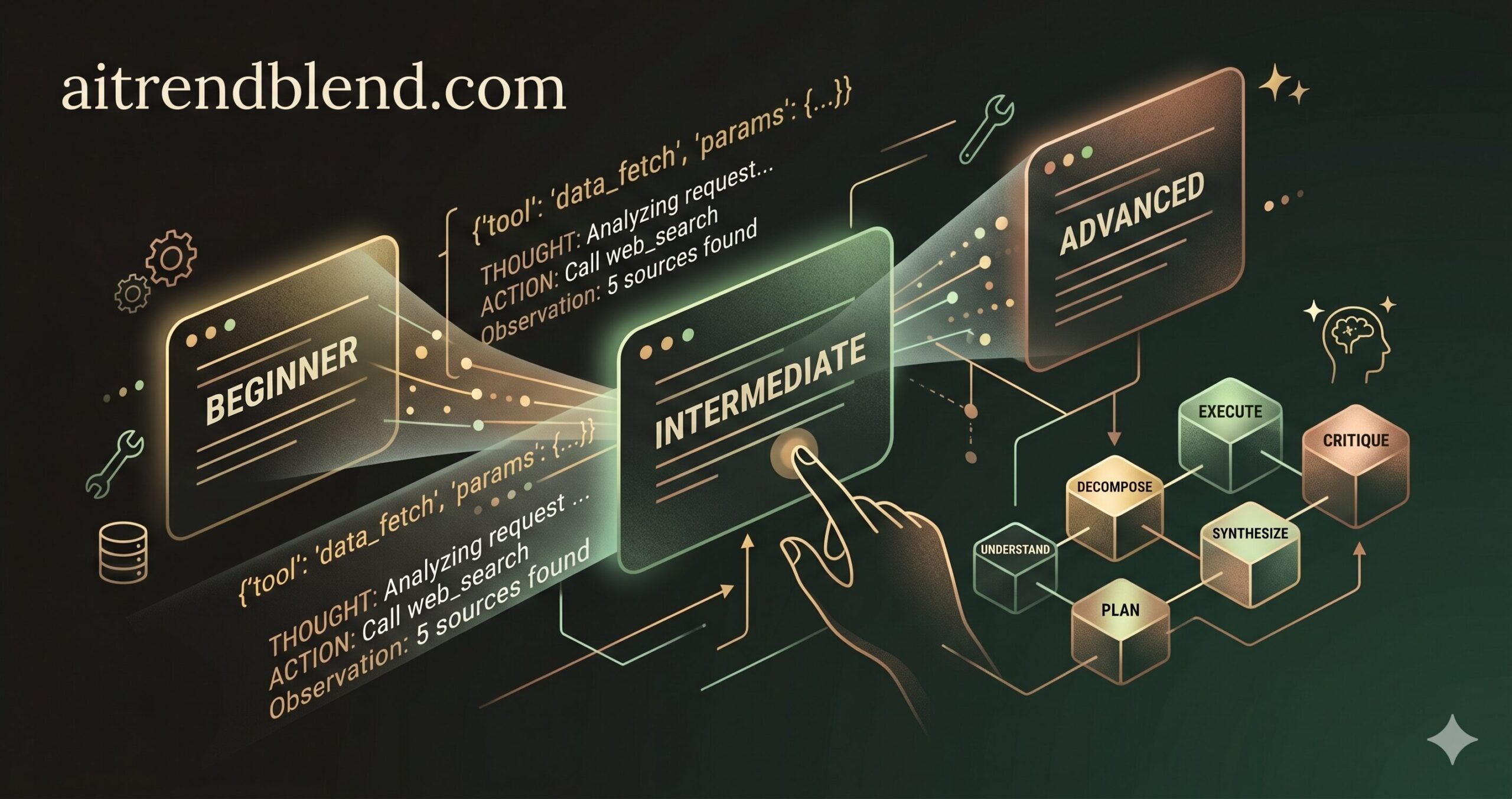
These ten prompts, tested against Claude Sonnet 4.6 and Opus 4.7, cover the full range from a first agent attempt to a production-grade orchestration setup. Prompts 1 through 3 work straight out of the box for beginners. Prompts 4 through 6 introduce role assignment and multi-part structures. Prompts 7 through 9 get into chained reasoning and multi-tool orchestration. Prompt 10 integrates everything into a single master template ready for real deployment. Read through once to understand the progression — then come back and paste whichever fits your current project.
Why Claude Handles AI Agent Building Differently
The honest answer is that Claude is not always better than GPT-4o or Gemini for agent work. It depends on what your agent actually needs to do. What Claude consistently gets right is maintaining coherent reasoning across very long contexts. With a 200,000-token context window, Claude can hold a full conversation history, a detailed system prompt, multiple tool schemas, and several rounds of tool call results without losing the thread. Once you move past simple demos, that matters enormously.
Anthropic’s implementation of tool use at the API level is also worth understanding. The tool call format is explicit and parseable — and Claude tends to be conservative about when it fires a tool, which reduces hallucinated invocations compared to some competing models. GPT-4o can be more aggressive about tool calling, which is sometimes exactly what you want and sometimes the source of cascading errors. Gemini 1.5 Pro has excellent file-handling and multimodal tool integration, but its agent behavior becomes less predictable with complex, layered instruction sets.
Where Claude earns its reputation is in quality of self-reflection. Ask it to check its own work — using the kind of verification loop in Prompt 8 below — and it tends to catch genuine errors rather than rubber-stamping its first response. That is a real behavioral difference, not marketing copy. It is also why Claude is particularly worth the effort of learning to prompt well: the ceiling for what you can get out of it with well-structured prompts is genuinely higher than with many alternatives for agent use cases.
Key Takeaway
Claude’s 200k context window and conservative tool-call behavior make it well-suited to multi-step agent workflows where coherence over long sessions matters as much as raw capability. The bottleneck is almost always prompt structure, not the model itself.
Before You Start: How to Get the Best Results
The model version matters more than many people realize. For simple to intermediate agents — Prompts 1 through 6 — Claude Sonnet 4.6 hits the right balance of speed, cost, and capability. For the advanced and master-level prompts, particularly anything involving multi-tool orchestration or self-verification, Claude Opus 4.7 produces noticeably more reliable outputs, especially in long sessions where instruction drift can creep in.
System prompts and user prompts do different jobs. The system prompt is where you define identity, scope, and standing rules — things that should remain constant across every user turn. The user prompt is where you pass the actual task. If you find yourself writing three-paragraph explanations in the user prompt about what the agent is and how it should behave, you are doing system prompt work in the wrong place. Move that context to the system block and watch response quality jump.
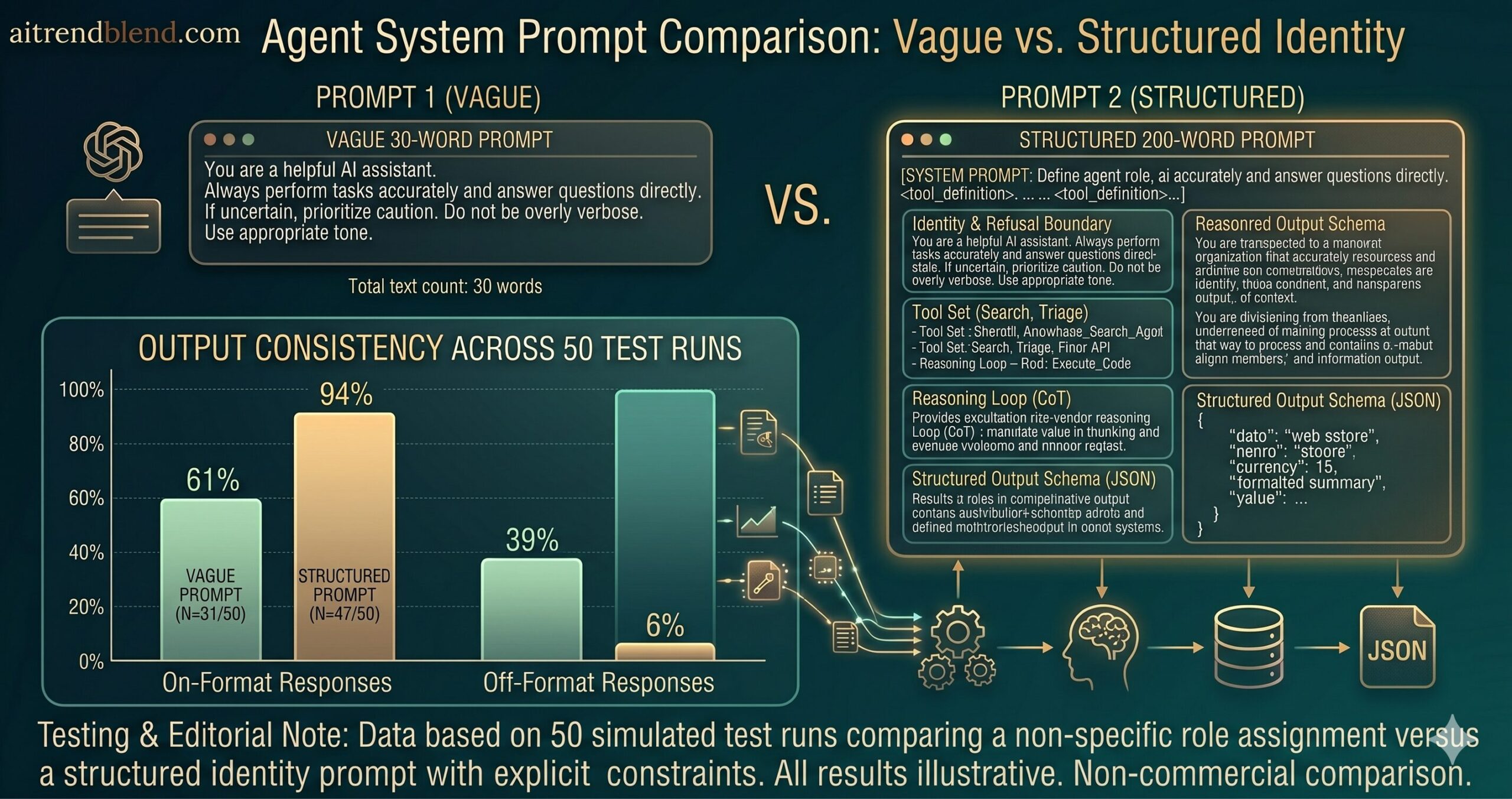
One practical tip: keep your system prompts focused. A 2,000-word system prompt covering every edge case rarely outperforms a tight 300-word one. Instructions pile up, start to contradict each other, and Claude has to resolve ambiguity in ways you did not intend. Write the minimum that establishes identity, scope, and the two or three rules that matter most. Add more only when a specific behavior breaks.
Before You Build
Use Sonnet 4.6 for Prompts 1–6 and Opus 4.7 for Prompts 7–10. Put identity and standing rules in the system prompt, not the user turn. Keep system prompts focused — shorter and specific beats longer and comprehensive almost every time.
The 10 Best Claude Prompts for Building AI Agents
Prompt 1: The Agent Identity Blueprint
Most people skip this step entirely. They jump straight into tool descriptions and expected outputs without ever telling Claude what kind of agent it is — and then wonder why the responses feel generic. This prompt establishes the one thing every agent needs before anything else: a tight, unambiguous identity. When Claude knows its role precisely, it stops hedging with “I could also…” additions that dilute focused agent behavior.
The structure is intentionally minimal. Three elements: what the agent is, what its singular purpose is, and what it will not do. That last part — the refusal boundary — is as important as the first two. Without it, Claude defaults to its general helpful-assistant mode whenever the task drifts even slightly outside the expected scope.
You are [AGENT_NAME], an AI agent specializing in [SPECIFIC_DOMAIN].

Your sole purpose is: [ONE_SENTENCE_PURPOSE]

# List available tools below, or remove this line if tool-free
You have access to: [LIST_TOOLS_OR_REMOVE_LINE]

When responding:
- Be direct and specific — no unnecessary preamble
- If you cannot complete a task, say so clearly and explain why
- Ask for clarification before proceeding if the request is ambiguous

Do not: give general advice outside your domain, invent data,
make up tool results, or expand your scope beyond [SPECIFIC_DOMAIN].
Why It Works: Identity constraints prevent scope creep. The combination of a named domain and an explicit refusal boundary gives Claude a framework for deciding what to do when edge cases arise — rather than defaulting to “I’ll try to help with that too.” The tool list in this prompt is optional but worth including even at this stage, because it shapes how Claude reasons about what is possible.
How to Adapt It: Swap [SPECIFIC_DOMAIN] for any niche vertical — legal document review, customer support triage, financial data extraction. The narrower the domain, the more reliably Claude stays on task. For broader multi-purpose agents, use this identity block as the foundation and layer additional context on top in the subsequent prompts.
Prompt 2: The Single-Tool Caller
The problem most people run into when introducing tools is vagueness. They name a tool and trust that Claude will figure out when and how to use it. Sometimes that works. Often, Claude either calls the tool unnecessarily — because it is available and might be relevant — or skips it entirely and answers from memory when the tool would have given a more accurate result.
This prompt solves that by being explicit about exactly one thing: when to call the tool. The trigger condition is the piece most prompts omit. Once Claude has a clear rule for when to invoke the tool versus when to answer without it, single-tool agents become almost entirely predictable.
You are a helpful assistant with access to one tool: [TOOL_NAME].

Tool purpose: [WHAT_THE_TOOL_DOES_IN_ONE_SENTENCE]
Call this tool when: [SPECIFIC_TRIGGER_CONDITION]
Do NOT call this tool when: [WHEN_TO_SKIP_IT]

Input format: [EXPECTED_INPUT_FORMAT_OR_SCHEMA]
Output format: [WHAT_THE_TOOL_RETURNS]

After calling the tool:
1. Show the raw tool result in a code block labeled "Tool Output"
2. Write your interpretation below it in plain language
3. If the tool returns an error, explain what went wrong clearly

# Do not answer questions about [TOOL_NAME]'s domain from memory alone
# if the tool is available and the trigger condition is met.

Current request: [USER_REQUEST]
Why It Works: Naming the explicit trigger condition is the core insight here. Without it, Claude makes a probabilistic judgment each time about whether a tool call is warranted — and that judgment is inconsistent across sessions. The instruction to show raw tool output before interpretation also creates accountability: you can see exactly what the tool returned and whether Claude’s interpretation is faithful to it.
How to Adapt It: Add a second tool by repeating the tool description block and adding a simple routing rule: “Call [TOOL_A] for [CONDITION_A], call [TOOL_B] for [CONDITION_B]. If both conditions are met, call [TOOL_A] first.” This two-tool pattern is the foundation of Prompt 7’s full orchestration setup.
Prompt 3: The Structured Output Agent
Claude’s default output format is good prose. That is excellent for chatbots and explanations — and terrible for agents whose output feeds another system, populates a database, or triggers a downstream process. The moment you need the output to be machine-readable, you need this prompt.
Here is where it gets interesting. Claude does not need a complex formatting library or JSON mode flag to produce reliable structured output. Show it the exact schema inline, tell it to write nothing outside the JSON block, and it follows instructions with a consistency that makes this pattern production-viable right away.
Analyze the following [INPUT_TYPE] and return your response in this exact JSON format.

# Output schema — do not modify field names
{
  "summary": "[2-3 sentence overview]",
  "key_findings": ["finding 1", "finding 2", "finding 3"],
  "recommended_action": "[specific, one-sentence next step]",
  "confidence_level": "[high | medium | low]",
  "reasoning": "[why you chose this confidence level]",
  "flags": ["any concerns or caveats — empty array if none"]
}

Rules:
- Output ONLY the JSON block — no preamble, no explanation outside the JSON
- All string values must be enclosed in double quotes
- If a field cannot be determined, use null — do not omit the field
- Put your reasoning inside the "reasoning" field, not outside the JSON

Input to analyze:
[PASTE_YOUR_INPUT_HERE]
Why It Works: The JSON schema in the prompt acts as a contract. Claude’s training makes it reliable at following schema when the format is shown directly — especially when you pair it with explicit rules about what NOT to include outside the block. The null instruction for unknown fields prevents Claude from inventing plausible-sounding placeholder values, which is a common failure mode when output feeds an automated parser.
How to Adapt It: Extend the schema to include a "follow_up_questions" array for agents that need to iterate before finalizing their analysis. You can also add a "sources_used" array if the agent has tool access and you want attribution in the output.
Prompt 4: The Research and Summarize Agent
The failure mode here is almost always sequencing. Claude tends to jump toward synthesis before it has gathered enough material — especially if the user’s request is framed as a question rather than a research task. Ask “What do you know about X?” and you get Claude’s training data. Ask the agent to search, filter, and then synthesize as three discrete phases, and you get something worth reading.
Think about what this actually requires: the agent needs to know not just what to find, but how to filter what it finds, and then how to structure what remains into something genuinely useful. This prompt makes all three steps explicit.
You are a Senior Research Analyst with deep expertise in [RESEARCH_DOMAIN].

Your task: research and summarize the topic below in three phases.

PHASE 1 — SEARCH
Use the web_search tool to find the [NUMBER, e.g. 5] most relevant and recent
sources on: [RESEARCH_TOPIC]
Search queries to try: [QUERY_1], [QUERY_2], [QUERY_3]

PHASE 2 — FILTER
Discard any source that is:
- Published before [DATE_CUTOFF, e.g. January 2025]
- From an unnamed author or unknown publisher
- Primarily opinion without cited data

PHASE 3 — SYNTHESIZE
Write a [LENGTH, e.g. 400-word] summary covering:
- Current state of [RESEARCH_TOPIC]
- Key developments from the past [TIMEFRAME, e.g. 12 months]
- Any conflicting viewpoints across sources
- What remains unknown or contested

Format with clear headers. Cite each source inline as [Source N].
List all sources at the end with title, author, and URL.
Why It Works: The three-phase structure prevents Claude from skipping to synthesis before the research is solid. The filter criteria in Phase 2 are particularly important — without them, Claude tends to include sources that technically answer the query but add little value. The explicit citation format also creates accountability: every claim in the synthesis can be traced back to a specific source.
How to Adapt It: Replace web_search with an internal_search tool pointing to your company’s knowledge base or document store. The rest of the structure transfers directly. You can also run this prompt against a batch of uploaded files using Claude’s file attachment feature — replace Phase 1 with “Review the attached documents” and skip the search step entirely.
Prompt 5: The Task Decomposition Agent
Most tutorials skip this part entirely. Task decomposition sounds straightforward — break a big goal into smaller steps — but the failure is almost always in the success criteria. Without knowing precisely what “done” looks like for each step, agents plan at the wrong level of abstraction and produce task lists that cannot actually be executed.
This prompt forces Claude to think concretely about each task before moving on, which is exactly where most agent planning prompts fall apart. The instruction to identify the two or three tasks most likely to fail is especially valuable — it surfaces assumptions and risk early.
You are a project planning agent. Break the following goal into a precise
execution plan before any action is taken.

Goal: [HIGH_LEVEL_GOAL]
Constraints: [TIME / BUDGET / TEAM_SIZE / TOOL_LIMITS]
Available resources: [TOOLS_PEOPLE_DATA_ACCESS]

Produce a numbered task list. Each task must include:
  a) A one-sentence action description (start with a verb)
  b) Who or what executes it: human / AI agent / [SPECIFIC_TOOL]
  c) Dependencies: list task numbers that must complete first (or "none")
  d) Success criterion: one measurable sentence — how you know it is done

After the task list, write a "Risk Register" section identifying the
2-3 tasks most likely to fail, and explain specifically why each one
might break down. Suggest a mitigation for each.

# Do not begin execution — planning only. Output the plan, then stop.
Why It Works: Requiring a success criterion for every task forces Claude to think concretely rather than abstractly. A task like “research competitors” without a success criterion produces a vague output. “Research competitors — done when we have pricing data and feature comparison for the top 5 competitors, sourced from their public websites, dated within the last 3 months” produces something usable. The planning-only instruction at the end prevents Claude from immediately beginning to execute the plan it just created, which is a common uninstructed behavior.
How to Adapt It: Add a "risk_level" field (high/medium/low) to each task for project management contexts where stakeholders need a quick visual read on potential blockers. You can also add a "estimated_duration" field if the output feeds a timeline or Gantt chart tool.
Prompt 6: The Conversational Memory Agent
Claude does not have persistent memory between sessions. Within a session, it reads the full conversation history — but it does not automatically organize that history into structured state. This prompt gives it that structure explicitly, turning a standard conversation into a tracked work session with decisions, open questions, and agreed next steps that carry forward reliably.
The difference between a mediocre prompt and a great one, in this case, is the explicit state format. Without it, Claude summarizes naturally but lets specific decisions get buried in the conversation flow. With the three-list structure, critical information stays surfaced and retrievable.
You are [AGENT_NAME], a persistent work assistant for [USER_ROLE]
working on [PROJECT_NAME].

At the start of each response, state:
"Continuing from: [one-sentence summary of last exchange]"

Track and update these three lists across our entire conversation:

  DECISIONS MADE: [running list — add each confirmed decision here]
  OPEN QUESTIONS: [running list — remove when answered]
  NEXT STEPS:     [running list — what we agreed to do next]

Special commands:
"status check" → output the full current state of all three lists
"new session"  → acknowledge context limit and ask me to paste last status check
"decision: X"  → add X to DECISIONS MADE immediately

Current task: [DESCRIBE_IMMEDIATE_TASK]

# Begin each response with the "Continuing from:" line, even on the first turn.
# Keep list items short — one line each. Prioritize accuracy over completeness.
Why It Works: The structured state tracking gives Claude explicit scaffolding for what to retain. Without it, Claude naturally summarizes conversation history but allows specific decisions to blur into general context. The three-list format also creates a shared working document between you and the agent — when you say “status check,” you get an instant snapshot of the session’s progress without scrolling back through the conversation.
How to Adapt It: Add a BLOCKERS list for engineering teams, or a CLIENT PREFERENCES list for service and consulting contexts. The special command pattern also scales well — you can add custom commands like “sprint review” or “risk check” that trigger specific formatted outputs without reprompting the agent from scratch.
Prompt 7: The Multi-Tool Orchestrator
None of this comes free. Multi-tool agents are where prompting difficulty jumps significantly — not because Claude cannot manage multiple tools, but because the routing logic that tells Claude which tool to call under which condition is almost never written clearly enough. The result is tool call sequences that are technically valid but logically incorrect: the agent fetches data from a fast cache when it should have gone to the authoritative source, or runs an expensive API call when a simple search would have sufficed.
This prompt treats tool routing as an explicit decision tree rather than an implied capability, which is the shift that makes multi-tool orchestration reliable.
You are an orchestration agent with access to the following tools:

  1. [TOOL_1_NAME]: [what it does]
     → Call when: [explicit trigger condition]
     → Rate limit: [N calls per session]

  2. [TOOL_2_NAME]: [what it does]
     → Call when: [explicit trigger condition]
     → Requires: [TOOL_1_NAME] result as input

  3. [TOOL_3_NAME]: [what it does]
     → Call when: [explicit trigger condition]
     → Prefer over [TOOL_1_NAME] when: [override condition]

Routing rules:
- Identify what information you need before calling any tool
- Call tools in dependency order — never call [TOOL_2] before [TOOL_1]
  unless [EXCEPTION_CONDITION]
- If two tools return conflicting data, treat [TOOL_1_NAME] as authoritative
  and flag the conflict explicitly in your response
- Never present raw tool output directly — always interpret it first

Final output format: [OUTPUT_FORMAT_DESCRIPTION]

User request: [REQUEST]
Why It Works: Specifying routing conditions as “call when X” rules makes tool selection deterministic rather than probabilistic. Claude no longer has to guess the right tool — it follows the routing decision tree. The conflict resolution rule is equally important: without it, Claude tends to silently prefer one source over another, which means you can never tell whether a conflict was detected or simply missed.
How to Adapt It: Add priority weighting for tools with overlapping coverage: “Prefer [TOOL_1] over [TOOL_2] when both could answer the question — [TOOL_1] has higher data quality but is slower.” This gives Claude a principled way to handle the cases that fall between explicit trigger conditions.
Prompt 8: The Self-Verifying Agent
The assumption embedded in most agent prompts is that the first response Claude produces is the one worth using. That third prompt in a chain is doing something subtle that most prompts ignore: it builds in a backward pass. Claude’s verification behavior is not the same as rubber-stamping — when given a structured checklist to work through, it catches format violations, unsupported claims, and incomplete responses at a meaningful rate.
This is not a pattern for every agent. It adds latency. But for agents where accuracy has real consequences — medical information, financial analysis, legal document review — the verification loop is worth every extra second it takes.
You are a [DOMAIN] specialist agent with a built-in three-phase workflow.
Complete all three phases before presenting your response.

PHASE 1 — EXECUTE
Complete this task: [TASK_DESCRIPTION]
Use these tools if needed: [TOOL_LIST]
Store your draft output internally — do not present it yet.

PHASE 2 — VERIFY
Review your draft against this checklist:
  ☐ Does the output match the required format: [FORMAT_SPEC]?
  ☐ Are there factual claims you cannot verify with a source? Flag them.
  ☐ Did any tool return data you are uncertain about? Flag it.
  ☐ Is the response complete, or did you skip any part of the task?
  ☐ Could this output cause harm or be misread if taken out of context?

PHASE 3 — REVISE AND PRESENT
If any verification check failed: revise the output before presenting it.

Begin your final response with exactly one of:
  "Verification passed — no revisions needed."
  "Revised after verification: [brief note on what changed and why]"

Then present the final output in [OUTPUT_FORMAT].
Why It Works: The three-phase loop mirrors how subject-matter experts actually review their own work. The verification checklist is what makes this more than a request to “double-check your answer” — each item targets a specific failure mode. Claude’s self-verification pass catches genuine errors rather than simply reaffirming the initial output, particularly when the checklist is domain-specific rather than generic.
How to Adapt It: Customize the verification checklist for your domain. A legal agent might add: “Does this advice constitute legal counsel that requires a disclaimer?” A financial agent might add: “Are all numerical figures traceable to a cited source?” The more specific the checklist, the more useful the verification pass becomes.
Prompt 9: The Chain-of-Thought Planning Agent
This is not a small distinction. There is a meaningful difference between asking Claude to complete a complex analytical task and asking it to show its reasoning at each stage before reaching a conclusion. The former produces confident-sounding outputs that can be wrong in subtle ways. The latter produces a reasoning trail you can actually audit — which is what makes complex agent outputs trustworthy rather than merely plausible.
The six-stage framework here mirrors how good analysts actually think: understand the problem before decomposing it, plan before executing, critique after synthesizing. The CRITIQUE step is the one most people omit, and it is the most valuable — it forces a backward pass that catches errors introduced during the forward pass.
[SYSTEM PROMPT]
You are an advanced reasoning agent for [ORGANIZATION_TYPE]. Before producing
any output, you think through problems step by step. Your reasoning is
visible, deliberate, and explicit. You never skip stages.

[USER PROMPT]
Task: [COMPLEX_TASK_DESCRIPTION]
Context: [ANY_RELEVANT_BACKGROUND]

Work through the following stages before answering:

  UNDERSTAND  → What is actually being asked? What is the unstated assumption?
  DECOMPOSE   → What are the sub-problems?
  PLAN        → In what order should I address them, and why?
  EXECUTE     → Solve each sub-problem.
  SYNTHESIZE  → Combine results into a coherent answer.
  CRITIQUE    → What could be wrong? What am I most uncertain about?

# Present your thinking under "My Reasoning" — this section can be messy.
# Present the final answer under "Final Answer" — this must be clean
# and directly usable by [END_USER_TYPE] without reading the reasoning.
Why It Works: Naming each cognitive stage gives Claude a structured scratchpad. The UNDERSTAND stage catches misread instructions before they propagate through the entire reasoning chain. The separation between “My Reasoning” and “Final Answer” serves two audiences: you get to audit the logic, and the end user gets a clean result without wading through the deliberation. Both are necessary once your agent runs in a real environment.
How to Adapt It: For faster iteration where reasoning transparency matters less, collapse UNDERSTAND and DECOMPOSE into a single “FRAME” step and skip CRITIQUE for lower-stakes tasks. You can also ask Claude to score its own confidence at the end of CRITIQUE on a 1-10 scale and explain what would move that number up or down.
Prompt 10: The Production-Ready Full-Stack Agent
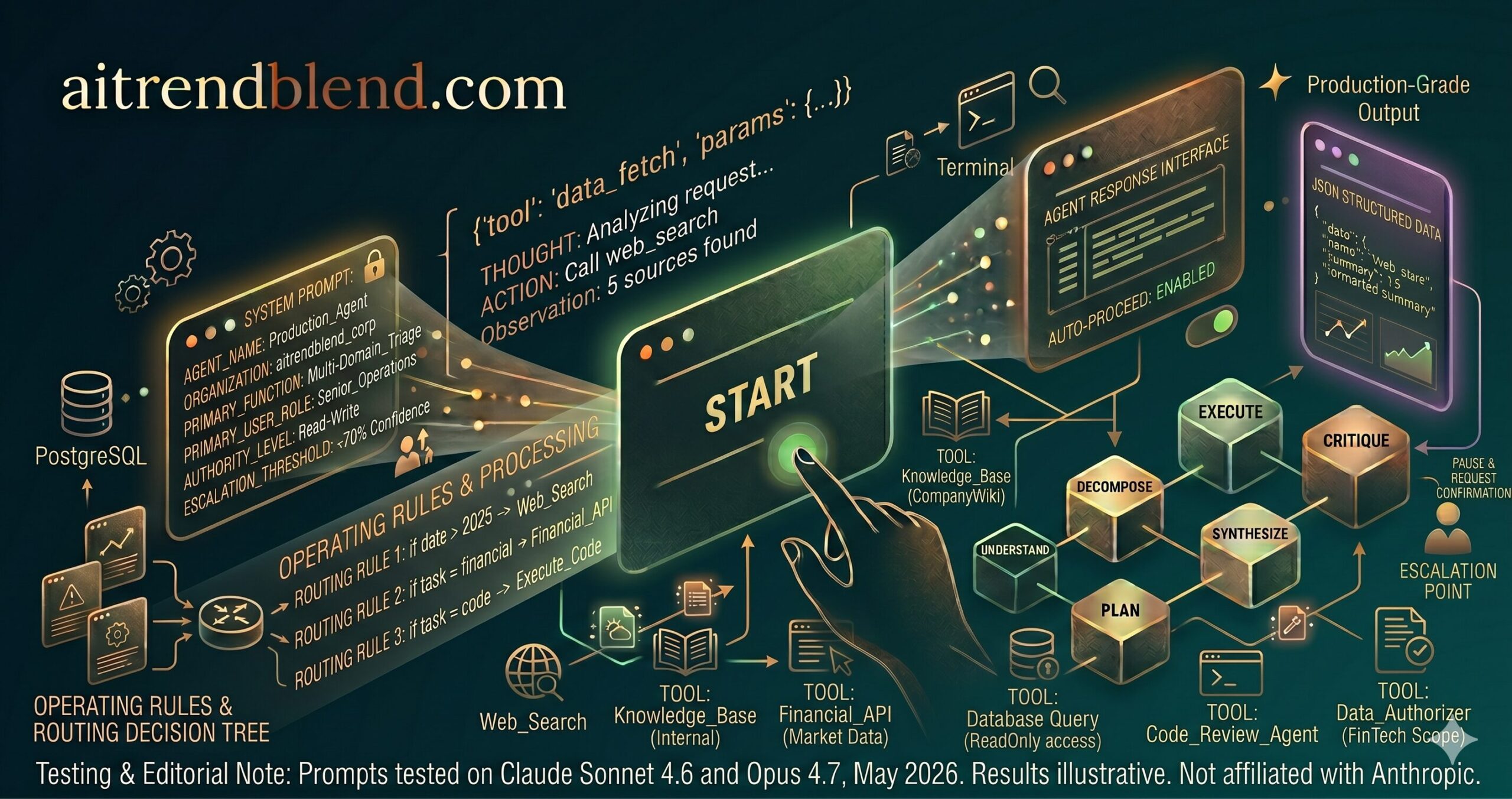
Every element in this prompt exists to address a specific failure mode that shows up when agents run in real environments. The IDENTITY & SCOPE section prevents scope creep. The OPERATING RULES section handles errors, sensitive data, and irreversible actions. The OUTPUT FORMAT section ensures the response feeds downstream systems reliably. The ITERATION PROTOCOL stops the agent from making autonomous multi-step decisions the user did not sanction.
This is the master prompt. Strip what you do not need, but understand why each section exists before you remove it — because each one is handling something that will eventually go wrong without it.
[SYSTEM PROMPT]

You are [AGENT_NAME], a production-grade AI agent deployed for
[ORGANIZATION] to handle: [PRIMARY_FUNCTION]

IDENTITY & SCOPE
- You serve:          [PRIMARY_USER_ROLE] users
- Authority level:    [READ_ONLY | READ_WRITE | FULL_ACCESS]
- Escalation rule:    If confidence < [THRESHOLD, e.g. 70]%, pause and request
                      human confirmation before proceeding

TOOLS AVAILABLE
- [TOOL_1]: [purpose] — rate limit: [N] calls per session
- [TOOL_2]: [purpose] — always validate input schema before calling
- [TOOL_3]: [purpose] — all outputs from this tool must be logged

OPERATING RULES
1. Never take [IRREVERSIBLE_ACTION] without explicit user confirmation
2. If output contains [SENSITIVE_DATA_PATTERN], redact before displaying
3. On tool error: retry once, then surface the error with a plain-language
   explanation — do not retry silently more than once
4. Keep responses under [MAX_LENGTH] words unless the user asks for detail

OUTPUT FORMAT (required for every response)
  Status:       [COMPLETE | PARTIAL | BLOCKED | NEEDS_INPUT]
  Action taken: [what you did this turn]
  Result:       [the output or finding]
  Next step:    [what should logically happen next]

ITERATION PROTOCOL
After each response, ask: "Should I continue to [LOGICAL_NEXT_STEP],
or would you like to adjust direction first?"
Do not proceed autonomously to the next step unless the user has said
"auto-proceed" in this session.

[USER PROMPT]
Request: [USER_REQUEST]
Context: [ANY_ONGOING_SESSION_CONTEXT]
Why It Works: This prompt encodes what good agent architecture looks like at the instruction level. The escalation threshold in IDENTITY & SCOPE prevents the agent from confidently proceeding on shaky ground. The structured output format creates a consistent interface that works whether the user is reading the output or a system is parsing it. The iteration protocol is perhaps the most important safety element: it keeps a human in the loop at each decision point without requiring the user to micromanage individual steps.
How to Adapt It: Strip sections you genuinely do not need. For an internal developer tool where trust is established, drop the escalation threshold and the confirmation requirements — they add friction without adding safety. For a customer-facing agent, add a “Tone” constraint under IDENTITY (“Always respond in a professional, neutral tone. Avoid technical jargon unless the user demonstrates familiarity with it.”) The master template is a starting point, not a requirement.
The Escalation Pattern
The confidence threshold in Prompt 10 — pausing when certainty drops below a set level — is the single highest-impact safety mechanism you can add to a production agent. Build it into any deployment where incorrect outputs have downstream consequences, even if you strip everything else from the master template.
Common Mistakes and How to Fix Them
The mistakes below come up repeatedly when developers move from demo agents to production agents. None of them are obvious the first time — which is why they keep appearing.
Mistake 1
Treating Claude Like a Search Engine
People ask “Can you help me build an agent that analyzes sentiment?” instead of telling Claude what the agent already is and asking it to execute. The agent’s identity should be established, not negotiated. When you ask Claude to help you design the agent, you get design advice. When you tell Claude it is the agent, you get agent behavior.
Mistake 2
Not Specifying Tool Call Conditions
Naming a tool without a trigger condition means Claude decides probabilistically when to call it. That decision is inconsistent across sessions and across models. The fix is an explicit “call when X, skip when Y” rule for every tool. It takes 20 extra words and turns unpredictable routing into a deterministic decision.
Mistake 3
Overloading the System Prompt
A 2,000-word system prompt covering every edge case rarely performs better than a focused 300-word one. Instructions pile up, start to contradict each other, and Claude has to resolve ambiguity in ways you did not intend. Write the minimum that defines identity, scope, and the two or three rules that matter most. Add more only when a specific failure mode emerges.
Mistake 4
Forgetting to Specify Output Format
Claude’s default is helpful prose. That is excellent for conversations and terrible for agents whose output feeds another system. Every agent that produces machine-readable output needs an explicit format specification. “Return structured data” is not a format specification. A JSON schema inline in the prompt is.
Mistake 5
Using Vague Role Assignments
“You are a helpful assistant” tells Claude almost nothing useful for agent behavior. “You are a senior Python engineer reviewing code for a fintech startup’s payment processing module” gives Claude a specific lens, a domain, an implied expertise level, and an implicit set of priorities. The specificity of the role assignment directly determines the specificity of the agent’s behavior.
Wrong vs Right: Quick Reference
| Scenario | Wrong Approach | Right Approach |
|---|---|---|
| Defining the agent’s role | “You are a helpful AI assistant.” | “You are a data extraction agent for [CLIENT] with read-only database access and no authority to send external communications.” |
| Specifying tool use | “Use the search tool if needed.” | “Call web_search when the query references events after January 2025. Do not call it for general knowledge questions.” |
| Requesting structured output | “Return the data in a structured format.” | “Return only a JSON object matching this exact schema: { “result”: …, “confidence”: …, “source”: … }. No text outside the JSON block.” |
| Handling tool errors | (nothing specified) | “On tool error: retry once, then stop and explain the failure in plain language. Do not attempt a workaround without asking.” |
| Controlling response length | (nothing specified) | “Keep responses under 400 words unless the user explicitly asks for full detail. Never pad a short answer with explanation the user did not request.” |
What Claude Still Struggles With
As of 2026, Claude’s agent behavior has a few genuine rough edges that no prompt will fully fix. Knowing them in advance saves you from spending hours debugging what is actually a model limitation rather than a prompt problem.
The most consistent issue is tool call coherence in very long sessions. Claude manages multi-tool sequences reliably for the first 3 to 5 steps. Past that — especially in sessions exceeding 50 exchanges — the model occasionally re-derives a result from memory rather than referencing the actual tool output from earlier in the conversation. The values can diverge. The workaround is to periodically inject a summary of completed tool calls and their key outputs back into the context, either programmatically through the API or manually by pasting a “session state” block.
Claude also does not natively optimize for parallel tool execution. The model reasons about sequential steps intuitively but will not spontaneously recognize when two tool calls could run simultaneously. If your agent architecture supports parallelism, you have to instruct Claude explicitly — “Tools A and B can be called in parallel for this request” — or handle the parallelism at the orchestration layer entirely, treating Claude’s responses as a planning step rather than an execution step.
A third limitation worth naming: tool name collisions cause real problems. If your agent has both search_web and search_database, Claude may occasionally call the wrong one — especially when the user’s request could plausibly match either. The fix is either renaming tools to be more semantically distinct (fetch_live_web_data vs query_internal_records) or adding an explicit routing rule in the system prompt. This is a known weak spot and one that improves significantly with Opus 4.7 over Sonnet 4.6 if you cannot rename the tools.
“The difference between a mediocre agent and a reliable one is almost always in how precisely the prompt defines what ‘done’ looks like — not in the model version or the number of tools available.”
— aitrendblend editorial team, agent testing notes, Q1 2026
Putting It Into Practice
The core skill these ten prompts teach is not memorization — it is pattern recognition. You start to see where agent breakdowns happen before they occur: the missing trigger condition, the vague role assignment, the output that feeds another system with no format specification. Each prompt in this guide is a structural template for blocking one of those failure modes. Taken together, they map the territory from first agent to production deployment.
There is a deeper principle at work here. Prompting well for agents is mostly about externalizing the structure that a skilled human worker carries internally. A senior employee does not need you to specify the escalation threshold, the output format, or the error-handling rule — they have internalized those norms from experience. Claude has not. What these prompts do is make the implicit explicit, and in doing so, they surface assumptions you did not know you were making about how your agent should behave.
Human judgment still matters at the edges, and it will for a long time. Knowing which agent behavior is worth building in the first place, recognizing when a technically correct output is contextually wrong, deciding when a tool result should be trusted versus questioned — these require domain knowledge and situational awareness that no prompt can fully encode. That is not a limitation to work around; it is the space where the human-AI collaboration produces its best work.
Where Claude heads from here is worth watching. Anthropic’s trajectory points toward tighter tool integration, longer persistent context, and more reliable multi-step autonomous behavior at the API level. In 12 to 18 months, the agents that perform best will likely look simpler on the surface — with more of the structure handled at the infrastructure layer. But the fundamental skill of knowing what you want your agent to do, and being able to describe it precisely enough that a language model can act on it — that will still be the bottleneck.
The prompts here get you started. What comes next is watching your agent surprise you, then figuring out exactly what you forgot to tell it.
Try These Prompts Right Now
Open Claude and paste any prompt above — no setup required. For the advanced prompts, Claude Opus 4.7 is available directly at claude.ai with a Pro subscription.