
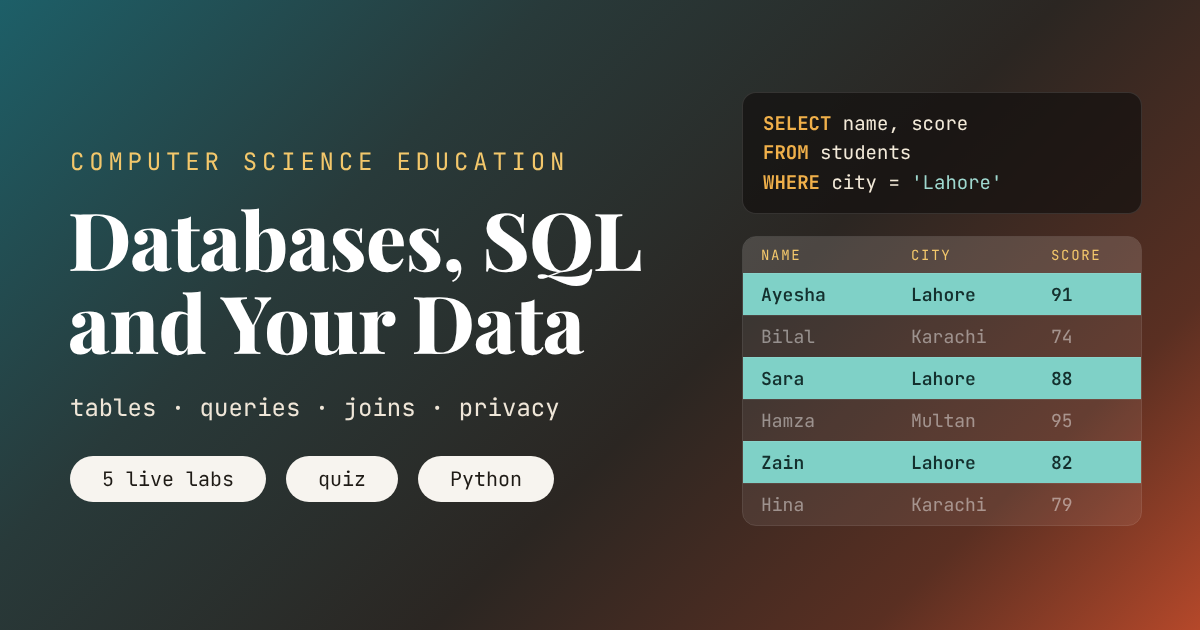
An Animated Lesson
Key points of this lesson
- A database stores information in tables made of rows and columns, and a primary key gives every row its own identity.
- SQL is the language for asking a database questions. You describe the rows you want, and the database works out how to find them.
- Keys connect tables, and a JOIN brings matching rows back together without storing the same fact twice.
- An index keeps values sorted, so finding one row among ten million takes about 24 steps instead of millions of checks.
- Never paste user input straight into an SQL command. Placeholders stop the attack called SQL injection.
- Removing names does not make data anonymous. A few ordinary facts, such as postcode, birth year and gender, can point to one person.
Who this lesson is for and how to use it
This is the eleventh lesson in our Computer Science Education series. The previous lesson, How Large Language Models Work, ended by asking what information these systems are trained on and what happens to the questions we type into them. This lesson picks up that thread. It starts with how data is stored and searched, then turns to what that means for privacy.
The lesson suits grades nine to twelve and first year college students. No database software is needed for the labs, which run in the browser. Students who have finished Your First Program can run the companion Python code, which uses the sqlite3 module that ships with every Python installation. The lesson connects to earlier ones on purpose. The index race reuses binary search from How Algorithms Work, and the injection section builds on Cybersecurity for Students.
Learning objectives
After three periods, a student should be able to do the following five things without notes.
- Describe a table, a row, a column and a primary key, using an example from school life.
- Read and write simple SQL queries with SELECT, WHERE, ORDER BY, LIMIT and GROUP BY.
- Explain why data is split into several tables and predict the result of an inner join and a left join.
- Explain why an index makes searching fast and estimate the number of steps it needs.
- Explain SQL injection and how placeholders prevent it, and show why removing names does not guarantee privacy.
| Period | Focus | Activity on this page | Time |
|---|---|---|---|
| 1 | Tables and queries | Card table activity, Lab 1 query builder, writing five queries by hand | 40 minutes |
| 2 | Keys, joins and speed | Lab 2 join machine, Lab 3 scan or index, the telephone directory race | 40 minutes |
| 3 | Safety and privacy | Injection example, Lab 4 find Sana, class discussion, quiz, Python demo | 40 minutes |
What a database actually is
A database is an organized collection of data that a program can store, search and change reliably, even when thousands of people use it at once. Your school’s attendance register, a bank’s account records, the list of videos on a streaming site and the contacts on your phone all live in databases. The program that manages the data is called a database management system. Popular ones include SQLite, MySQL, PostgreSQL, Oracle and Microsoft SQL Server.
Most databases you will meet are relational. They keep data in tables that look a lot like spreadsheets. Each table describes one kind of thing, such as students. Each row is one student, and each column is one fact about every student, such as name, class or city. The difference from a spreadsheet is discipline. A database insists that every value in the score column is a number, that no two students share an id, and that two people editing at the same moment cannot corrupt each other’s work.
| Word | Meaning | School example |
|---|---|---|
| Table | A collection of rows about one kind of thing | students |
| Row | One record, one item in the table | Ayesha, Class 10, Lahore |
| Column | One property that every row has, with a fixed type | score, always a whole number |
| Primary key | A column whose value is different for every row | student id |
| Foreign key | A column that points to a primary key in another table | student id inside the clubs table |
Why not just use names to identify people? Because names repeat. A large school may have three students called Ali in the same class. The id is boring on purpose. It never changes, never repeats, and lets every other table refer to exactly one student.
A short history
In 1970 Edgar F. Codd, a mathematician at IBM, published A Relational Model of Data for Large Shared Data Banks. Before Codd, programs found data by following chains of pointers that the programmer had to know in advance. Codd proposed that data should sit in simple tables and that people should ask for what they want, not describe how to fetch it. Four years later Donald Chamberlin and Raymond Boyce, also at IBM, designed a language for asking those questions. They called it SEQUEL, and it was later renamed SQL. Oracle sold one of the first commercial SQL databases in 1979, and SQL became an official standard in 1986. In 2000 D. Richard Hipp released SQLite, a complete database in a single small library, and today it sits inside every Android phone and iPhone. Its developers describe it as the most widely deployed database engine in the world.
Teacher note, the card table
Before any screen, give each student an index card and ask them to write five facts, an id number you assign, first name, class, favourite subject and the month of their birthday. Pin the cards on the board in a grid. You now have a table. Ask the class questions such as who likes Maths, and have a volunteer find the answer by checking every card. The volunteer has just performed a full table scan, and the class will feel how slow it is with forty cards.
Asking questions with SQL
SQL reads almost like English. The query SELECT name FROM students WHERE city = 'Lahore' asks for the names of every student whose city is Lahore. Notice what it does not say. It does not say start at the first row, check the city, move to the next row. It only describes the answer. SQL is a declarative language, and the database is free to find the answer in the fastest way it knows. That freedom is what lets the same short query run on twelve rows in a classroom and on a billion rows at a bank.
Five pieces cover most everyday queries.
SELECTnames the columns you want back, and*means all of them.FROMnames the table.WHEREkeeps only the rows that pass a test, such asscore > 80.ORDER BYsorts the result, withDESCfor highest first.LIMITcuts the result to the first few rows.
The lab below holds an invented table of twelve students. Build a query with the menus or press a preset. When you press Run query, watch the database check every row, light up the ones that pass, then sort and trim them into the result. The queries ask for just four columns, name, class, city and score, a reminder that a query can filter on a column, such as subject, without returning it.
Try the preset called score above 80, best first. Six of the twelve students pass the test, Hamza, Noor, Ayesha, Sara, Maryam and Zain, and ORDER BY lines them up from 95 down to 82. Now switch to top three scores. The database still sorts all twelve rows before LIMIT keeps the first three. A query never skips work just because you asked for less.
Counting and grouping
Many real questions are about groups rather than single rows. How many students come from each city? What is the average score in each class? GROUP BY collects rows that share a value and then applies a function to each group. COUNT(*) counts the rows, AVG(score) averages a column, and MAX, MIN and SUM do what their names suggest. In the lab, count per city shows four students in Lahore, three each in Karachi and Multan, and two in Islamabad. Average score per class shows Class 10 well ahead at about 90.3 and Class 12 behind at 63.0, the kind of pattern a head teacher would want to see before planning extra lessons.
Key takeaway
An SQL query describes the answer, not the steps. WHERE chooses rows, ORDER BY sorts them, LIMIT trims them and GROUP BY summarizes them. The database decides how to do the work.
Linking tables with keys and joins
Suppose students can join school clubs. You could add a club column to the students table, but Hamza is in both Robotics and Chess. Would you store his row twice, with his city and score copied each time? Then if he moves from Multan to Lahore, someone has to remember to change both copies. Miss one and the database now holds two different answers to the same question. Database designers call this an update anomaly, and avoiding it is the main reason data is split across tables.
The fix is a second table called clubs, with just two columns, a student id and a club name. Each row in it says that this student belongs to this club. The student id in the clubs table is a foreign key. It points back to the primary key in the students table. Hamza’s city is stored once, in one place, and his two memberships are two short rows.
To get the information back together, SQL uses a JOIN. The query SELECT students.name, clubs.club FROM students JOIN clubs ON clubs.student_id = students.id pairs every student with every clubs row that carries the same id. The lab uses the first six students and five club memberships. Watch the lines appear as the database matches ids.
With INNER JOIN the result has five rows. Hamza appears twice, once for each club, and Bilal and Fatima vanish, because an inner join only keeps pairs that match. Switch to LEFT JOIN and run it again. Now every student from the left table stays. Bilal and Fatima come back with NULL in the club column, the database’s way of saying there is no value here. The result grows to seven rows. Which one is right depends on the question. A list of club members wants the inner join. A list of every student with their clubs, so that a teacher can spot who has none, wants the left join.
Teacher note, string and pins
Split the card table from period one into two boards, student cards on the left and club cards on the right, each club card showing only an id and a club. Give volunteers lengths of string and ask them to connect every pair with matching ids. Then ask who is left without a string. Students who do this once rarely forget the difference between an inner and a left join.
Why databases are fast
When you search for a username on a social app, the database might hold hundreds of millions of rows. If it checked every row in turn, as the volunteer did with the cards, a single search could take seconds or minutes. Instead, databases build indexes. An index is a separate structure that keeps the values of one column in sorted order, each with a pointer back to its row.
Sorting is what makes the trick work. You met the idea in How Algorithms Work. When values are sorted, you can look at the middle one, decide whether your target is in the left half or the right half, and throw the other half away. Each check halves what is left. The number of steps grows with the logarithm of the table size, not with the size itself.
Real databases use a cousin of binary search called a B tree, invented by Rudolf Bayer and Edward McCreight in 1970. Each node holds hundreds of sorted keys, so the tree is very shallow and fits the way disks and memory read data in blocks. The tree structures from Data Structures Explained are the starting point for understanding them. The lab below compares a full scan with an index search.
Bar lengths use a logarithmic scale, otherwise the index bar would be too small to see.
How the index narrows the search, shown on 32 sorted cards
Each step looks at the middle card of what is left.
With ten million rows the scan checks millions of rows on most runs, while the index never needs more than 24 steps. If one check takes a microsecond, the scan needs several seconds and the index finishes in about 24 microseconds. The companion Python code makes the same comparison on a real SQLite table of 200,000 rows, and on our test computer the indexed lookup was about three thousand times faster.
Indexes are not free. Each one takes extra storage, and every time a row is added or changed, every index on that table has to be updated too. Designers add indexes to the columns that people search often, such as usernames or student ids, and leave the rest alone.
A query that finds one student among ten million in two dozen steps is not magic. It is the binary search from an earlier lesson, built into the database.From this lesson, period two
Keeping a database safe
Most apps build SQL commands from what users type. A login page might take the name you enter and look it up. If the program glues your text directly into the command, something dangerous becomes possible. Look at this unsafe Python function from the companion code.
# Unsafe. The user's text becomes part of the SQL command itself.
sql = "SELECT name, score FROM students WHERE name = '" + name + "'"
rows = conn.execute(sql).fetchall()

# Safe. The ? placeholder sends the text separately, so it is only ever data.
rows = conn.execute("SELECT name, score FROM students WHERE name = ?", (name,)).fetchall()
If a user types an ordinary name, both versions behave the same. But a user can type a carefully shaped string with a quote mark and the words OR 1 equals 1. In the unsafe version that quote mark ends the name early, and the rest of the text becomes part of the command. The condition is now always true, so the query returns every student in the table. In the companion code the trick input returns all twelve rows from the unsafe function and zero rows from the safe one. This attack is called SQL injection. It has leaked passwords and personal records from real companies, and the security community has listed it among the most serious web application risks for years.
The cure is simple and should become a habit. Never build SQL by joining strings with user input. Use placeholders, also called parameterized queries, so the database receives the command and the data separately and can never confuse them. The OWASP guide to preventing SQL injection puts this defence first. Combined with the password hashing from Cybersecurity for Students, it closes two of the most common holes in student projects.
Key takeaway
Treat everything a user types as data, never as code. A placeholder costs nothing to write and removes a whole class of attacks.
Your data and privacy
Now return to the student and her homework app. The app stores her name, school, birthday, city and phone number, probably in tables much like the ones in this lesson. It may also record what she searches, when she logs in and which classmates she connects with. Joins make it easy to combine all of these into a detailed picture of one person. That is useful for the app and sometimes for her, but it also means a database leak or a careless data release can reveal far more than any single table.
Organizations often share data for research after removing names, and call it anonymous. The trouble is that ordinary facts can work like a name. In 2000, privacy researcher Latanya Sweeney at Carnegie Mellon University estimated from the 1990 United States census that 87 percent of Americans could be singled out by just three facts, their five digit ZIP code, their gender and their full date of birth. A later study by Philippe Golle, using the 2000 census, put the figure at about 63 percent, still a large majority. Sweeney had already shown the danger in practice. In 1997 she combined a released state health insurance dataset with a voter list she bought for twenty dollars and picked out the medical records of the governor of Massachusetts.
Other releases have failed the same way. In 2006 AOL published millions of search queries with user names replaced by numbers, and journalists identified one searcher from her searches alone. In 2008 researchers Arvind Narayanan and Vitaly Shmatikov showed that people in an anonymized dataset of Netflix film ratings could be identified by matching a few of their ratings with public reviews.
The lab below lets students try this for themselves. A school has released sixteen answers to a survey question, have you copied homework this term, with names removed. You know three ordinary facts about your classmate Sana. Her postcode is 54010, she was born in 2010, and she is female. All the data is invented.
Released as it is, the table has exactly one row with postcode 54010, birth year 2010 and gender F. That row is Sana, and her answer is now public. Cutting the postcode to its first three digits does not help, because she is still the only girl born in 2010 in that area. Now try year bands, hide gender. Two rows fit Sana, so it looks safer, but both of them answered yes, so her answer leaks anyway. Only when you keep just the postcode area, with no birth year and no gender, or remove the postcode completely while keeping year bands and gender, does every row hide among at least four people. Even then, read the answers. With no postcode at all, the four boys born in 2008 or 2009 all answered no, so their group gives away its answer too.
k anonymity, a way to measure hiding
Sweeney turned this idea into a rule called k anonymity. Group the rows by the facts an outsider might already know, called quasi identifiers. If the smallest group has k rows, every person in the table hides among at least k people. The lab shows k for the whole table, and the groups are shaded in matching colors.
The year band example shows the weakness of the rule. Sana hides among two rows, yet both share the same answer, so hiding her identity does not hide her secret. Researchers later added stronger tests that also demand variety in the sensitive answers, and modern systems often use differential privacy, which adds carefully measured random noise to published results. The United States Census Bureau used differential privacy to protect the results of the 2020 census.
Your rights, and a conversation worth having in class
Many countries now have data protection laws. The best known is the European Union’s General Data Protection Regulation, which has applied since May 2018. It gives people the right to see the data an organization holds about them, to have mistakes corrected and, in many cases, to have their data deleted. Rules differ from country to country, so ask students to find out what applies where they live.
A good closing discussion asks three questions about an app every student uses. What tables would it need? Which columns would they not want shared? If the app released its data without names, which three ordinary facts could still identify them? Students who can answer these questions have understood both halves of this lesson.
Misconceptions students bring to class
- A database is just a big spreadsheet. Both use rows and columns, but a database enforces types and keys, handles many users at once and answers queries with indexes instead of scrolling.
- SQL tells the computer step by step what to do. SQL describes the answer. The database chooses the steps, which is why the same query can use an index on one day and a scan on another.
- Storing everything in one table is simpler. It feels simpler until the same fact is stored twice and the copies disagree, as Hamza’s two clubs show.
- Indexes make everything faster. They speed up searches on the indexed column but slow down every insert and update, and they take space.
- If the names are removed, the data is anonymous. Lab 4 shows that three ordinary facts can be enough to point to one person.
Where this lesson simplifies the truth
The query lab checks every row before it applies WHERE, because that is the easiest process to watch. A real database with an index on the filtered column would jump straight to the matching rows. The index lab uses binary search on a sorted list, while real databases use B trees with hundreds of keys per node, which need even fewer steps but follow the same halving logic. The times in Lab 3 assume one microsecond per check, a round number chosen for easy arithmetic.
The lesson only covers relational databases. Many large systems also use document stores, key value stores and graph databases, often grouped under the name NoSQL, which trade some of SQL’s structure for speed or flexibility. Transactions, which guarantee that a bank transfer either happens completely or not at all, are mentioned only briefly. And the privacy lab uses sixteen invented rows. Real releases have thousands or millions of rows, where the same problem appears with many more combinations of facts.
Bringing it all together
The main achievement of this lesson is that students can now see the database behind every app they use. They know that their information sits in rows and columns, that a short SQL query can find and summarize it, and that keys tie their profile to their messages, purchases and friends.
The conceptual shift is from thinking of data as a pile of files to thinking of it as connected tables that can be questioned. Once students see that a JOIN can link any two tables that share a key, the reason companies collect so much starts to make sense. Each new table becomes more valuable when it can be joined to the others.
The ideas tie the series together. The binary numbers from How a Computer Works store every value in these tables. The trees and hash tables from the data structures lesson power the indexes. Binary search returns as the reason indexes are fast, and the cybersecurity lesson’s advice about trusting nothing a user types returns as protection against injection. Language models, from the previous lesson, are trained on enormous collections of text gathered and stored in exactly this kind of system.
The lesson has honest limits. It does not show how a database plans a query, how B trees split and grow, or how transactions keep data correct when many people write at once. Those are good topics for a second course. The labs are teaching models, and the companion code is where students touch a real database engine.
A natural next lesson is operating systems, the software that decides which program runs, where files live on disk and who is allowed to read them. For now, the student who filled in that sign up form can picture where each answer went, how the app found her classmates so quickly, and why her birthday and postcode deserve as much care as her name.
Companion Python code for the classroom
The program below builds a real SQLite database in memory with the same twelve students, then runs every idea from the lesson. It answers the Lab 1 queries, performs inner and left joins, times a lookup on 200,000 rows before and after adding an index, demonstrates SQL injection and the placeholder fix, and checks k anonymity on the Lab 4 survey. It uses only modules that come with Python.
# Databases, SQL and Your Data, companion code for the aitrendblend lesson
# Runs on any Python 3 installation. Uses only the built in sqlite3 module.
# Every name and number below is invented for practice.
import math
import random
import sqlite3
import time

random.seed(11)

# ---------------------------------------------------------------------------
# Part 1. Build a small school database with two tables
# ---------------------------------------------------------------------------
STUDENTS = [
    # (id, name, class, city, subject, score)
    (1, "Ayesha", 10, "Lahore", "Maths", 91),
    (2, "Bilal", 9, "Karachi", "Physics", 74),
    (3, "Sara", 11, "Lahore", "Biology", 88),
    (4, "Hamza", 10, "Multan", "Computing", 95),
    (5, "Fatima", 12, "Islamabad", "Maths", 67),
    (6, "Zain", 9, "Lahore", "Computing", 82),
    (7, "Hina", 11, "Karachi", "English", 79),
    (8, "Omar", 12, "Multan", "Physics", 58),
    (9, "Maryam", 10, "Islamabad", "Biology", 85),
    (10, "Ali", 9, "Multan", "English", 71),
    (11, "Noor", 11, "Lahore", "Computing", 93),
    (12, "Usman", 12, "Karachi", "Maths", 64),
]

CLUBS = [
    # (student_id, club)   each row links a student to one club
    (1, "Robotics"),
    (3, "Chess"),
    (4, "Robotics"),
    (4, "Chess"),
    (6, "Debate"),
    (9, "Debate"),
    (11, "Robotics"),
]


def build_school(conn):
    conn.execute("""CREATE TABLE students (
        id      INTEGER PRIMARY KEY,
        name    TEXT NOT NULL,
        class   INTEGER,
        city    TEXT,
        subject TEXT,
        score   INTEGER)""")
    conn.execute("""CREATE TABLE clubs (
        student_id INTEGER REFERENCES students(id),
        club       TEXT)""")
    conn.executemany("INSERT INTO students VALUES (?, ?, ?, ?, ?, ?)", STUDENTS)
    conn.executemany("INSERT INTO clubs VALUES (?, ?)", CLUBS)
    conn.commit()


def show(title, rows):
    print(title)
    for r in rows:
        print("   ", r)
    print()


conn = sqlite3.connect(":memory:")
build_school(conn)

# ---------------------------------------------------------------------------
# Part 2. Asking questions with SELECT, WHERE, ORDER BY, LIMIT and GROUP BY
# ---------------------------------------------------------------------------
lahore = conn.execute("SELECT name, class FROM students WHERE city = 'Lahore'").fetchall()
show("Students from Lahore", lahore)

top = conn.execute("""SELECT name, score FROM students
                      WHERE score > 80 ORDER BY score DESC""").fetchall()
show("Scores above 80, best first", top)

top3 = conn.execute("SELECT name, score FROM students ORDER BY score DESC LIMIT 3").fetchall()
show("Top three", top3)

per_city = conn.execute("""SELECT city, COUNT(*) FROM students
                           GROUP BY city ORDER BY city""").fetchall()
show("How many students in each city", per_city)

avg_class = conn.execute("""SELECT class, ROUND(AVG(score), 1) FROM students
                            GROUP BY class ORDER BY class""").fetchall()
show("Average score in each class", avg_class)

# ---------------------------------------------------------------------------
# Part 3. Linking tables with JOIN
# ---------------------------------------------------------------------------
inner = conn.execute("""SELECT students.name, clubs.club
                        FROM students JOIN clubs ON clubs.student_id = students.id
                        ORDER BY students.id""").fetchall()
show("INNER JOIN, only students who are in a club", inner)

left = conn.execute("""SELECT students.name, clubs.club
                       FROM students LEFT JOIN clubs ON clubs.student_id = students.id
                       ORDER BY students.id""").fetchall()
no_club = [name for name, club in left if club is None]
print("LEFT JOIN rows:", len(left), "| students with no club:", ", ".join(no_club))
print()

# ---------------------------------------------------------------------------
# Part 4. Why an index makes searching fast
# ---------------------------------------------------------------------------
def binary_search_steps(n):
    """How many halvings it takes to find one item among n sorted items."""
    return math.ceil(math.log2(n))


for n in [1_000, 100_000, 10_000_000]:
    print(f"{n:>12,} rows | full scan checks up to {n:,} rows | index needs about {binary_search_steps(n)} steps")
print()

big = sqlite3.connect(":memory:")
big.execute("CREATE TABLE cards (id INTEGER PRIMARY KEY, code INTEGER, owner TEXT)")
N = 200_000
codes = random.sample(range(10_000_000, 99_999_999), N)
big.executemany("INSERT INTO cards (code, owner) VALUES (?, ?)",
                ((c, f"student{i}") for i, c in enumerate(codes)))
target = codes[N // 2]


def timed_lookup():
    t0 = time.perf_counter()
    for _ in range(50):
        big.execute("SELECT owner FROM cards WHERE code = ?", (target,)).fetchone()
    return (time.perf_counter() - t0) / 50


plan_before = big.execute("EXPLAIN QUERY PLAN SELECT owner FROM cards WHERE code = ?", (target,)).fetchall()
t_scan = timed_lookup()
big.execute("CREATE INDEX idx_cards_code ON cards(code)")
plan_after = big.execute("EXPLAIN QUERY PLAN SELECT owner FROM cards WHERE code = ?", (target,)).fetchall()
t_index = timed_lookup()
print("Plan without index:", plan_before[0][-1])
print("Plan with index:   ", plan_after[0][-1])
print(f"Average lookup time, scan {t_scan * 1000:.2f} ms, index {t_index * 1000:.4f} ms, "
      f"about {t_scan / t_index:.0f} times faster on this computer")
print()

# ---------------------------------------------------------------------------
# Part 5. SQL injection, and the simple habit that stops it
# ---------------------------------------------------------------------------
def find_student_unsafe(name):
    # Never do this. The user's text becomes part of the SQL command itself.
    sql = "SELECT name, score FROM students WHERE name = '" + name + "'"
    return conn.execute(sql).fetchall()


def find_student_safe(name):
    # The ? placeholder sends the text separately, so it can only ever be data.
    return conn.execute("SELECT name, score FROM students WHERE name = ?", (name,)).fetchall()


trick = "nobody' OR '1'='1"
leaked = find_student_unsafe(trick)
blocked = find_student_safe(trick)
print(f"Unsafe query with a trick input returned {len(leaked)} rows")
print(f"Safe query with the same input returned {len(blocked)} rows")
print()

# ---------------------------------------------------------------------------
# Part 6. Is data without names really anonymous?
# ---------------------------------------------------------------------------
SURVEY = [
    # (postcode, birth year, gender, copied homework this term)
    ("54010", 2010, "F", "Yes"), ("54020", 2011, "M", "Yes"), ("54010", 2009, "M", "No"),
    ("54030", 2008, "F", "No"), ("54110", 2010, "M", "No"), ("54120", 2011, "F", "No"),
    ("54110", 2008, "F", "Yes"), ("54130", 2009, "M", "No"), ("54710", 2011, "F", "No"),
    ("54720", 2010, "M", "Yes"), ("54710", 2009, "F", "No"), ("54730", 2008, "M", "No"),
    ("54610", 2010, "F", "No"), ("54620", 2011, "M", "No"), ("54630", 2009, "F", "Yes"),
    ("54610", 2008, "M", "No"),
]
SANA = ("54010", 2010, "F")      # what a classmate already knows about Sana


def generalize(postcode, year, gender, digits=5, band=1, keep_gender=True):
    """Blur the three facts. digits = postcode digits kept, band = years per group."""
    pc = postcode[:digits] + "*" * (5 - digits)
    if band == 0:
        yr = "any"
    else:
        start = year - (year - 2008) % band
        yr = str(start) if band == 1 else f"{start}..{start + band - 1}"
    gd = gender if keep_gender else "*"
    return (pc, yr, gd)


def k_anonymity(rows, **blur):
    groups = {}
    for pc, yr, gd, _ in rows:
        key = generalize(pc, yr, gd, **blur)
        groups[key] = groups.get(key, 0) + 1
    return min(groups.values())


def matches_for(person, rows, **blur):
    key = generalize(*person, **blur)
    return [r for r in rows if generalize(r[0], r[1], r[2], **blur) == key]


settings = [
    ("full detail", dict(digits=5, band=1, keep_gender=True)),
    ("postcode cut to 3 digits", dict(digits=3, band=1, keep_gender=True)),
    ("3 digits and 2 year bands", dict(digits=3, band=2, keep_gender=True)),
    ("3 digits, 2 year bands, no gender", dict(digits=3, band=2, keep_gender=False)),
    ("3 digits, no year, no gender", dict(digits=3, band=0, keep_gender=False)),
    ("no postcode, exact year, gender", dict(digits=0, band=1, keep_gender=True)),
    ("no postcode, 2 year bands, gender", dict(digits=0, band=2, keep_gender=True)),
]
for label, blur in settings:
    m = matches_for(SANA, SURVEY, **blur)
    answers = sorted({r[3] for r in m})
    print(f"{label:<36} k = {k_anonymity(SURVEY, **blur)} | rows that could be Sana: {len(m)} | answers among them: {answers}")
print()

# ---------------------------------------------------------------------------
# Self checks. If these pass, the lesson numbers are reproduced.
# ---------------------------------------------------------------------------
assert [r[0] for r in lahore] == ["Ayesha", "Sara", "Zain", "Noor"]
assert top3 == [("Hamza", 95), ("Noor", 93), ("Ayesha", 91)]
assert dict(per_city) == {"Islamabad": 2, "Karachi": 3, "Lahore": 4, "Multan": 3}
assert len(inner) == 7 and len(left) == 13
assert binary_search_steps(10_000_000) == 24
assert "INDEX" in plan_after[0][-1].upper()
assert len(leaked) == 12 and len(blocked) == 0
assert k_anonymity(SURVEY, digits=5, band=1, keep_gender=True) == 1
assert len(matches_for(SANA, SURVEY, digits=5, band=1, keep_gender=True)) == 1
assert k_anonymity(SURVEY, digits=3, band=2, keep_gender=False) == 2
assert {r[3] for r in matches_for(SANA, SURVEY, digits=3, band=2, keep_gender=False)} == {"Yes"}
assert k_anonymity(SURVEY, digits=3, band=0, keep_gender=False) == 4
assert k_anonymity(SURVEY, digits=0, band=2, keep_gender=True) == 4
print("All checks passed.")
When you run it, the Lahore query returns Ayesha, Sara, Zain and Noor, and the top three are Hamza with 95, Noor with 93 and Ayesha with 91. The inner join returns seven rows for the full table of twelve students, while the left join returns thirteen and names the six students who are in no club. SQLite’s own query plan changes from SCAN to SEARCH USING INDEX once the index exists, and the timing line shows how many times faster the indexed lookup was on your computer. The injection test prints 12 rows for the unsafe function and 0 for the safe one. The privacy section prints k for each way of blurring the survey, and the last line should read All checks passed. Ask students to add a third table, such as subjects with a teacher name, and write a query that joins all three.
Check your understanding
Six questions cover the whole lesson. Choose an answer for each and press Check answers to see your score and a short explanation for each.
Frequently asked questions
What is a database in simple words?
A database is an organized collection of data that a program can store, search and change reliably. Most databases keep data in tables of rows and columns, much like a spreadsheet, but with strict rules about types and keys so that many people can use the data at once without errors.
What is SQL used for?
SQL, short for Structured Query Language, is the language used to ask a relational database for data and to change it. A query such as SELECT name FROM students WHERE city = ‘Lahore’ describes the rows you want, and the database works out how to find them.
What is the difference between a database and a spreadsheet?
Both use rows and columns. A database also enforces a type for every column, gives each row a unique key, links tables together, uses indexes to search millions of rows quickly and lets many users read and write at the same time safely.
What is a primary key and a foreign key?
A primary key is a column whose value is different for every row, such as a student id. A foreign key is a column in another table that stores those ids, such as the student id in a clubs table, so that the two tables can be joined.
What is SQL injection and how do you prevent it?
SQL injection happens when a program pastes user input directly into an SQL command, so a carefully shaped input can change the command itself. The fix is to use placeholders, also called parameterized queries, which send the command and the data separately.
Can anonymous data still identify me?
Often, yes. Latanya Sweeney estimated that 87 percent of Americans in the 1990 census could be singled out by ZIP code, gender and full date of birth. Removing names is not enough, which is why methods such as k anonymity and differential privacy were developed.
Take the lesson further
Read the 1970 paper that started relational databases, then open Python’s own guide to the sqlite3 module and build a database for your class.
Codd’s relational model paper Python sqlite3 guideSources. E. F. Codd, A Relational Model of Data for Large Shared Data Banks, Communications of the ACM, 1970. Donald D. Chamberlin and Raymond F. Boyce, SEQUEL, A Structured English Query Language, 1974. Rudolf Bayer and Edward McCreight, Organization and Maintenance of Large Ordered Indices, 1970, published in Acta Informatica in 1972. Latanya Sweeney, Simple Demographics Often Identify People Uniquely, Carnegie Mellon University, Data Privacy Working Paper 3, 2000. Latanya Sweeney, k Anonymity, A Model for Protecting Privacy, International Journal of Uncertainty, Fuzziness and Knowledge Based Systems, 2002. Philippe Golle, Revisiting the Uniqueness of Simple Demographics in the US Population, 2006. Arvind Narayanan and Vitaly Shmatikov, Robust De Anonymization of Large Sparse Datasets, IEEE Symposium on Security and Privacy, 2008. OWASP SQL Injection Prevention Cheat Sheet. Regulation (EU) 2016/679, the General Data Protection Regulation.
This lesson is based on standard teaching material on databases and data privacy and the classroom experience of the author. Every name, score, club and survey answer in the labs and code is invented for practice.