
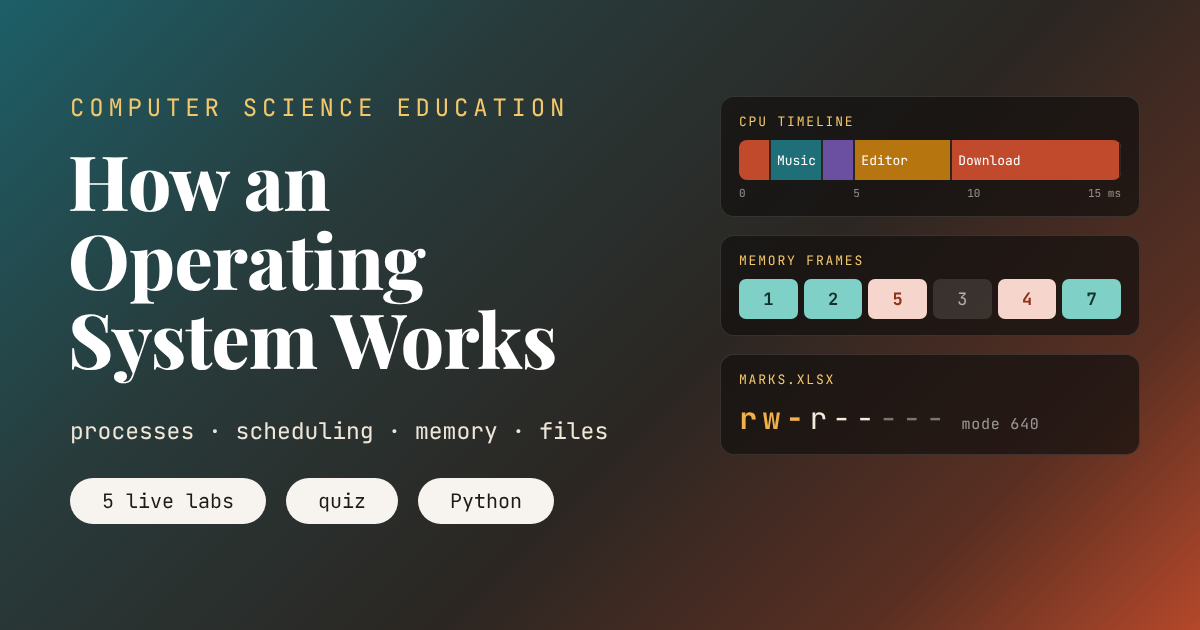
An Animated Lesson
Key points of this lesson
- An operating system shares the processor, memory, storage and devices between programs and users, and protects them from each other.
- A running program is a process. It moves between ready, running and blocked states, and interrupts tell the operating system when to step in.
- The scheduler gives each process short turns on the processor. The policy it uses changes how long everyone waits.
- Memory is split into pages. When memory is full, the operating system must choose a page to remove, and a poor choice means slow trips to disk.
- Files live in a tree of folders, and permission bits decide who may read, change or run each one.
- Every lab in this lesson is a simplified version of a decision your phone or laptop makes thousands of times a second.
Who this lesson is for and how to use it
This is the twelfth lesson in our Computer Science Education series. The previous lesson, Databases, SQL and Your Data, ended by pointing to the software that decides which program runs, where files live on disk and who is allowed to read them. This lesson is that software.
It suits grades nine to twelve and first year college students, and it covers the operating system topics in most school computing syllabuses. The labs run in the browser. Students who know the fetch and execute cycle from How a Computer Works will see it reappear, and the ready queue in Lab 1 is the queue data structure from Data Structures Explained doing real work. The companion Python code runs on any computer and even asks the student’s own operating system a few questions.
Learning objectives
After three periods, a student should be able to do the following five things without notes.
- Name the main jobs of an operating system and give an example of each from a phone or laptop.
- Describe the states of a process and explain what an interrupt and a context switch are.
- Compare first come first served, shortest job first, shortest remaining time and round robin scheduling using waiting time.
- Explain pages, frames and page faults, and trace FIFO and LRU replacement by hand.
- Read a file path and a permission mode such as 640, and decide whether a given user may read, change or run the file.
| Period | Focus | Activity on this page | Time |
|---|---|---|---|
| 1 | What an OS does, processes | Task manager tour, Lab 1 life of a process, the passing ball game | 40 minutes |
| 2 | Scheduling and memory | Lab 2 scheduler, Lab 3 page replacement, tracing FIFO on paper | 40 minutes |
| 3 | Files and security | Lab 4 permissions, discussion on accounts and least privilege, quiz, Python demo | 40 minutes |
What an operating system actually does
An operating system is the program that runs the computer for every other program. Windows, macOS and Linux run laptops and servers. Android and iOS run phones. Each one sits between the hardware and the apps, and it has the same handful of jobs.
| Job | What the OS does | Where you notice it |
|---|---|---|
| Process management | Starts and stops programs and shares the processor between them | Music keeps playing while you type |
| Memory management | Gives each program its own memory and moves data between RAM and disk | An old laptop slows down when too many tabs are open |
| File management | Organizes data into files and folders on storage | The Documents folder, renaming and deleting |
| Device management | Talks to keyboards, screens, printers and networks through drivers | Plugging in a mouse just works |
| Security and accounts | Checks who you are and what you may touch | Logging in, asking for a password to install apps |
| User interface | Provides the desktop, windows, touch screen or command line | The home screen of your phone |
The core of the operating system is called the kernel. It runs with full control of the hardware, in what is called kernel mode. Ordinary apps run in user mode and cannot touch the hardware directly. When an app wants to read a file or send a message over the network, it makes a system call, a polite request to the kernel. The kernel checks the request, does the work and returns the result. That boundary is why one crashing app usually does not take the whole computer down with it.
A short history
The earliest computers had no operating system at all. An operator loaded one program, ran it and loaded the next by hand. In 1956 General Motors Research built GM-NAA I/O for the IBM 704, often called the first operating system, which ran jobs one after another without waiting for a person. In the early 1960s the Compatible Time Sharing System at MIT, led by Fernando Corbató, let many users share one computer by giving each of them short turns, and the Atlas computer at the University of Manchester introduced virtual memory with pages, the idea behind Lab 3.
In 1969 Ken Thompson and Dennis Ritchie at Bell Labs began Unix. Their 1974 paper, The UNIX Time Sharing System, described files, folders, processes and permissions in a form that still shapes almost every system today. MS-DOS arrived in 1981 and Windows in 1985. In 1991 a Finnish student named Linus Torvalds released the Linux kernel, which now runs most web servers, every one of the world’s 500 fastest supercomputers, and every Android phone. Apple’s iPhone OS, now iOS, followed in 2007, and the first Android phone in 2008.
Teacher note, the task manager tour
Open the Task Manager on Windows, Activity Monitor on a Mac or the top command on Linux, and project it. Ask students to count the processes. Most are surprised to see more than a hundred, almost none of which they started. Point out the columns for processor and memory use. Everything in this lesson explains one of those columns.
Processes, states and interrupts
A program is a file on disk, a list of instructions that does nothing on its own. A process is a program that has been loaded into memory and is running. Open the same browser twice and you have one program and two processes. For every process, the operating system keeps a record called a process control block. It holds the process id, its state, the contents of the processor’s registers, the program counter that says which instruction comes next, and the memory and files it is using.
A process is always in one of a few states. It is new while it is being created. It is ready when it could run but is waiting for the processor. It is running while the processor executes its instructions. It is blocked when it is waiting for something slow, such as the disk, the network or a key press. It is terminated when it finishes. On a single core only one process can be running at a time, and every other ready process waits in a queue.
How does the operating system get control back from a running program? Through interrupts. An interrupt is a signal that makes the processor stop what it is doing and jump to a piece of operating system code. A hardware timer fires many times a second, a disk interrupts when data arrives, and a keyboard interrupts when a key is pressed. When the operating system takes the processor from one process and gives it to another, it saves the old process’s registers and program counter into its process control block and loads the new one’s. That swap is called a context switch.
Swipe the diagram sideways to see every state.
Press Play the story first. Three apps open, the timer keeps rotating them, Music asks for the disk and sits in the blocked state until the disk interrupt brings it back, and finally all three close. The full story needs eight context switches and five interrupts. Then take control yourself. What happens if you press Ask for the disk while only one app is open? The processor has nothing to do and sits idle, which is exactly why operating systems like to keep several processes ready at once.
Teacher note, the passing ball
Choose four students as processes and give one of them a ball, the processor. Each process has a task, such as writing the numbers one to twenty on the board. Clap every five seconds as the timer interrupt. At each clap the student with the ball must stop, write down where they reached, and pass the ball to the next student in the queue. Send one student to fetch a book from the library as a disk request and watch the queue continue without them. The written note is the process control block.
Key takeaway
A process is a running program with a saved state. Interrupts let the operating system take back the processor, and a context switch saves one process and loads another so quickly that every app seems to run at once.
Sharing the processor, the scheduler
When the processor becomes free, which ready process should get it next? The part of the operating system that decides is the scheduler, and its rule is called a scheduling policy. Four classic policies appear in almost every textbook.
- First come, first served. Processes run in the order they arrived, each until it finishes or blocks. Simple and fair in one sense, but a long job at the front makes everyone else wait.
- Shortest job first. When the processor is free, run the waiting job that needs the least time. Short jobs finish quickly, but a running job is never interrupted.
- Shortest remaining time first. The same idea with interruptions allowed. If a new job arrives that needs less time than the running job has left, it takes over.
- Round robin. Every process gets a fixed time slice, called a quantum, in turn. When the slice runs out, the timer interrupt sends it to the back of the queue.
Two numbers measure how well a policy treats the processes. Waiting time is how long a process spends ready but not running. Turnaround time is the whole span from arrival to finish. The lab uses four invented processes, a long download that arrives first and three short jobs right behind it.
Time in milliseconds. Each colored block is a turn on the processor.
Start with first come, first served. The download takes the processor from 0 to 8 milliseconds, and Music, Editor and Chat all queue behind it. The average waiting time is 6.50 milliseconds. Operating system designers call this the convoy effect, like cars stuck behind a slow truck. Shortest job first helps only a little, to 5.50, because the download had already started before the short jobs arrived and cannot be interrupted. Shortest remaining time first changes everything. Music takes over at 1 millisecond, Chat slips in at 3, and the average wait falls to 2.25 milliseconds.
Round robin is the policy closest to what your laptop feels like. With a quantum of 2 milliseconds the average wait is 4.50 and there are 6 context switches. Shrink the quantum to 1 and the wait drops slightly to 4.25, but the switches double to 12. On a real computer every switch costs time to save and load state, so a tiny quantum wastes the processor on bookkeeping. Make the quantum huge and round robin turns back into first come, first served. Choosing the slice is a real engineering tradeoff.
Why not always use shortest remaining time first, since it won here? Because the operating system does not know in advance how long a job will take, and a stream of short jobs could keep a long one waiting forever, a problem called starvation. Real schedulers mix ideas. They give each process a priority, raise the priority of processes that have waited a long time, and favor interactive apps such as the one under your finger.
The processor never really runs two programs on one core at the same moment. It switches between them so often that you cannot tell the difference.From this lesson, period one
Memory, pages and page faults
Every process needs memory for its instructions and data, and RAM is limited. The operating system gives each process its own private address space, so one app cannot read or overwrite another app’s memory. It also splits memory into fixed size blocks. The blocks of a process’s address space are called pages, and the matching blocks of physical RAM are called frames. A common page size is 4 kilobytes. A table for each process, the page table, records which frame holds each page.
Not every page has to be in RAM at once. Pages that have not been used for a while can stay on disk, and the operating system loads them only when they are needed. This is virtual memory, and it lets a computer run programs whose total size is larger than its RAM. When a program touches a page that is not in RAM, the hardware raises a page fault. The operating system pauses the process, fetches the page from disk and, if RAM is full, first chooses another page to remove. Reading from disk is thousands of times slower than reading RAM, so the choice of which page to remove matters a great deal.
- FIFO removes the page that arrived first, like a queue.
- LRU, least recently used, removes the page that has gone unused the longest, on the bet that the recent past predicts the near future.
- OPT, the optimal policy, removes the page that will not be needed for the longest time. It needs to see the future, so no real system can use it, but it is the best possible score to compare against.
Run the Bélády string with FIFO and three frames. It ends with 9 page faults. Now give it four frames, one more slot of memory. Common sense says the faults should drop, yet FIFO now makes 10. This surprising result was published in 1969 by László Bélády, Robert Nelson and Gerald Shedler at IBM, and it is known as Bélády’s anomaly. Switch the policy to LRU and the anomaly disappears, with 10 faults on three frames and 8 on four. OPT shows the floor, 7 and 6.
The loop preset shows a different danger. A program that cycles through four pages with only three frames faults on every single request under both FIFO and LRU, 12 out of 12, because each policy throws out exactly the page that is about to come back. Give it a fourth frame and only the first four requests fault. When the pages a program is actively using do not fit in memory, the computer spends its time moving pages instead of doing work. This is called thrashing, and it is why an old laptop with too many tabs open suddenly crawls.
Key takeaway
Virtual memory lets programs use more memory than the computer has, by keeping some pages on disk. A page fault is slow, so the replacement policy, and having enough RAM for the pages in active use, decides how fast the computer feels.
Files, folders and permissions
RAM forgets everything when the power goes off, so anything worth keeping is stored as a file. The file system organizes storage into a tree. Folders, also called directories, hold files and other folders, and a path such as /home/ayesha/homework/essay.docx lists the folders you pass through to reach a file. Windows writes paths with backslashes and a drive letter, such as C:\Users\Ayesha\essay.docx, but the idea is the same. Behind the scenes the file system also stores each file’s size, dates and owner, and keeps track of which blocks of the disk hold its contents.
On a shared computer, such as a school server, not everyone should be able to open everything. Unix and Linux give every file an owner and a group, and nine permission bits in three sets. The first set says what the owner may do, the second what members of the file’s group may do, and the third what everyone else may do. In each set, read lets you open the file, write lets you change it and execute lets you run it as a program. Each set is often written as one digit, adding 4 for read, 2 for write and 1 for execute. So mode 640 means the owner can read and write, the group can read and others get nothing, written as rw-r-----.
| read | write | execute | |
|---|---|---|---|
| owner | |||
| group | |||
| others |
The marks file belongs to Ms Khan and the staff group, with mode 640. Choose Mr Ali and press Open it. He is not the owner, but he is in the staff group, so the middle digit applies and the answer is yes. Choose Ayesha and the answer is no, because she falls into others and the last digit is 0. Now open Ayesha’s diary, mode 600, and test it as Bilal. Only Ayesha can read it. Finally look at python3, mode 755. Everyone may run it, but only its owner, the administrator account called root, may change it. That is how the operating system stops one student from breaking a program everyone else depends on.
Security people call this the principle of least privilege. Every user and every program should have the smallest set of permissions it needs, and no more. It is the same idea behind asking for a password before installing software, and it pairs with the password and hashing ideas from Cybersecurity for Students. Phones take it further. On Android each app runs as its own separate user, and on both Android and iPhone every app lives in a sandbox and has to ask before it can reach your camera, contacts or location.
Misconceptions students bring to class
- The operating system is the desktop or home screen. The interface is only the visible part. Most of the operating system works unseen, scheduling, managing memory and talking to devices.
- A computer runs all its programs at the same time. Each core runs one process at a time. The illusion comes from switching many times a second, as Lab 1 and Lab 2 show.
- More RAM always makes a computer faster. More RAM helps when the pages in active use do not fit, as in the loop preset. Once they fit, extra RAM changes little.
- A program and a process are the same thing. A program is a file. A process is one running copy of it with its own memory and state.
- Deleting a file wipes it instantly. Usually the file system only marks its blocks as free. The data can remain on the disk until it is overwritten, which is why secure deletion tools exist.
Where this lesson simplifies the truth
The labs use one processor core, while modern phones and laptops have several, so the operating system schedules several processes at truly the same moment and must also balance work between cores. The scheduler lab ignores the time a context switch costs and knows every job’s length in advance, which a real system never does. Real schedulers, such as the one in Linux, use priorities and fairness rules far more detailed than any of the four classic policies.
The memory lab hides the page table and the hardware that translates addresses, and it uses a dozen page requests where a real program makes millions. Real systems approximate LRU because tracking exact use for every page is too expensive. The permissions lab shows the classic Unix model only. Windows and modern Linux systems also support access control lists, which can give permissions to any number of named users and groups. And the lesson leaves out drivers, networking inside the kernel, and how the operating system itself starts when you press the power button.
Bringing it all together
The main achievement of this lesson is that students can now see what happens beneath every app. When the music keeps playing while they type, they know a timer interrupt and a context switch made it possible. When an old laptop slows down, they can explain thrashing. When the school server refuses to open a file, they can read the permission bits and say why.
The conceptual shift is from seeing a computer as one program at a time to seeing it as a shared resource that needs a manager. Every decision in this lesson is about sharing something scarce fairly and safely. The processor is shared through scheduling, memory through pages and frames, storage through files, and access through permissions.
The ideas connect the series. The fetch and execute cycle from How a Computer Works is what each process does while it holds the processor. The ready queue is a queue and the page table is a lookup table from the data structures lesson. The call stack from Functions and Recursion lives in each process’s memory, and the files and permissions here are where the database from the last lesson keeps its tables.
The lesson has honest limits. It does not show how the kernel is written, how processes communicate, or how deadlock happens when two processes each hold something the other needs. Those topics, along with how a file system lays out blocks on a disk, are good material for a second course or a project.
A natural next lesson is how programming languages are translated into the instructions a processor runs, through compilers and interpreters. For now, the student with twelve tabs, a video call and a half finished project can picture the operating system handing out turns, swapping pages and guarding her files, all faster than she can blink.
Companion Python code for the classroom
The program below simulates every idea in the lesson and then asks the real operating system a few questions. It walks one process through its states, runs the four scheduling policies on the Lab 2 processes, counts page faults for FIFO, LRU and OPT on the Lab 3 strings, converts permission modes and tests access, and sets a real file to mode 640. It uses only modules that come with Python.
# How an Operating System Works, companion code for the aitrendblend lesson
# Runs on any Python 3 installation. No extra libraries needed.
# The processes, pages and users below are invented for practice.
import os
import platform
import stat
import tempfile

# ---------------------------------------------------------------------------
# Part 1. The life of a process, as a small state machine
# ---------------------------------------------------------------------------
TRANSITIONS = {
    ("new", "admit"): "ready",
    ("ready", "dispatch"): "running",
    ("running", "timer interrupt"): "ready",
    ("running", "wait for disk"): "blocked",
    ("blocked", "disk done"): "ready",
    ("running", "exit"): "terminated",
}


def run_life(events):
    state, path = "new", ["new"]
    for e in events:
        key = (state, e)
        if key not in TRANSITIONS:
            raise ValueError(f"cannot {e} while {state}")
        state = TRANSITIONS[key]
        path.append(state)
    return path


life = run_life(["admit", "dispatch", "wait for disk", "disk done", "dispatch",
                 "timer interrupt", "dispatch", "exit"])
print("One process life:", " > ".join(life))
print()

# ---------------------------------------------------------------------------
# Part 2. CPU scheduling. Who gets the processor next?
# ---------------------------------------------------------------------------
PROCS = [
    # (name, arrival time, burst time), times in milliseconds
    ("Download", 0, 8),
    ("Music", 1, 2),
    ("Editor", 2, 4),
    ("Chat", 3, 1),
]


def schedule(procs, policy, quantum=2):
    """Return a timeline of (name, start, end) slices for one policy."""
    arrival = {n: a for n, a, b in procs}
    left = {n: b for n, a, b in procs}
    order = [n for n, a, b in sorted(procs, key=lambda p: p[1])]
    t, timeline, queue, seen = 0, [], [], set()

    def admit(now):
        for n in order:
            if n not in seen and arrival[n] <= now:
                queue.append(n)
                seen.add(n)

    admit(t)
    current = None
    while any(left.values()):
        if not queue and current is None:
            t = min(arrival[n] for n in order if n not in seen)
            admit(t)
            continue
        if policy == "FCFS":
            n = queue.pop(0)
            run = left[n]
        elif policy == "SJF":                      # shortest job first, no preemption
            n = min(queue, key=lambda x: (left[x], arrival[x]))
            queue.remove(n)
            run = left[n]
        elif policy == "SRTF":                     # shortest remaining time first
            n = min(queue, key=lambda x: (left[x], arrival[x]))
            queue.remove(n)
            future = [arrival[m] for m in order if m not in seen and arrival[m] > t]
            run = min(left[n], (min(future) - t) if future else left[n])
        elif policy == "RR":                       # round robin with a fixed quantum
            n = queue.pop(0)
            run = min(quantum, left[n])
        else:
            raise ValueError(policy)
        if timeline and timeline[-1][0] == n and timeline[-1][2] == t:
            timeline[-1] = (n, timeline[-1][1], t + run)
        else:
            timeline.append((n, t, t + run))
        t += run
        left[n] -= run
        admit(t)
        if left[n] > 0:
            queue.append(n)
    return timeline


def stats(procs, timeline):
    finish = {}
    for n, s, e in timeline:
        finish[n] = e
    waits, turns = [], []
    for n, a, b in procs:
        turns.append(finish[n] - a)
        waits.append(finish[n] - a - b)
    switches = len(timeline) - 1
    return sum(waits) / len(waits), sum(turns) / len(turns), switches


results = {}
for policy, q in [("FCFS", None), ("SJF", None), ("SRTF", None), ("RR", 1), ("RR", 2), ("RR", 4)]:
    tl = schedule(PROCS, policy, quantum=q or 2)
    w, ta, sw = stats(PROCS, tl)
    label = policy if q is None else f"RR q={q}"
    results[label] = (w, ta, sw)
    bar = " ".join(f"{n[:2]}[{s}-{e}]" for n, s, e in tl)
    print(f"{label:<8} avg wait {w:5.2f} ms | avg turnaround {ta:5.2f} ms | switches {sw:2d} | {bar}")
print()

# ---------------------------------------------------------------------------
# Part 3. Memory. Which page leaves RAM when a new one arrives?
# ---------------------------------------------------------------------------
def page_faults(refs, frames, policy):
    mem, faults, history = [], 0, []
    for i, p in enumerate(refs):
        if p in mem:
            if policy == "LRU":                 # move to the most recently used end
                mem.remove(p)
                mem.append(p)
            history.append("hit")
            continue
        faults += 1
        history.append("fault")
        if len(mem) < frames:
            mem.append(p)
            continue
        if policy in ("FIFO", "LRU"):
            mem.pop(0)                          # oldest arrival, or least recently used
        elif policy == "OPT":                   # evict the page needed furthest in the future
            future = refs[i + 1:]
            victim = max(mem, key=lambda m: future.index(m) if m in future else len(future) + 1)
            mem.remove(victim)
        mem.append(p)
    return faults


BELADY = [1, 2, 3, 4, 1, 2, 5, 1, 2, 3, 4, 5]
MIXED = [7, 0, 1, 2, 0, 3, 0, 4, 2, 3, 0, 3, 2]
LOOP = [1, 2, 3, 4, 1, 2, 3, 4, 1, 2, 3, 4]
for name, refs in [("Belady string", BELADY), ("Mixed string", MIXED), ("Loop string", LOOP)]:
    for frames in (3, 4):
        row = {pol: page_faults(refs, frames, pol) for pol in ("FIFO", "LRU", "OPT")}
        print(f"{name:<16} {frames} frames | faults FIFO {row['FIFO']:2d}, LRU {row['LRU']:2d}, OPT {row['OPT']:2d}")
print()

# ---------------------------------------------------------------------------
# Part 4. Files and permissions
# ---------------------------------------------------------------------------
def to_symbolic(octal_text):
    out = ""
    for digit in octal_text:
        d = int(digit)
        out += ("r" if d & 4 else "-") + ("w" if d & 2 else "-") + ("x" if d & 1 else "-")
    return out


def allowed(octal_text, who, action):
    d = int(octal_text[{"owner": 0, "group": 1, "others": 2}[who]])
    return bool(d & {"read": 4, "write": 2, "run": 1}[action])


for mode in ["640", "755", "600", "777"]:
    print(f"chmod {mode} gives {to_symbolic(mode)}")
print("Student (others) may read marks file with 640:", allowed("640", "others", "read"))
print("Staff group may read marks file with 640:     ", allowed("640", "group", "read"))

with tempfile.NamedTemporaryFile(delete=False) as f:
    path = f.name
os.chmod(path, 0o640)
mode_real = stat.S_IMODE(os.stat(path).st_mode)
os.remove(path)
print(f"A real file on this computer was set to {oct(mode_real)[2:]} "
      f"(Windows only keeps the read only flag, so it may differ there)")
print()

# ---------------------------------------------------------------------------
# Part 5. Ask your own operating system a few questions
# ---------------------------------------------------------------------------
print("Operating system:", platform.system(), platform.release())
print("This Python program is process number", os.getpid())
print("Processor cores the OS can schedule on:", os.cpu_count())
print()

# ---------------------------------------------------------------------------
# Self checks. If these pass, the lesson numbers are reproduced.
# ---------------------------------------------------------------------------
assert life[-1] == "terminated" and "blocked" in life
assert results["FCFS"][0] == 6.5 and results["FCFS"][1] == 10.25
assert results["SJF"][0] == 5.5
assert results["SRTF"][0] == 2.25 and results["SRTF"][1] == 6.0
assert page_faults(BELADY, 3, "FIFO") == 9 and page_faults(BELADY, 4, "FIFO") == 10
assert page_faults(BELADY, 4, "LRU") <= page_faults(BELADY, 3, "LRU")
assert to_symbolic("640") == "rw-r-----" and to_symbolic("755") == "rwxr-xr-x"
assert not allowed("640", "others", "read") and allowed("640", "group", "read")
print("All checks passed.")
When you run it, first come, first served shows an average wait of 6.50 milliseconds and shortest remaining time first 2.25, matching Lab 2. Round robin with a quantum of 1 needs 12 switches and with a quantum of 2 needs 6. The Belady string prints 9 faults for FIFO with three frames and 10 with four, while LRU prints 10 and then 8. The permission section prints rw-r----- for 640 and rwxr-xr-x for 755. The last part prints the name of the student’s own operating system, the process id of the running Python program and the number of processor cores the operating system can schedule on, which will be different on every computer. The last line should read All checks passed. Ask students to add a fifth process to the scheduler and predict the waiting times before running it.
Check your understanding
Six questions cover the whole lesson. Choose an answer for each and press Check answers to see your score and a short explanation for each.
Frequently asked questions
What is an operating system in simple words?
An operating system is the main program that runs a computer or phone. It shares the processor, memory, storage and devices between apps, keeps them from interfering with each other, and gives you a way to use the machine. Windows, macOS, Linux, Android and iOS are all operating systems.
What is the difference between a program and a process?
A program is a file of instructions stored on disk. A process is a program that is running, with its own memory, saved state and place in the scheduler. Opening the same app twice gives one program and two processes.
How can a computer run many programs at the same time?
Each processor core runs one process at a time, but the operating system switches between processes many times a second. A timer interrupt hands control back to the operating system, which saves the running process and loads the next one. This is called a context switch.
What is virtual memory?
Virtual memory lets each program use its own private address space, split into pages. Pages that are not needed right now can stay on disk, and the operating system loads them into RAM when a program touches them. That is called a page fault, and too many of them make a computer slow.
What does chmod 755 mean?
It sets the permission bits of a file. The first digit is for the owner, the second for the file’s group and the third for everyone else. 7 means read, write and execute, and 5 means read and execute. So 755 lets everyone run the file but only the owner change it.
Which CPU scheduling algorithm is best?
No single policy is best for every case. Shortest remaining time first gives the lowest average waiting time when job lengths are known, but long jobs can starve. Round robin is fair and responsive, but a very short time slice wastes time on switching. Real systems combine priorities with ideas from several policies.
Take the lesson further
Read Operating Systems, Three Easy Pieces, a complete university textbook that its authors give away free online, then open Python’s guide to the os module and explore your own computer.
Free operating systems textbook Python os module guideSources. Dennis M. Ritchie and Ken Thompson, The UNIX Time Sharing System, Communications of the ACM, 1974. Fernando J. Corbató and colleagues, An Experimental Time Sharing System, Spring Joint Computer Conference, 1962. Tom Kilburn and colleagues, One Level Storage System, IRE Transactions on Electronic Computers, 1962, describing the Atlas virtual memory. László Bélády, A Study of Replacement Algorithms for a Virtual Storage Computer, IBM Systems Journal, 1966. László Bélády, Robert A. Nelson and Gerald S. Shedler, An Anomaly in Space Time Characteristics of Certain Programs Running in a Paging Machine, Communications of the ACM, 1969. Abraham Silberschatz, Peter Baer Galvin and Greg Gagne, Operating System Concepts. Remzi H. Arpaci-Dusseau and Andrea C. Arpaci-Dusseau, Operating Systems, Three Easy Pieces.
This lesson is based on standard operating systems teaching material and the classroom experience of the author. The processes, page requests, users and files in the labs and code are invented for practice.