
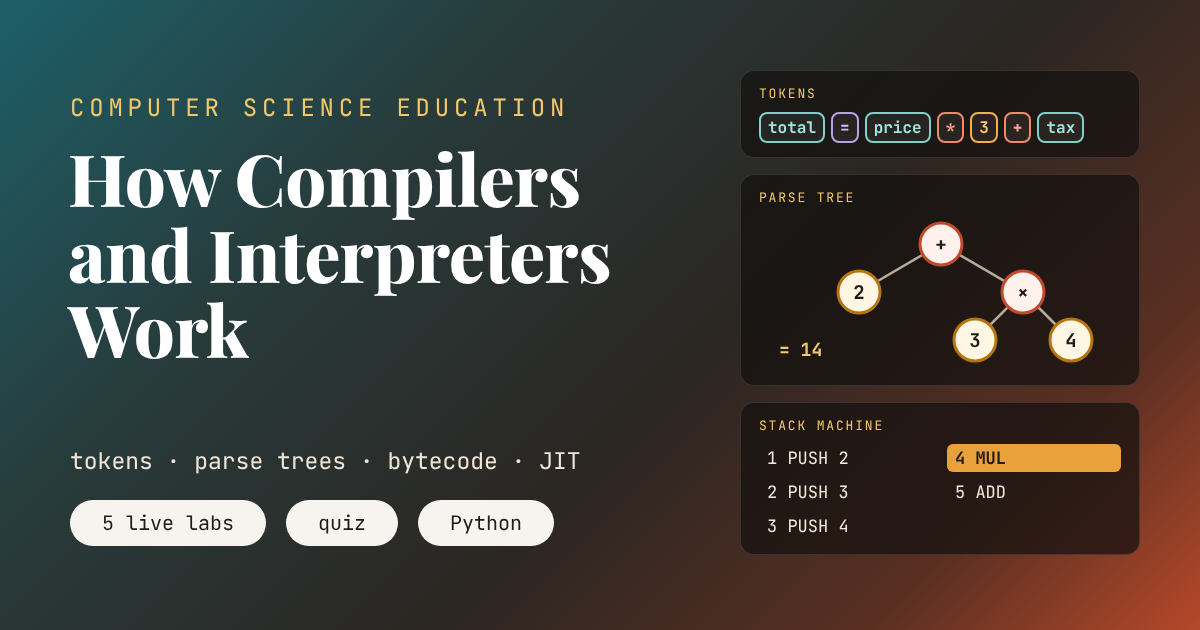
An Animated Lesson
Key points of this lesson
- A processor runs only machine code. Every program written in a readable language has to be translated before it runs or while it runs.
- A compiler translates the whole program ahead of time. An interpreter translates and runs it as it goes. Most modern languages mix the two.
- Translation happens in stages. The lexer makes tokens, the parser builds a tree, and the code generator turns the tree into instructions.
- The parse tree is where rules such as multiplication before addition are enforced, and where syntax errors are caught.
- Python compiles each file to bytecode and then interprets that bytecode, which is why a syntax error stops the whole file before a single line runs.
- A just in time compiler starts like an interpreter and compiles the parts of a program that run most often.
Who this lesson is for and how to use it
This is the thirteenth lesson in our Computer Science Education series. The previous lesson, How an Operating System Works, ended by asking how programming languages are translated into the instructions a processor runs. This lesson answers that question.
It suits grades nine to twelve and first year college students, and it covers the translator and language topics found in most school computing syllabuses. Students who have written a few programs in Your First Program, Variables, Loops and Conditions will recognize every example. The parser in Lab 2 is recursive, just like the functions in Functions and Recursion, and Lab 3 runs on a stack, the data structure from Data Structures Explained. The toy processor from How a Computer Works returns at the end, when the instructions finally run. The companion Python code builds a complete tiny compiler and then shows students the real bytecode inside Python itself.
Learning objectives
After three periods, a student should be able to do the following five things without notes.
- Explain why a processor cannot run Python or C++ directly, and say what machine code and assembly language are.
- Describe a compiler, an interpreter, a bytecode virtual machine and a just in time compiler, and name a language that uses each.
- Split a line of code into tokens and name the kind of each token.
- Draw the parse tree for an arithmetic expression and use it to explain why multiplication happens before addition.
- Translate an expression into stack machine instructions, trace them by hand, and say at which stage a syntax error, a runtime error or a logic error is found.
| Period | Focus | Activity on this page | Time |
|---|---|---|---|
| 1 | From code to machine code, the lexer | The two students story, the human compiler game, Lab 1 lexer | 40 minutes |
| 2 | Parsing and code generation | Lab 2 parse trees, drawing trees on paper, Lab 3 stack machine | 40 minutes |
| 3 | Compilers, interpreters and errors | Lab 4 race, the Python bytecode demo, quiz | 40 minutes |
Why a processor needs a translator
A processor runs machine code. Each machine instruction is a pattern of bits that tells the processor to do one small thing, such as load a number from memory, add two numbers or jump to another instruction. The toy processor in How a Computer Works ran four of them to add 7 and 5. Real processors understand a few hundred, and different families of processors understand different sets. Most laptops use the x86 family, while phones, tablets and newer Macs use the ARM family, so machine code built for one will not run on the other.
Nobody enjoys writing bit patterns, so the first improvement was assembly language, which gives each machine instruction a short readable name such as ADD or LOAD. A small program called an assembler turns those names back into bits, one for one. High level languages such as Python, Java and C++ go much further. A single line can describe work that takes dozens of machine instructions, and the same line can run on any family of processor, as long as something translates it for that processor.
| Level | The same line of work | Who reads it |
|---|---|---|
| High level language | total = price * 3 + tax | People |
| Stack machine code, as in Lab 3 | LOAD price, PUSH 3, MUL, LOAD tax, ADD, STORE total | A virtual machine |
| Python bytecode | LOAD_FAST, LOAD_CONST, BINARY_OP, LOAD_FAST, BINARY_OP, STORE_FAST | The Python virtual machine |
| Machine code | Bit patterns for one processor family, such as x86 or ARM | The processor |
There are two basic ways to do the translation. A compiler translates the whole program before it runs and saves the result, usually as a file of machine code, such as an app or an .exe file on Windows. An interpreter reads the program and carries it out as it goes, translating each piece at the moment it is needed. Think of a novel translated from Urdu into English. A compiler is the translator who works on the whole book for months and publishes the English edition. An interpreter is the person standing beside a visiting speaker, translating each sentence as it is spoken. The published book is quick to read but slow to produce, and the live interpreter starts at once but has to work every time the speech is given.
A short history
In the early 1950s programmers wrote machine code by hand, number by number. In 1952 Grace Hopper finished the A-0 system for the UNIVAC I. It worked more like what we now call a linker, stitching together prewritten routines from short codes, but Hopper used the word compiler for it and spent the next decade arguing that people should program in words rather than numbers, work that fed into the COBOL language of 1959. In April 1957 John Backus’s team at IBM delivered the first FORTRAN compiler for the IBM 704. Many programmers doubted that a machine could write code as well as they could, so the team worked hard on optimization, and the code their compiler produced was efficient enough to win the doubters over.
In 1958 John McCarthy began designing the language Lisp at MIT. He wrote a function called eval as a mathematical description of how Lisp programs behave, and Steve Russell, a programmer working with him, surprised McCarthy by coding eval for the IBM 704. That made it the first Lisp interpreter. In 1962 Tim Hart and Mike Levin wrote a Lisp compiler in Lisp itself, and its code ran about forty times faster than the interpreter. Interpreted BASIC brought programming to the home computers of the 1970s and 1980s. Java arrived in 1995 with bytecode that runs on any machine with a Java virtual machine, and Sun’s HotSpot virtual machine of 1999 compiled the busiest parts of a program to machine code while it ran. Google’s V8 engine, launched with the Chrome browser in 2008, brought the same idea to JavaScript, and it is a large part of why web apps feel as quick as they do.
Teacher note, the human compiler
Give four students a role each, the lexer, the parser, the code generator and the processor. Write total = price * 3 + tax on the board. The lexer writes each token on its own card. The parser arranges the cards on a desk as a tree, with the operator that happens last at the top. The code generator reads the tree and writes one instruction per sticky note. The processor carries out the notes with a pile of scrap paper as its stack. Run the game twice, once with a missing bracket, and ask the class which student should have raised a hand first.
Step one, the lexer turns characters into tokens
To the computer, a line of code begins as nothing more than a row of characters. The first stage of every compiler and interpreter, called the lexer or tokenizer, groups those characters into meaningful words called tokens. A run of digits becomes one number token. A run of letters becomes one name token. Symbols such as the plus sign and the equals sign become operator tokens. Spaces are thrown away, because in most languages they only separate words, and comments are thrown away too, because they are written for people.
The lexer follows fixed rules that come from the definition of the language. A name must start with a letter or an underscore. A number may contain one decimal point. Any character that fits no rule at all, such as a dollar sign in Python, is a lexical error, and the translation stops there. The word token also appears in How Large Language Models Work, but the meaning is different. A language model splits text into pieces chosen from a vocabulary learned from data, while a lexer uses a short list of exact rules that never change.
name number operator assign bracket
The first example turns 23 characters into 7 tokens and skips 6 spaces. Now try x=(a+b)*2, which has no spaces at all. It produces 9 tokens from 9 characters, and the token list means exactly the same as it would with spaces, which is why the spaces never reach the next stage. The circle example shows that 3.14 is a single number token, not three separate pieces. The last example stops at the dollar sign with a lexical error, and notice that nothing has run. Then type 3price into the box. The lexer happily makes two tokens, the number 3 and the name price. It is not the lexer’s job to decide whether that order makes sense. That job belongs to the parser.
Key takeaway
The lexer turns a row of characters into a list of tokens, throwing away spaces and comments. It catches characters that do not belong to the language, but it knows nothing about whether the tokens are in a sensible order.
Step two, the parser builds a tree
A list of tokens still does not say what to do first. In 2 + 3 * 4, should the processor add first or multiply first? Mathematics has a convention, and the language has the same rule written into its grammar. The parser reads the tokens and checks them against that grammar, and as it goes it builds a parse tree, sometimes called a syntax tree. Each operator becomes a node with its two inputs hanging below it, and numbers and names become leaves at the bottom.
The grammar for arithmetic can be written as three rules. An expression is one or more terms joined by plus or minus. A term is one or more factors joined by times or divide. A factor is a number, a name, or a whole expression inside brackets. Because multiplication lives one rule deeper than addition, it always ends up lower in the tree, and lower nodes are worked out first. Brackets work because the factor rule starts the expression rule again from the top, a function calling itself, which is exactly the recursion from the functions lesson. A parser written this way, with one function for each rule, is called a recursive descent parser, and the one in Lab 2 and in the companion code is about twenty lines long.
The rules also settle a quieter question. Does 10 - 4 - 3 mean 10 minus 1, or 6 minus 3? The expression rule joins terms from left to right, so the first subtraction goes lower in the tree and the answer is 3. When the tokens break the grammar, as in 2 + * 3, the parser cannot build any tree at all, and it reports a syntax error. That is the most common error beginners see, usually from a missing bracket or a missing operator.
Swipe sideways if a large tree does not fit.
Names have these values in Labs 2 and 3. price is 20, tax is 5, x is 7, a is 6, b is 2 and r is 10.
Press the first example and watch the order in which the parser creates nodes. The leaves 2, 3 and 4 appear first, then the multiplication node joins 3 and 4, and only then does the addition node become the root. The tree has 5 nodes on 3 levels, and evaluating it gives 14. Now press the bracketed version. The same five tokens, plus two brackets, produce a tree with the addition at the bottom and the answer 20. The brackets themselves never appear in the tree, because the shape of the tree already says everything they meant.
The 10 - 4 - 3 example gives 3, with the first subtraction lower down. The example with 2 + * 3 fails at the parser, so no tree is drawn and nothing runs. Finally, type y * 2. The tree builds perfectly, because the grammar is satisfied, but evaluation stops with a runtime error, because y has no value. That difference between an error found while translating and an error found while running is one of the main ideas of this lesson.
Pressing Evaluate is exactly what the simplest interpreters do. They keep the tree and walk it every time the program runs, working out the leaves first and passing values up to the root. The earliest Lisp interpreter worked this way, and so do many teaching languages. It is easy to write, but walking a tree again and again is slow, which is why most languages go one step further.
A processor has never run a line of Python. Every program you have written was translated first, by software someone else wrote.From this lesson, period one
Step three, turning the tree into instructions
A compiler does not walk the tree each time the program runs. It walks the tree once and writes down instructions. The part of the compiler that does this is the code generator. For arithmetic it follows one simple rule at every node. Write the instructions for the left side, then the instructions for the right side, then the instruction for the operator itself. The result is code for a stack machine, a machine that keeps its working values on a stack. A number or a name is pushed onto the top, and an operator such as MUL pops the top two values and pushes their product.
Stack machines are not just a classroom trick. Python bytecode, Java bytecode, the bytecode of C# and WebAssembly in the browser are all designed for stack machines, because their instructions are short and easy to generate from a tree. A useful fact links the two labs. The stack never needs more slots than the tree has levels, because each level waiting for an answer holds at most one value.
Before writing instructions, a real compiler also runs an optimizer, which rewrites the tree or the code so the program runs faster without changing what it does. The simplest optimization is constant folding. If part of the tree uses only numbers, the compiler can work it out once, during translation, so the finished program never has to. Lab 3 lets students switch folding on and off.
Program
Stack, top at the top
Compile 2 + 3 * 4 and press Play. The program is five instructions, PUSH 2, PUSH 3, PUSH 4, MUL and ADD. The stack climbs to three values before MUL turns 3 and 4 into 12 and ADD turns 2 and 12 into 14. Compare the order with the tree in Lab 2, and students will see the instructions are the tree read from the bottom up. Now tick Fold constants. The whole program shrinks to a single instruction, PUSH 14, because every value was known while compiling.
Folding is cleverer than it looks, and also more limited. x * (2 + 3) folds to LOAD x, PUSH 5 and MUL, saving two instructions, but price * 3 + tax cannot be folded at all, because every operation involves a name whose value is only known when the program runs. The program for (a + b) * (a - b) needs seven instructions and a stack three values deep, and it gives 32. Real compilers run dozens of optimizations like this one, and they finish by turning stack style code into the register based machine code of a real processor, the LOAD, ADD and STORE steps from the toy processor, only many more of them.
Key takeaway
The code generator walks the parse tree once and writes instructions, left side, right side, then the operator. An optimizer can do work early, such as folding number only arithmetic, so the finished program has less to do.
Compilers, interpreters and the ground between
Real languages rarely sit at one extreme. Between a pure compiler and a pure interpreter there is a range of strategies, and most popular languages use something in the middle.
| Strategy | What happens | Examples | Tradeoff |
|---|---|---|---|
| Ahead of time compiler | The whole program is translated to machine code before it runs | C, C++, Rust, Go, Swift | Very fast to run, but there is a wait to build, and a separate build for each processor family |
| Line by line or tree walking interpreter | The program is translated piece by piece while it runs, every time it runs | BASIC on early home computers, shell scripts, the Evaluate button in Lab 2 | Starts instantly, but loops are slow because the same lines are translated again and again |
| Bytecode compiler with a virtual machine | The program is compiled to bytecode, then a virtual machine interprets the bytecode | Python, Lua, the first versions of Java | Bytecode runs on any computer that has the virtual machine, at a middle speed |
| Just in time compiler | Bytecode is interpreted at first, and the parts that run often are compiled to machine code while the program runs | Java today, C#, JavaScript in every major browser, PyPy for Python | Fast for long running programs, but it uses extra memory and takes time to warm up |
Notice that a language is not really compiled or interpreted. Those words describe a particular implementation of the language. The standard version of Python, called CPython, compiles to bytecode and interprets it, while PyPy runs the same Python code with a just in time compiler. Interpreters exist for C, and compilers exist for languages usually thought of as interpreted. Python 3.13, released in 2024, even added an experimental just in time compiler to CPython, though it is switched off in the standard build. Compilers matter in artificial intelligence too. PyTorch, the library behind many AI models, has its own compiler that turns Python model code into faster code, and our analysis of depyf, a tool for looking inside the PyTorch compiler, shows researchers reading the bytecode that compiler produces.
Lab 4 compares three strategies on the same five line loop. The time units are invented to keep the arithmetic easy. A plain interpreter spends 4 units translating each line and 1 unit running it, every single pass. A compiler spends 6 units per line translating, once, and then 1 unit per line per pass. The JIT interprets for the first three passes, decides the loop is hot, compiles it, and from then on runs at compiled speed.
translating running error found
Run the loop once and the interpreter wins, 25 units against 35, because the compiler spent 30 units translating before a single line ran. The JIT ties with the interpreter, since it never ran the loop often enough to compile it. Run it twice and the compiler already wins, 40 against 50, exactly as the formula predicts. At ten passes the gap is large, 250 for the interpreter, 80 for the compiler and 140 for the JIT, and at fifty passes the JIT finishes at 340, close to the compiler’s 280, while the interpreter needs 1250.
Two results deserve a second look. With four passes the JIT comes last, at 110 units, because it paid to compile code that then ran only once more. Real JITs face the same gamble and use counters to guess which code will keep running. And look at when each lane finishes its first line. The interpreter and the JIT produce a result at 5 units, while the compiler makes the user wait until 31. That quick start is why a JIT begins by interpreting. People notice a slow start much more than they notice a slightly slower finish.
Now tick the typo on line 4. The line by line interpreter runs lines 1, 2 and 3, changing the running total and count, before it reaches the mistake and stops, leaving the data half updated. The compiler finds the error while translating and refuses to run anything at all. The JIT lane behaves like the compiler, because Java and JavaScript, like Python, check a whole file for syntax errors before any of it runs. The companion code proves this for Python with a file whose first line would print a message. The message never appears.
Teacher note, timing it for real
The race uses invented units, so finish the period with real numbers. The companion code asks Python to translate and run the same expression 20,000 times, once by translating it from text every time and once by translating it a single time and reusing the result. On an ordinary laptop the second approach is dozens of times faster. Ask students which lane of Lab 4 each approach resembles, and why.
Errors, and when each kind is found
The stages of translation explain the three kinds of error every programmer meets. A syntax error breaks the grammar of the language, so the lexer or parser finds it before the program runs, as long as the language checks the whole file first. A runtime error happens while the program is running, when an instruction cannot be carried out, such as dividing by zero or using a name that has no value. A logic error is a program that runs without complaint and gives the wrong answer, and no translator can ever find it, because the program says exactly what the programmer wrote.
| Kind of error | Example | Who finds it | When |
|---|---|---|---|
| Syntax error | total = (price * 3 with a missing bracket | The parser | While translating, before Python runs any line of the file |
| Runtime error | y * 2 when y has no value, or dividing by zero | The interpreter or the running program | Only when that line is reached |
| Logic error | a + b / 2 written for the average of a and b | Only a person, through testing | When someone notices the wrong answer |
The logic error in the table connects straight back to the parse tree. With a as 6 and b as 2, a + b / 2 gives 7, because division sits lower in the tree, while the intended (a + b) / 2 gives 4. Students can type both into Lab 2 and see two different trees. The parser did its job perfectly both times. It simply cannot know what the programmer meant.
Key takeaway
Syntax errors are caught while translating, runtime errors only when the bad line runs, and logic errors never by the computer at all. Knowing which stage catches which mistake makes error messages far less mysterious.
Misconceptions students bring to class
- Python is not compiled at all. CPython compiles every file to bytecode before running it, and often saves that bytecode in a folder called __pycache__ so the next run can skip the work.
- A language is either compiled or interpreted. These are properties of an implementation, not of the language. The same Python program can run on CPython or on PyPy, which uses a JIT.
- The computer understands my code. The processor only ever runs machine code. Everything else is translated first by programs other people wrote.
- If a program compiles, it is correct. Compiling only proves the grammar is right. Logic errors, such as the average example, pass through every stage untouched.
- Interpreted programs are always slow. JIT compilers make JavaScript and Java fast, and Python programs often hand heavy work to libraries such as NumPy that are written in compiled languages.
- Tokens in a compiler are the same as tokens in a chatbot. Both split text into pieces, but a lexer uses exact rules from the language definition, while a language model uses a vocabulary learned from huge amounts of text.
Where this lesson simplifies the truth
The tiny language in the labs has only numbers, names and four operators. A real language adds statements, loops, functions, types and much more, and its grammar runs to many pages. Real compilers also have a stage this lesson skips, called semantic analysis, which checks things the grammar cannot, such as whether a name has been declared or whether two values have types that can be added. Most real parsers are produced by careful hand writing or by tools that generate parsers from a grammar, and they work hard to give helpful error messages and to keep going after the first mistake.
The stack machine in Lab 3 ignores memory, jumps and function calls, which real bytecode needs. Real code generators target registers on the processor and spend a great deal of effort on deciding which value lives in which register. The race in Lab 4 uses invented time units and a fixed rule for when code becomes hot, while real JITs measure behavior as the program runs and can even undo a compilation when their guesses turn out wrong. Finally, the exact bytecode names in the companion code depend on the version of Python, and the printed listing will look slightly different on older or newer versions.
Bringing it all together
The main achievement of this lesson is that students can now follow a line of code all the way down. They can split it into tokens, draw the tree that decides the order of operations, turn the tree into instructions for a stack machine, and explain where those instructions go next. The word compile is no longer a button in an editor. It is a chain of stages they have carried out by hand.
The conceptual shift is from seeing code as something the computer simply understands to seeing it as text that other programs must translate. Translation can happen all at once, piece by piece, or in a clever mixture, and each choice trades the time spent waiting to start against the time spent running. The race in Lab 4 puts numbers on that tradeoff, and the typo version shows the other benefit of translating first, which is that mistakes are found before they can damage any data.
The ideas connect the whole series. The tokens, tree and stack are the strings, recursion and data structures of earlier lessons doing real work. The instructions at the end are the fetch and execute steps from How a Computer Works, and the program that runs them is a process scheduled by the operating system from the previous lesson. Even Databases, SQL and Your Data fits, since every SQL query is parsed into a tree and turned into a plan before the database runs it.
The lesson has honest limits. It does not show how a compiler handles loops, functions or types, or how a real code generator allocates registers. Those topics fill university courses, and the free book in the links below builds a complete language from nothing for anyone who wants to keep going.
A natural next lesson is how programmers find and fix the logic errors no translator can catch, through testing and debugging. For now, when Sana’s Python program answers instantly and Hamza’s robot waits for its compiler, students can explain exactly what each machine is doing behind the screen.
Companion Python code for the classroom
The program below builds a complete tiny language in about two hundred lines, using only modules that come with Python. It contains a lexer, a recursive descent parser, a tree walking interpreter, a constant folding optimizer, a code generator and a stack virtual machine. It then turns to Python itself, prints the real bytecode for a small function, shows that a syntax error stops a file before its first line runs, and times translating once against translating every time.
# How Compilers and Interpreters Work, companion code for the aitrendblend lesson
# Runs on any Python 3 installation. No extra libraries needed.
# We build a tiny language for arithmetic with variables, then compare it with Python itself.
import dis
import re
import time

# ---------------------------------------------------------------------------
# Part 1. The lexer turns characters into tokens
# ---------------------------------------------------------------------------
TOKEN_SPEC = [
    ("NUMBER", r"\d+(?:\.\d+)?"),
    ("NAME", r"[A-Za-z_]\w*"),
    ("OP", r"[+\-*/]"),
    ("ASSIGN", r"="),
    ("LPAREN", r"\("),
    ("RPAREN", r"\)"),
    ("SPACE", r"[ \t]+"),
    ("ERROR", r"."),
]
LEXER = re.compile("|".join(f"(?P<{name}>{pattern})" for name, pattern in TOKEN_SPEC))


def tokenize(text):
    tokens = []
    for m in LEXER.finditer(text):
        kind, value = m.lastgroup, m.group()
        if kind == "SPACE":
            continue
        if kind == "ERROR":
            raise SyntaxError(f"lexical error, the character {value!r} is not part of this language")
        tokens.append((kind, value))
    return tokens


line = "total = price * 3 + tax"
toks = tokenize(line)
print("Tokens:", toks)
try:
    tokenize("cost = $5")
except SyntaxError as err:
    print("Tokenizing 'cost = $5' fails:", err)
print()

# ---------------------------------------------------------------------------
# Part 2. The parser builds a tree that respects precedence
# ---------------------------------------------------------------------------
class Parser:
    """Recursive descent. expr = term (('+'|'-') term)*, term = factor (('*'|'/') factor)*"""

    def __init__(self, tokens):
        self.toks, self.i = tokens, 0

    def peek(self):
        return self.toks[self.i] if self.i < len(self.toks) else ("END", "")

    def take(self, kind=None, value=None):
        tok = self.peek()
        if (kind and tok[0] != kind) or (value and tok[1] != value):
            raise SyntaxError(f"syntax error at {tok[1] or 'end of line'!r}")
        self.i += 1
        return tok

    def expr(self):
        node = self.term()
        while self.peek()[1] in ("+", "-"):
            op = self.take()[1]
            node = (op, node, self.term())          # left associative
        return node

    def term(self):
        node = self.factor()
        while self.peek()[1] in ("*", "/"):
            op = self.take()[1]
            node = (op, node, self.factor())
        return node

    def factor(self):
        kind, value = self.peek()
        if kind == "NUMBER":
            self.take()
            return ("num", float(value) if "." in value else int(value))
        if kind == "NAME":
            self.take()
            return ("var", value)
        if kind == "LPAREN":
            self.take()
            node = self.expr()
            self.take("RPAREN")
            return node
        raise SyntaxError(f"syntax error at {value or 'end of line'!r}, expected a number, a name or (")

    def parse(self):
        node = self.expr()
        if self.peek()[0] != "END":
            raise SyntaxError(f"syntax error at {self.peek()[1]!r}")
        return node


def parse(text):
    return Parser(tokenize(text)).parse()


def show_tree(node, indent=""):
    if node[0] == "num" or node[0] == "var":
        return indent + str(node[1]) + "\n"
    return indent + node[0] + "\n" + show_tree(node[1], indent + "   ") + show_tree(node[2], indent + "   ")


print("Parse tree for 2 + 3 * 4")
print(show_tree(parse("2 + 3 * 4")))

# ---------------------------------------------------------------------------
# Part 3. An interpreter walks the tree directly
# ---------------------------------------------------------------------------
OPS = {"+": lambda a, b: a + b, "-": lambda a, b: a - b, "*": lambda a, b: a * b, "/": lambda a, b: a / b}


def evaluate(node, env):
    if node[0] == "num":
        return node[1]
    if node[0] == "var":
        if node[1] not in env:
            raise NameError(f"runtime error, {node[1]} has no value")
        return env[node[1]]
    return OPS[node[0]](evaluate(node[1], env), evaluate(node[2], env))


ENV = {"price": 20, "tax": 5, "x": 7, "a": 6, "b": 2}
for src in ["2 + 3 * 4", "(2 + 3) * 4", "10 - 4 - 3", "price * 3 + tax"]:
    print(f"{src:<18} = {evaluate(parse(src), ENV)}")
print()

# ---------------------------------------------------------------------------
# Part 4. A compiler turns the tree into stack machine instructions
# ---------------------------------------------------------------------------
NAMES = {"+": "ADD", "-": "SUB", "*": "MUL", "/": "DIV"}


def fold(node):
    """Optimizer. Work out any part of the tree that uses only numbers."""
    if node[0] in ("num", "var"):
        return node
    left, right = fold(node[1]), fold(node[2])
    if left[0] == "num" and right[0] == "num":
        return ("num", OPS[node[0]](left[1], right[1]))
    return (node[0], left, right)


def compile_tree(node, optimize=False):
    if optimize:
        node = fold(node)
    code = []

    def gen(n):
        if n[0] == "num":
            code.append(f"PUSH {n[1]}")
        elif n[0] == "var":
            code.append(f"LOAD {n[1]}")
        else:
            gen(n[1])
            gen(n[2])
            code.append(NAMES[n[0]])
    gen(node)
    return code


def run_vm(code, env):
    stack, deepest = [], 0
    for ins in code:
        parts = ins.split()
        if parts[0] == "PUSH":
            stack.append(float(parts[1]) if "." in parts[1] else int(parts[1]))
        elif parts[0] == "LOAD":
            stack.append(env[parts[1]])
        else:
            b, a = stack.pop(), stack.pop()
            stack.append(OPS[{v: k for k, v in NAMES.items()}[parts[0]]](a, b))
        deepest = max(deepest, len(stack))
    return stack.pop(), deepest


for src in ["2 + 3 * 4", "price * 3 + tax", "x * (2 + 3)", "(a + b) * (a - b)"]:
    plain = compile_tree(parse(src))
    opt = compile_tree(parse(src), optimize=True)
    result, depth = run_vm(plain, ENV)
    print(f"{src:<18} -> {', '.join(plain)}")
    if opt != plain:
        print(f"{'optimized':<18} -> {', '.join(opt)}")
    print(f"{'':<18}    result {result}, deepest stack {depth}")
print()

# ---------------------------------------------------------------------------
# Part 5. Python does the same thing. Look at its real bytecode.
# ---------------------------------------------------------------------------
def bill(price, tax):
    total = price * 3 + tax
    return total


print("Python's own bytecode for total = price * 3 + tax")
dis.dis(bill)
print()

# A syntax error anywhere stops the whole file before a single line runs,
# because Python compiles the file first.
program = "print('this line never runs')\ntotal = (price * 3\n"
try:
    compile(program, "lesson.py", "exec")
except SyntaxError as err:
    print("Python refused to start:", err.msg, "on line", err.lineno)
print()

# Translating once and running many times beats translating every time.
src = "price * 3 + tax"
N = 20000
t0 = time.perf_counter()
for _ in range(N):
    eval(src, {}, ENV)                      # translate and run, every single time
t_every = time.perf_counter() - t0
code_obj = compile(src, "<lesson>", "eval")
t0 = time.perf_counter()
for _ in range(N):
    eval(code_obj, {}, ENV)                 # translated once, now only run
t_once = time.perf_counter() - t0
print(f"{N:,} runs, translating every time {t_every * 1000:.0f} ms, "
      f"translating once {t_once * 1000:.0f} ms, about {t_every / t_once:.0f} times faster")
print()

# ---------------------------------------------------------------------------
# Part 6. The race from Lab 4, as a formula (time units are made up)
# ---------------------------------------------------------------------------
LINES, TRANSLATE_I, RUN, TRANSLATE_C, HOT = 5, 4, 1, 6, 3


def race(n):
    interpreter = LINES * (TRANSLATE_I + RUN) * n
    compiler = LINES * TRANSLATE_C + LINES * RUN * n
    jit = interpreter if n <= HOT else LINES * (TRANSLATE_I + RUN) * HOT + LINES * TRANSLATE_C + LINES * RUN * (n - HOT)
    return interpreter, compiler, jit


for n in (1, 2, 4, 10, 50):
    i, c, j = race(n)
    print(f"loop runs {n:>2} times | interpreter {i:>4} | compiler {c:>4} | JIT {j:>4}")
first = {"interpreter": TRANSLATE_I + RUN, "compiler": LINES * TRANSLATE_C + RUN, "JIT": TRANSLATE_I + RUN}
print("first line finishes at", ", ".join(f"{k} {v}" for k, v in first.items()))
print()

# ---------------------------------------------------------------------------
# Self checks. If these pass, the lesson numbers are reproduced.
# ---------------------------------------------------------------------------
assert len(toks) == 7
assert evaluate(parse("2 + 3 * 4"), ENV) == 14
assert evaluate(parse("(2 + 3) * 4"), ENV) == 20
assert evaluate(parse("10 - 4 - 3"), ENV) == 3
assert evaluate(parse("price * 3 + tax"), ENV) == 65
assert compile_tree(parse("2 + 3 * 4")) == ["PUSH 2", "PUSH 3", "PUSH 4", "MUL", "ADD"]
assert compile_tree(parse("x * (2 + 3)"), optimize=True) == ["LOAD x", "PUSH 5", "MUL"]
assert run_vm(compile_tree(parse("(a + b) * (a - b)")), ENV)[0] == 32
assert race(1) == (25, 35, 25) and race(10) == (250, 80, 140)
try:
    parse("2 + * 3")
    raise AssertionError("should have failed")
except SyntaxError:
    pass
print("All checks passed.")
When you run it, the first line lists the 7 tokens of total = price * 3 + tax, and the dollar sign example fails with a lexical error. The interpreter prints 14, 20, 3 and 65, matching Lab 2. The compiler prints PUSH 2, PUSH 3, PUSH 4, MUL and ADD for the first expression, folded to PUSH 14, and the deepest stack of 3 matches Lab 3. On Python 3.13 the bytecode listing shows LOAD_FAST, LOAD_CONST and BINARY_OP in the same order as our stack code, ending with STORE_FAST total. The syntax error demo prints that a bracket was never closed on line 2, so the print on line 1 never ran. The timing line will differ on every computer, and on our test machine translating once was about 35 times faster. The race table reproduces Lab 4, and the last line should read All checks passed. Ask students to add a power operator to the lexer, parser and virtual machine, and to decide where it belongs in the grammar.
Check your understanding
Six questions cover the whole lesson. Choose an answer for each and press Check answers to see your score and a short explanation for each.
Frequently asked questions
What is the difference between a compiler and an interpreter?
A compiler translates a whole program into machine code before it runs, and the result can then run many times without translating again. An interpreter translates and carries out the program piece by piece while it runs. Compiled programs usually run faster, while interpreted programs start at once and are easier to change and test.
Is Python a compiled or an interpreted language?
Both, in a sense. The standard version, CPython, first compiles each file into bytecode, a list of simple instructions, and then a virtual machine interprets that bytecode. That is why a syntax error anywhere in a file stops it before the first line runs. PyPy runs the same Python code with a just in time compiler.
What is a JIT compiler?
A just in time compiler starts by interpreting a program, watches which parts run most often, and compiles those hot parts to machine code while the program is running. Java, C# and JavaScript in web browsers all use JIT compilers, which is how they start quickly and still run long programs fast.
What does a lexer do in a compiler?
The lexer, also called a tokenizer, is the first stage. It reads the characters of the source code and groups them into tokens such as names, numbers, operators and brackets, throwing away spaces and comments. It reports an error if it meets a character that is not part of the language.
What is a parse tree and why does it matter?
A parse tree shows the structure of a piece of code, with each operator as a node and its inputs below it. The parser builds it by checking the tokens against the grammar of the language. Operations lower in the tree happen first, so the tree is what makes 2 + 3 * 4 equal 14 rather than 20.
What is bytecode?
Bytecode is a compact list of simple instructions for a virtual machine rather than for a real processor. Python, Java and C# all compile to bytecode. Because the virtual machine is the same on every computer, the same bytecode can run on Windows, macOS, Linux or a phone.
Take the lesson further
Read Crafting Interpreters, a complete book its author gives away free online, which builds a real programming language step by step. Then open Python’s guide to the dis module and look at the bytecode of your own programs.
Free book, Crafting Interpreters Python dis module guideSources. Grace M. Hopper, The Education of a Computer, Proceedings of the ACM National Meeting, 1952. John Backus and colleagues, The FORTRAN Automatic Coding System, Western Joint Computer Conference, 1957. John McCarthy, Recursive Functions of Symbolic Expressions and Their Computation by Machine, Part I, Communications of the ACM, 1960. John Aycock, A Brief History of Just in Time, ACM Computing Surveys, 2003. Python Enhancement Proposal 744, JIT Compilation, 2024. Alfred V. Aho, Monica S. Lam, Ravi Sethi and Jeffrey D. Ullman, Compilers, Principles, Techniques and Tools. Robert Nystrom, Crafting Interpreters.
This lesson is based on standard compiler and programming languages teaching material and the classroom experience of the author. The expressions, variable values, time units and programs in the labs and code are invented for practice.