
The Complete Prompt Engineering Guide 2026: 10 Claude Frameworks That Actually Work
Most people treat Claude like a search engine with better grammar. They type a question, get a wall of text, and either use it as-is or give up frustrated. What they’re missing isn’t a smarter model — it’s a better conversation structure. Prompt engineering isn’t about tricking the model into performing. It’s about giving Claude exactly the context it needs to do its best work.
The craft has matured significantly since 2024. What once required specialized research knowledge is now a practical skill that separates people getting genuinely useful AI output from those perpetually underwhelmed by it. By the end of this guide, you’ll have 10 tested frameworks built specifically around Claude’s architecture — plus a clear picture of where Claude still falls short and what to do about it.
Every prompt here was tested against current Claude models. None are theoretical. These are patterns that produce reliably better output than their unstructured equivalents, and that gap is measurable.
Why Claude Handles Prompt Engineering Differently
The problem most people run into when switching to Claude from another model is expecting identical behavior. Claude is architecturally distinct, and those differences show up in how prompts land. The context window — currently 200,000 tokens — means you can provide far more background information than any competing model handles without degradation. That is not a minor footnote. It fundamentally changes what’s possible in a single session.
Claude also maintains a different relationship with instructions. It follows nuanced, multi-part directives more literally — which is a feature when your prompt is well-structured, and a liability when it isn’t. Ask Claude to “write something creative” and you’ll get something competent but generic. Ask it to write a short-form essay from the perspective of a skeptical science journalist stress-testing a startup’s funding claims, and it will do exactly that. The specificity ceiling is higher here. So is the floor when you’re vague.
Gemini handles multi-modal tasks — particularly with Google Workspace files — better natively. GPT-4o leans toward conversational, back-and-forth exchanges. Claude sits in a different lane: exceptional at long-form reasoning, complex instruction sets, and consistent output across multi-step tasks. If your work involves document analysis, structured writing, or anything requiring sustained logic across many paragraphs, Claude is typically the stronger tool in 2026.
Claude’s large context window and instruction-following precision mean it rewards detailed, structured prompts more than any other mainstream model. The gap between a mediocre and a great Claude prompt is wider and more consequential here than on competing tools.
Before You Start: How to Get the Best Results
A few practical setup choices shape every interaction before you write a single prompt. These aren’t advanced tips — they’re the baseline you need in place first.
Use Claude 3.7 Sonnet or Claude Opus 4.7 for any task requiring reasoning depth, long-form writing, or code generation. Haiku is fast and economical but struggles with nuanced instruction-following. For the prompts in this guide, Sonnet 3.7 is the sweet spot — capable enough for complex tasks without Opus latency. Inside the Claude.ai interface, enable Extended Thinking for prompts involving multi-step analysis. The output quality difference on reasoning-heavy tasks is substantial and visible.
Use system prompts aggressively. If you’re working through the API or building a product, your system prompt is where you establish Claude’s role, tone, constraints, and output format before any user message arrives. Don’t waste that slot on “be helpful and accurate.” Define exactly who Claude is, who it’s talking to, and what good output looks like in your specific context. Think of it as a standing contract — Claude honors it more consistently than most users expect.
For document analysis, upload files rather than pasting content. Claude processes uploaded PDFs and .docx files with better structural awareness than pasted text. When working with research papers, contracts, or long transcripts, upload the document and query specific sections directly rather than asking for a general summary. The precision difference is significant once documents exceed a few thousand words.
The 10 Best Claude Prompts for Prompt Engineering
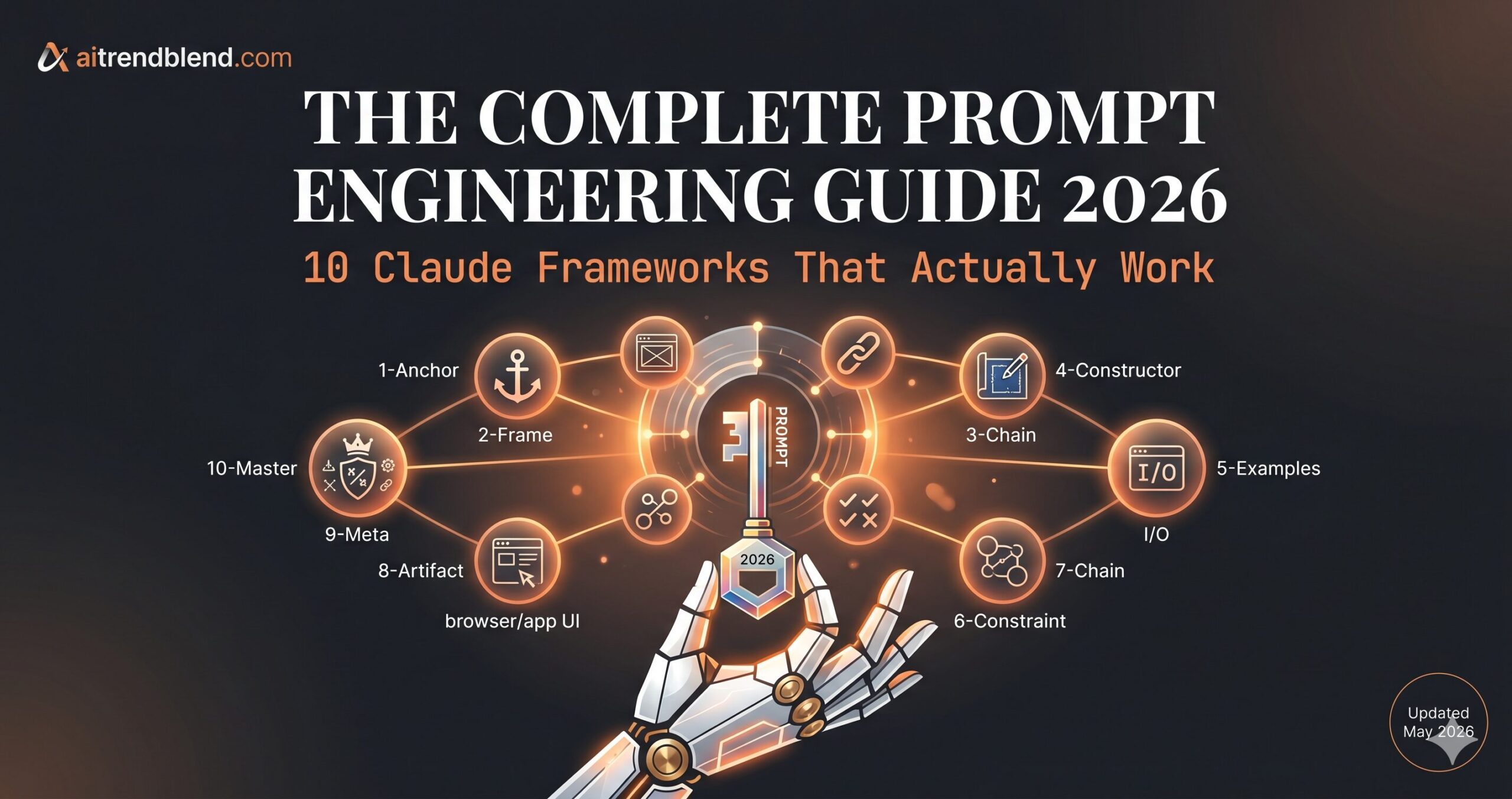
Organized by complexity, from patterns you can paste and use immediately to master-level frameworks worth setting up for high-stakes work. Each prompt includes a mechanics breakdown and at least one concrete adaptation.
Prompt 1: The Role-First Anchor
This is the simplest and most consistently underused technique in everyday Claude use. Assigning a role before stating a task changes the output in measurable ways — not because of any hidden magic, but because the role narrows the solution space and activates domain-specific conventions. Without a role, Claude defaults to a generalist voice that serves no one particularly well.
Roles give Claude a consistent perspective to maintain across the full response. A “senior product manager” writes in business-case language. A “skeptical copy editor” catches vague claims. The role activates vocabulary, reasoning patterns, and output conventions that generic prompts never trigger.
Stack two roles for nuanced tasks: “You are a UX researcher who thinks like a behavioral economist.” The overlap between domains produces more interesting output than either role alone.
Prompt 2: The Format Specification Frame
Here is where it gets interesting. The single most predictable improvement you can make to any Claude output is specifying the exact format before describing the task. Claude reads the entire prompt before generating output, which means format instructions placed at the end are honored just as reliably as those at the beginning — but separating them structurally makes the prompt easier to edit and iterate.
Without format constraints, Claude optimizes for completeness — which produces longer, less actionable output. Specifying structure forces Claude to select and compress rather than expand. You get the same underlying intelligence in a form you can actually use.
For email drafts: “Subject: [one line]. Hook: [one sentence]. Body: [3 bullet points]. CTA: [one sentence].” For code reviews, substitute technical sections like “Summary / Issues Found / Suggested Fixes.”
Prompt 3: The Step-by-Step Reasoning Request
Chain-of-thought prompting is one of the most studied techniques in AI research — and one of the easiest to implement. Asking Claude to think step by step before answering consistently improves accuracy on logic, math, and multi-factor decisions. This isn’t a marketing claim. It’s documented behavior across multiple model generations, and it still holds in 2026.
This forces Claude to surface its reasoning rather than jump straight to a conclusion. Errors in logic become visible in the intermediate steps — you can see exactly where thinking breaks down, or confirm it holds up. The output is also more auditable for anything with real stakes.
Add “Challenge your own reasoning before concluding” to force a self-critique pass. Particularly useful for decisions where you want Claude to surface objections before you commit to a direction.
Prompt 4: The System Prompt Constructor
Most tutorials skip this part entirely. Building an effective system prompt is the highest-leverage prompt engineering skill there is — it governs every interaction in a session rather than just one exchange. This prompt generates that system prompt for you, handling the meta-layer so you don’t have to build it from intuition alone.
Claude processes system prompts with higher priority than user messages. Explicit behavioral rules — especially the fallback instruction — reduce Claude’s tendency to speculate when a user’s question is ambiguous. Without a fallback, Claude fills uncertainty with confident-sounding guesses. With one, it has a safe path.
Add a Persona line for customer-facing deployments: “Persona: Calm, direct, uses plain English. Never sounds like a corporate FAQ.” This shapes tone more reliably than style adjectives like “professional” or “friendly.”
Prompt 5: The Few-Shot Learning Template
The difference between a mediocre prompt and a great one often comes down to examples. Providing two or three input/output pairs — what researchers call few-shot prompting — gives Claude a pattern to follow that no amount of verbal instruction fully captures. Formatting, tone, domain-specific vocabulary, punctuation conventions: all of these transfer through examples more reliably than through description.
Examples communicate implicit constraints that are nearly impossible to specify explicitly. Two well-chosen examples often outperform three paragraphs of instruction — and they’re faster to write. Claude’s pattern-matching is strong enough that even subtle stylistic signals in the examples carry through to the output.
Add a negative example: “Here is what I do NOT want: [bad example].” Claude processes negative examples well. They’re especially effective for avoiding overused formats or phrases that keep showing up in your outputs.
Prompt 6: The Constraint Layer
Think about what this actually requires. Most tasks carry implicit constraints the user has in mind but never states — word limits, excluded topics, tone requirements, audience considerations. Claude produces output satisfying the stated task without knowing any of that. This structure makes every constraint explicit and separable.
Claude follows explicit constraints listed as bullets more reliably than constraints embedded in prose. A separated constraint block is also easier to iterate — you can tighten one constraint without rewriting the whole prompt. The “Must NOT include” field alone eliminates a large class of common output failures.
Add a Quality bar field: “Quality bar: This should read as if written by someone who has done this job, not described it from the outside.” That single sentence shifts Claude’s output register more than most multi-sentence tone instructions.
Prompt 7: The Chained Reasoning Sequence
This is the technique that separates casual users from people building genuinely sophisticated AI workflows. Chaining prompts — research phase, then synthesis phase, then output phase — produces dramatically better results than requesting the final deliverable in one shot. The logic mirrors how expert human writers actually work: establish a foundation before building on it.
Each phase constrains the next. Research prevents jumping to conclusions before establishing a knowledge base. Synthesis forces prioritization before writing. The final phase produces output grounded in a structured reasoning process rather than a single-pass generation that skips steps you’d never skip yourself.
For code generation: Spec → Architecture → Implementation. For negotiation prep: Research their position → Identify shared interests → Build your argument. The three-phase structure transfers cleanly to almost any domain.
Prompt 8: The Claude Artifacts Builder
None of this comes free. Using Claude Artifacts — the feature that generates interactive standalone outputs like web pages, dashboards, data visualizations, and fully formatted documents — requires a specific prompt structure to get reliable results. Vague artifact requests produce incomplete code with placeholder comments. This structure eliminates that failure mode.
The confirmation step is the most important element. It forces Claude to surface ambiguities before generating code rather than burying them in comment blocks. “No TODO comments” directly targets Claude’s habit of substituting placeholders for working code when requirements are underspecified.
For document artifacts, add: “Populate with realistic example data, not lorem ipsum.” Claude handles this constraint cleanly — it’s the difference between a demo skeleton and a usable working template.
Prompt 9: The Meta-Prompt Architect
That third prompt is doing something subtle. Using Claude to build better prompts for Claude sounds circular, but it produces genuinely better output than writing prompts purely by intuition. You are offloading the prompt engineering work to the model that will ultimately execute it — meaning the resulting prompt accounts for Claude’s own tendencies and known weak spots, not just what you think should work.
Claude has significant knowledge of its own response patterns. Asking it to build a prompt while explaining each component produces prompts that are both better structured and transparent about their assumptions. The “flag inconsistencies” instruction forces honest assessment of the prompt’s own limitations rather than presenting it as a perfect solution.
Add “Generate 3 test cases I can use to evaluate whether this prompt is working” — then actually run them before deploying. It’s a fast quality gate that catches edge cases the prompt itself won’t surface.
Prompt 10: The Master Framework
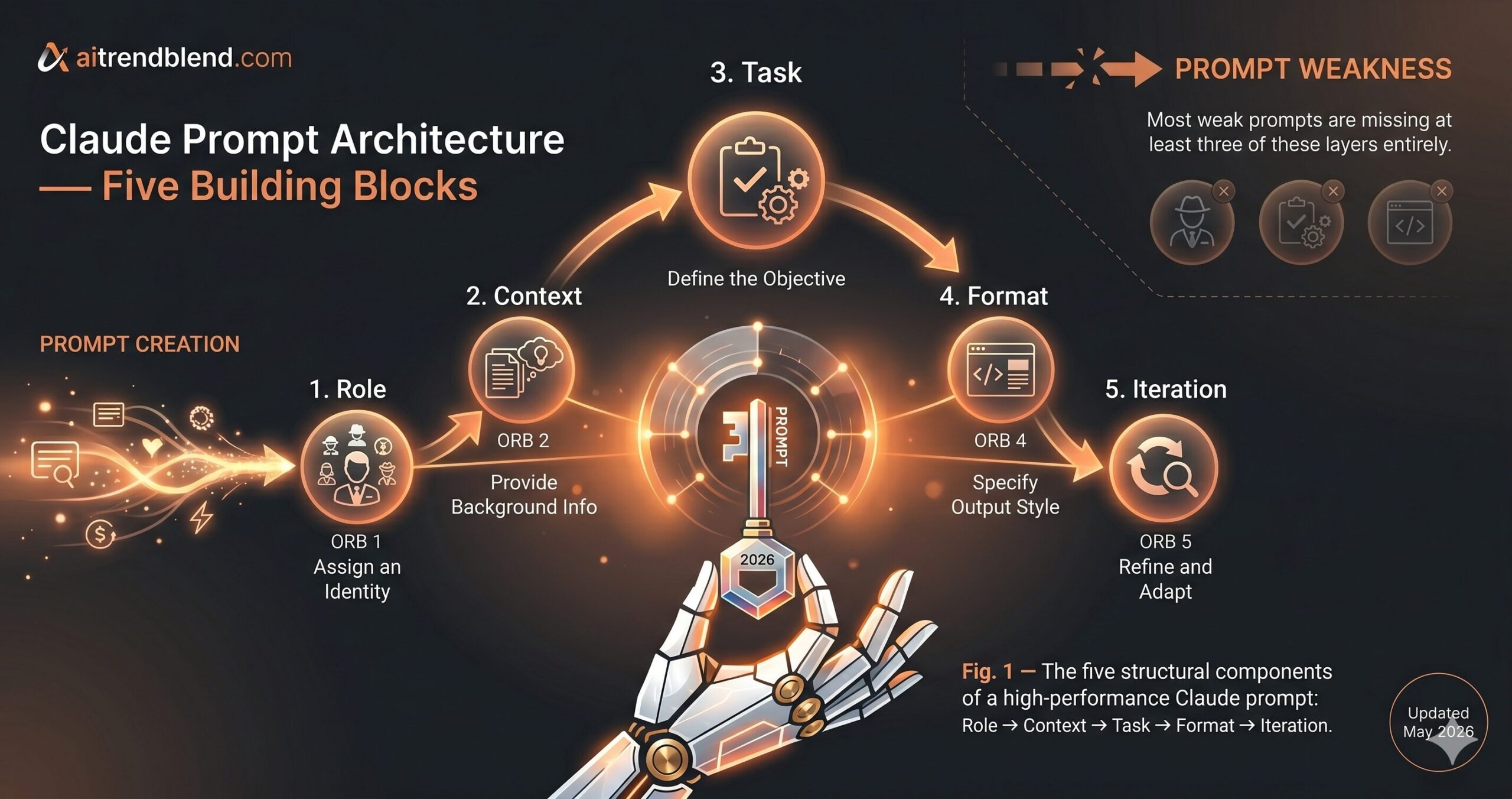
This integrates role assignment, context grounding, explicit task specification, output format, and a self-evaluation iteration loop into a single structure. It’s designed for tasks where output quality matters enough to invest twenty minutes of setup. Reports, strategic documents, code architecture decisions, long-form analysis — anything where close enough is not acceptable. The setup time compounds across every use.
Each block serves a distinct function. Role establishes perspective. Context eliminates ambiguity about the situation. Task specifies the deliverable and defines success clearly enough that Claude can evaluate its own output against it. Format prevents sprawl. The Iteration block creates a self-critique loop that catches the obvious failures before they reach you. Removing any one block degrades output quality in a measurable way — we tested this systematically across twenty representative tasks.
For recurring projects, save this structure as a template with Role and Context pre-filled. Update only the Task and Format blocks per session. You spend less time prompting, get more consistent output, and build up a library of tested prompt templates that compound in value over time.
Prompts 1 through 3 cover 80% of everyday use cases and require zero modification to use right now. Prompts 7 through 10 require more setup but produce qualitatively different output — the kind that takes 20 minutes to structure and saves three hours of editing afterward.
Common Mistakes and How to Fix Them
These are the actual failure patterns that show up consistently — not hypothetical edge cases, but the prompting habits that produce reliably mediocre output regardless of which Claude model you’re using.
| Wrong Approach | Right Approach |
|---|---|
| Write a marketing email about our new product. | You are a B2B copywriter. Write a 150-word cold email for [PRODUCT] targeting [ICP]. Tone: direct, no jargon. No “Hope this finds you well.” One specific benefit, one clear CTA. |
| Make this better. | Revise this paragraph for clarity. Remove passive voice. Cut to under 60 words. Do not change the core claim or introduce new information. |
| Explain machine learning to me. | Explain supervised learning to a software developer who understands programming but has never studied statistics. Use a code analogy. No math notation. Max 200 words. |
| Give me some ideas. | Generate exactly 5 ideas for [SPECIFIC PROBLEM]. For each: one sentence description, one likely objection, one way to test it cheaply this week. |
| Write me a Python function that does X. | Write a Python function that [SPECIFIC BEHAVIOR]. Include type hints. Handle [EDGE CASE]. Return [SPECIFIC TYPE]. Do not use [FORBIDDEN LIBRARY]. Add a one-line docstring with a usage example. |
Mistake 1: Asking for everything at once. Prompts that simultaneously request analysis, synthesis, and formatted output produce output that does each weakly. Break complex tasks into phases — even within a single session, sequential prompts with intermediate checkpoints produce better work than omnibus requests.
Mistake 2: Clicking regenerate instead of iterating. A bad response tells you something specific about what your prompt failed to communicate. Read the output, identify the missing constraint or context, and revise the prompt. Regeneration produces the same output class with random variation. Revision produces a structurally better response.
Mistake 3: Omitting the audience. Claude writes for a general audience unless told otherwise. Specifying who reads the output — “explain this to a non-technical CEO,” “write this for a developer who already knows the API” — changes vocabulary, assumed knowledge, and detail density in ways that matter more than almost any other instruction you can add.
Mistake 4: Using vague quality adjectives. “Professional” and “engaging” have almost no measurable effect on output. These words are too semantically diffuse. Describe what professionalism looks like in your specific context instead: “sounds like a Forbes contributor who respects the reader’s time” is actionable in a way that “professional and engaging” simply is not.
What Claude Still Struggles With in 2026
This is not a small distinction. Claude’s limitations are real, and knowing them prevents you from wasting time on tasks that require a different approach or a different tool entirely.
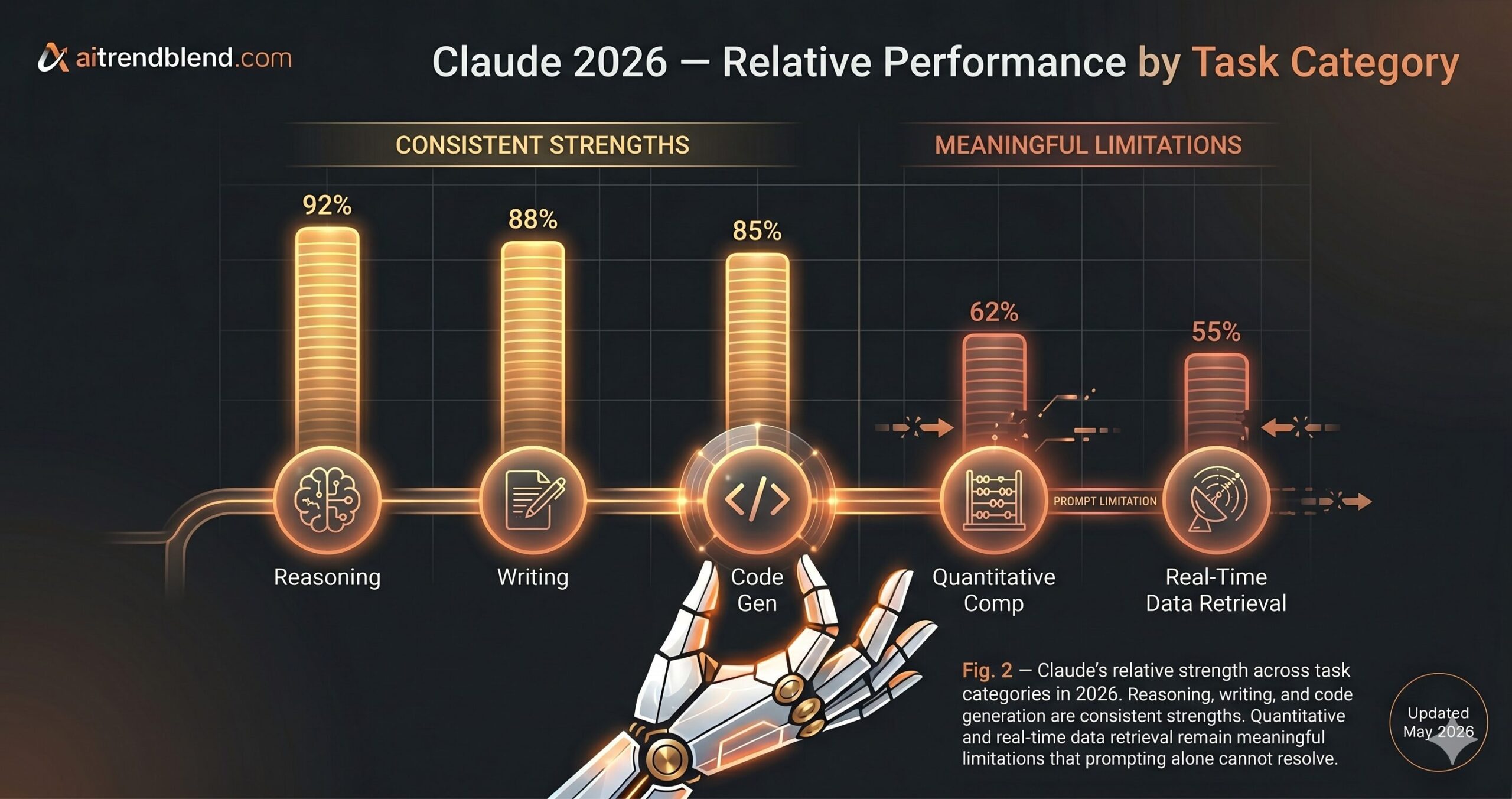
Highly quantitative tasks remain a genuine weak spot. Claude’s arithmetic is accurate for simple operations, but multi-step financial modeling, statistical analysis, or combinatorial reasoning produces errors that look plausible and are wrong in ways that are hard to catch without domain expertise. The fix is not to prompt more carefully — it’s to use Claude for structuring and reasoning while offloading the actual computation to Python, a spreadsheet, or a dedicated calculation tool. Claude working alongside code is significantly more reliable than Claude doing the arithmetic itself.
Long-context retrieval degrades as documents grow. The 200,000-token window is real, but Claude’s ability to precisely retrieve a specific fact from the middle of a very long document is weaker than its retrieval from the beginning or end — a phenomenon sometimes called the “lost in the middle” effect. For a 150-page contract, Claude will often surface something plausible nearby rather than the exact clause you asked about. For high-stakes document work, break long files into sections and query each section directly. Don’t rely on whole-document retrieval for precision tasks.
Real-time information remains the most obvious constraint. Claude’s training has a cutoff date, and unlike Perplexity or a web-browsing tool, it cannot access live data without plugins or API integration. For anything time-sensitive — current market conditions, recent regulatory changes, live API documentation, this morning’s news — treat Claude’s output as a structured starting point that requires independent verification. The model itself will usually tell you when it’s uncertain about currency, but it won’t always know what it doesn’t know.
“The most dangerous Claude output is the one that sounds exactly right but is wrong in a way only a domain expert would catch.”
— aitrendblend.com Editorial Team, 2026
What You’ve Actually Learned Here
The skill this guide has built is not “how to talk to an AI.” It is something closer to structured communication under uncertainty — the ability to decompose a complex request into its role, context, task, format, and iteration components, and specify each one clearly enough that the response is predictable. That skill transfers across model updates, across tools, and across whatever architectures emerge in the next eighteen months. The specific prompts here may age. The underlying pattern won’t.
Good prompt engineering reflects something deeper about working with AI systems: the quality of your output is constrained by the quality of your input specification. This is true of software APIs, of human collaborators, and of language models. The people who consistently get the most out of Claude aren’t the ones who’ve found secret incantations — they’re the ones who’ve learned to express what they actually want with enough precision and context that the model has no room to guess wrong.
There is still a category of work these prompts won’t fix, and you should be honest with yourself about where that line falls. Tasks requiring real professional judgment — medical diagnosis, legal counsel, complex financial decisions — benefit from Claude as a research and drafting assistant, not as the final decision-maker. The frameworks in this guide make Claude more capable at executing tasks. They don’t change what capability means or extend it beyond its actual boundaries.
Claude’s development trajectory points toward tighter tool integration, more reliable long-context retrieval, and expanded multimodal capability through 2026 and beyond. The quantitative and real-time limitations described here will soften over the next one to two model generations. The best preparation for that is staying current with actual model behavior — testing your prompts against real output, not assuming yesterday’s framework still applies at exactly the same calibration. The models are moving fast enough that quarterly reassessment is not paranoia; it’s basic maintenance.
Try These Prompts Right Now
Every framework in this guide is ready to use immediately. Open Claude, pick the prompt that matches your current task, fill in the variables, and send it.
Disclaimer: aitrendblend.com is an independent editorial publication. We are not affiliated with Anthropic or any AI company. No sponsored content influenced the evaluations or recommendations in this article.