
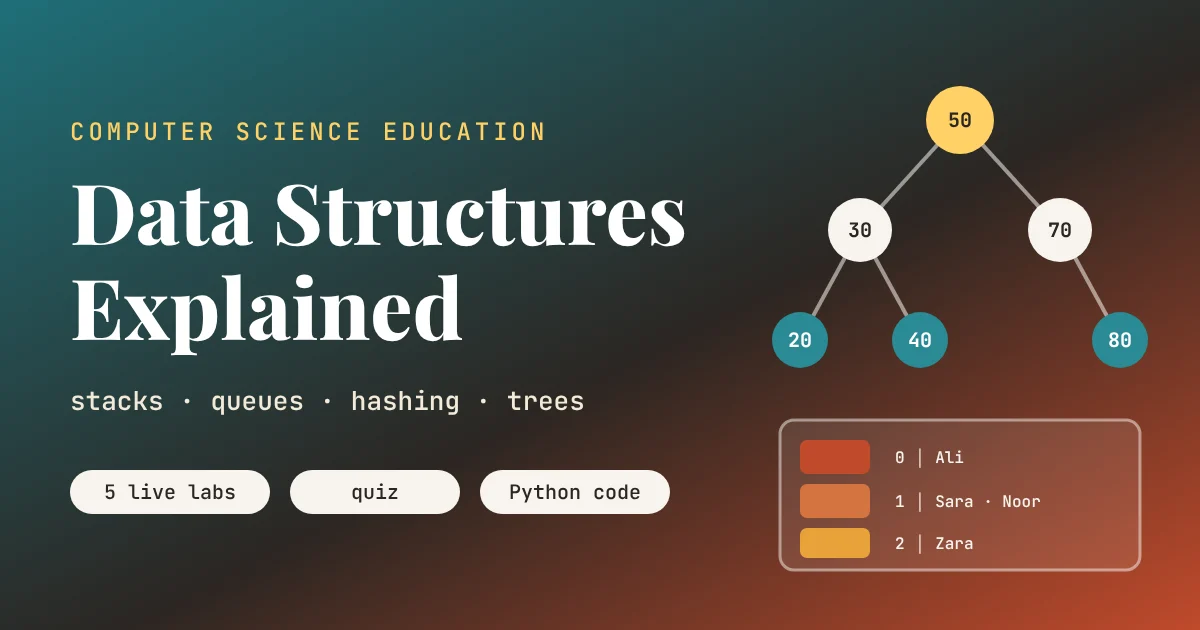
An Animated Lesson
Key points of this lesson
- A data structure is a way of arranging data so that the operations a program needs most are fast.
- A stack is last in, first out, which is how undo buttons, browser back buttons and bracket checkers work.
- A queue is first in, first out, which is how printers, video buffers and waiting lines work.
- A hash table turns a key into a location with simple arithmetic, so lookups take only a step or two.
- A binary search tree keeps data sorted as it grows, but inserting data in order can ruin its shape.
- Five live labs, a quiz and runnable Python code let students build and break each structure themselves.
Who this lesson is for and how to use it
This is the sixth lesson in our Computer Science Education series. It follows directly from How Algorithms Work, which ended by promising a lesson on the ways of organizing information that make fast algorithms possible. Students who met binary search in that lesson will recognize its halving trick inside the search tree here, and students who remember the memory pyramid from How a Computer Works already know that data has to live somewhere and that location matters.
The lesson suits grades nine to twelve and first year college students, and it pairs well with any first programming course. The labs need no coding. The Python code at the end builds every structure from scratch for students ready to read real classes and functions.
Learning objectives
After three periods, a student should be able to do the following five things without notes.
- Explain what a data structure is and why the choice matters for speed.
- Describe stacks and queues using the phrases last in, first out and first in, first out, with an everyday example of each.
- Trace how a stack checks whether brackets in an expression are balanced.
- Explain how a hash function chooses a bucket, and what a collision is.
- Insert and search values in a binary search tree, and explain why inserting sorted data makes it slow.
| Period | Focus | Activity on this page | Time |
|---|---|---|---|
| 1 | Stacks and queues | Animated structures figure, Lab 1 stack and queue, Lab 2 bracket checker | 40 minutes |
| 2 | Hash tables | Hash machine animation, Lab 3 hash table with collisions, the pigeonhole activity | 40 minutes |
| 3 | Trees and choosing structures | Lab 4 binary search tree, quiz, Python demo, choosing the right tool | 40 minutes |
Why the arrangement of data matters
A data structure is a way of storing data together with the operations that make sense on it. The same list of student names could be stored in a plain list, a stack, a queue, a hash table or a tree. None of these is best for everything. Each one makes some operations very fast and others slow, and choosing well means asking which operations your program will perform most often.
A good analogy is a kitchen. Plates live in a stack because you always take the top one. Customers at a takeaway counter form a queue because fairness means serving in arrival order. Spices sit on a labelled rack so you can grab cumin without searching. Recipes are filed in a folder tree by cuisine and then by dish. The kitchen is not designed around storing things. It is designed around using them quickly, and that is exactly how programmers think about data structures.
Stacks, last in, first out
A stack only lets you touch the top. Pushing adds an item on top, and popping removes the top item. That restriction sounds limiting, but it is exactly what many problems need. When you press undo in a document, the program pops your most recent action off a stack. When you press the back button in a browser, it pops the most recent page. When one function in a program calls another, the computer pushes a note of where to return, and pops it when the inner function finishes. That internal structure is called the call stack, and when a program pushes forever without popping, the famous crash called a stack overflow is the result.
The idea has a proud history. The German computer scientists Friedrich Bauer and Klaus Samelson described what they called the cellar principle in 1957 and used it to translate mathematical formulas into machine instructions, which is still one of the most important uses of a stack.
Queues, first in, first out
A queue is the fair cousin of the stack. Items join at the back and leave from the front, so whoever arrived first is served first. A printer shared by a computer lab keeps a queue of documents. A video streaming app keeps a queue of downloaded pieces waiting to be shown, which is what the word buffering really means. The packets from our internet lesson wait in queues inside every router they pass through, and when those queues fill up, packets are dropped and TCP has to send them again.
Type a name, or just press the buttons to use the built in class list, and compare the two structures side by side.
Stack 0
Queue 0
Push three names onto the stack and enqueue the same three. Then pop and dequeue once each and compare who leaves.
Students quickly see the difference. Push Ali, Sara and Usman onto the stack and pop once, and Usman leaves. Enqueue the same three and dequeue once, and Ali leaves. The data is identical. Only the rule for removing it has changed, and that rule is what makes each structure right for its job.
A stack that checks your brackets
Every code editor and every programming language needs to know whether brackets match. The expression {[(2 + 3) * 4] - 1} is fine, while {[}] is broken, because the square bracket closes after the curly one opened inside it. A stack solves this elegantly. Read the text from left to right. Push every opening bracket. When a closing bracket arrives, pop the top of the stack and check that it is the matching partner. If it is not, or the stack is empty, the brackets are broken. If the stack is empty at the end, everything matched.
Stack
empty
Press Check, or try one of the examples.
Key takeaway
Stacks and queues hold the same kind of data. What makes them different is the rule for taking data out, and choosing the right rule turns hard problems like undo, fairness and bracket matching into simple ones.
Hash tables, finding anything in one jump
Imagine a phone with ten thousand contacts stored in a plain list. Finding one name could mean checking all ten thousand. Sorting the list and using binary search, as in the algorithms lesson, would cut that to about fourteen checks. A hash table does even better, often finding the name in one or two steps, no matter how many contacts there are.
The trick is a hash function, a small calculation that turns a key, such as a name, into a bucket number. In our lab the function adds up the character codes of the letters, the same codes students met in the binary lesson where 65 meant A, and keeps the remainder after dividing by the number of buckets. To store a contact, compute the bucket and put it there. To find it later, compute the same bucket and look only there. The idea is credited to Hans Peter Luhn, an IBM engineer who described hashing in an internal memo in 1953.
There is a catch, and it is worth letting students find it themselves. With ten buckets and twelve names, at least two names must share a bucket, a fact mathematicians call the pigeonhole principle. When two keys land in the same bucket it is called a collision. The simplest fix, used in the lab, is chaining, where each bucket holds a short list. As long as the hash function spreads keys evenly and the table has enough buckets, those lists stay short and lookups stay fast. Real hash tables quietly grow and rearrange themselves when they get too full.
Type your own name and press Insert to see which bucket it lands in.
Hash tables are everywhere. Python’s dictionary, the structure students use whenever they write curly braces with keys and values, is a hash table. So are the lookup tables inside databases, compilers and the DNS caches from our internet lesson. The password hashes from our cybersecurity lesson use the same word for a related idea, a function that scrambles input into a fixed size fingerprint, though security hashes are designed to be far harder to reverse than the simple teaching hash here.
Teacher note, the pigeonhole activity
Label ten envelopes 0 to 9 on the board. Each student adds the alphabet positions of the letters in their first name, takes the last digit, and writes their name in that envelope. Ask the class which envelope is fullest and why. Then ask them to invent a better hash function that spreads names more evenly. In ten minutes students discover collisions, chaining and why hash function design matters.
A hash table does not search for your data. It calculates where your data must be, and goes straight there.From this lesson, period two
Trees, data that branches
Many kinds of data branch naturally. The folders on a laptop form a tree, with folders inside folders. A family tree branches through generations. The web pages students build are trees of HTML elements nested inside each other. Computer scientists draw trees upside down, with the root at the top and the leaves at the bottom.
A binary search tree is a special tree for keeping numbers or names sorted. Every node has at most two children, and it follows one rule everywhere. Smaller values go to the left, larger values go to the right. To find a value, start at the root and go left or right depending on whether the target is smaller or larger, exactly like binary search, except the tree can grow and shrink without sorting a whole list again. Several researchers described binary search trees independently around 1960.
Try inserting 45 and then searching for 60, and watch the path light up. Then press Insert in sorted order. Each new number is larger than the last, so it always goes right, and the tree turns into a long diagonal stick. Its height equals its size, and searching it is no faster than walking a list. This weakness was spotted early, and in 1962 the Soviet mathematicians Georgy Adelson-Velsky and Evgenii Landis published the AVL tree, which rotates its own branches after every insertion to stay balanced. Modern databases and file systems use descendants of that idea.
Key takeaway
A search tree is only fast while it stays bushy. The same data inserted in a different order can produce a tree that is a thousand times slower to search, which is why real systems use self balancing trees.
Choosing the right structure
The real skill is matching the structure to the job. Ask students to fill in a table like the one below for problems from their own lives, such as a music playlist, a school timetable, a game’s high score list or a messaging app’s chat history.
| Structure | Fast at | Slow at | Everyday example |
|---|---|---|---|
| List or array | Reading item number k directly | Finding a value without knowing its position | Seats in a classroom row |
| Stack | Adding and removing the newest item | Reaching items deep inside | Undo history, browser back button |
| Queue | Adding at the back, removing the oldest | Reaching items in the middle | Print jobs, canteen line, video buffer |
| Hash table | Finding, adding and removing by key | Listing items in sorted order | Phone contacts, dictionary lookups |
| Balanced search tree | Finding by key and keeping order | Slightly slower than hashing for single lookups | Database indexes, leaderboards |
There is rarely one right answer, which makes this a good discussion activity. A leaderboard needs order, so a tree beats a hash table. A login system checking usernames needs fast lookup and no order, so a hash table wins. Students who can argue for a choice, and name its weakness, are thinking like software engineers.
Misconceptions students bring to class
- Data structures are only for advanced programmers. Every program uses them. A Python list and a dictionary are already a dynamic array and a hash table.
- A stack and a queue are the same thing. They store the same data but remove it in opposite orders, which changes what they are useful for.
- Hash tables never have collisions. Collisions are unavoidable once there are more possible keys than buckets. Good tables keep them rare and cheap.
- A binary search tree is always fast. Only while it stays balanced. Sorted input turns a plain one into a slow chain.
- The fastest structure is always the best choice. Simplicity, memory use and the operations you actually need all matter.
Where this lesson simplifies the truth
The labs are teaching models. Real stacks and queues are usually built on arrays or linked lists, details this lesson skips. The teaching hash function, adding letter codes, is deliberately simple and spreads keys poorly, since anagrams such as Omar and Roma always collide. Real hash functions mix bits far more thoroughly, and real tables resize themselves to keep chains short. The tree lab uses a plain binary search tree, while production systems use self balancing designs such as AVL trees, red black trees and B trees, which keep the height close to log n automatically.
None of these refinements change the core ideas. A student who understands why a stack suits undo, why a hash table finds keys in one jump and why a tree must stay balanced will find the advanced versions easy to learn.
Bringing it all together
The main achievement of this lesson is a new question students will ask about any program. Not only what does it do, but how is its data arranged, and does that arrangement suit the work it does most often. They have seen that a stack makes undo trivial, that a queue makes waiting fair, that a hash table finds a name in one jump and that a tree keeps data sorted, but only while it keeps its shape.
The conceptual shift is from seeing data as a pile of facts to seeing it as something designed. The same student names can live in five different structures, and the choice decides whether the program feels instant or sluggish. This is the partner idea to the previous lesson. Algorithms are the steps, data structures are the arrangement, and fast programs need both.
The ideas link every lesson in the series. The call stack runs every function on the CPU from our first lesson. Queues hold packets in every router from the internet lesson. Hash tables power DNS caches and dictionary lookups, and their security cousins protect passwords. Trees index databases and organize the files on every laptop. Even neural networks from the AI lesson store their weights in carefully arranged arrays so graphics cards can process them quickly.
The lesson has honest limits. It leaves out linked lists in detail, graphs as a full topic, heaps, and the memory costs of each structure. Teachers with stronger classes can extend period three by implementing a stack and a queue in Python from scratch, and teachers without computers can teach the whole unit with plates, a line of students, labelled envelopes and a tree drawn on the board.
A natural next lesson is graphs, the structure behind maps, social networks and the internet itself. For now, the students who imagined ten thousand library books in a pile can explain exactly how shelves, catalogues and a returns trolley turn that pile into something useful.
Companion Python code for the classroom
The program below builds every structure from scratch in plain Python. It uses a stack for undo and for checking brackets, a queue for a canteen line, a hash table with chaining for a small phone book, and a binary search tree that is first built from mixed numbers and then from sorted ones to show how its height changes.
# Data Structures, companion code for the aitrendblend lesson
# Runs on any Python 3 installation. No extra libraries needed.
from collections import deque


# Part 1. Stack (last in, first out) and queue (first in, first out)
class Stack:
    def __init__(self):
        self.items = []

    def push(self, x):
        self.items.append(x)

    def pop(self):
        return self.items.pop()          # takes from the top

    def peek(self):
        return self.items[-1]

    def is_empty(self):
        return not self.items


def brackets_balanced(text):
    """Classic stack job, used by every code editor and compiler."""
    pairs = {")": "(", "]": "[", "}": "{"}
    s = Stack()
    for ch in text:
        if ch in "([{":
            s.push(ch)
        elif ch in pairs:
            if s.is_empty() or s.pop() != pairs[ch]:
                return False
    return s.is_empty()


# Part 2. A hash table with chaining
class HashTable:
    def __init__(self, buckets=10):
        self.buckets = [[] for _ in range(buckets)]

    def _hash(self, key):
        return sum(ord(c) for c in key) % len(self.buckets)   # simple teaching hash

    def put(self, key, value):
        bucket = self.buckets[self._hash(key)]
        for pair in bucket:
            if pair[0] == key:
                pair[1] = value
                return
        bucket.append([key, value])

    def get(self, key):
        bucket = self.buckets[self._hash(key)]
        for steps, (k, v) in enumerate(bucket, start=1):
            if k == key:
                return v, steps
        return None, len(bucket)


# Part 3. Binary search tree
class Node:
    def __init__(self, key):
        self.key, self.left, self.right = key, None, None


def insert(root, key):
    if root is None:
        return Node(key)
    if key < root.key:
        root.left = insert(root.left, key)
    elif key > root.key:
        root.right = insert(root.right, key)
    return root


def search(root, key, steps=1):
    if root is None:
        return False, steps - 1
    if key == root.key:
        return True, steps
    return search(root.left if key < root.key else root.right, key, steps + 1)


def in_order(root):
    return in_order(root.left) + [root.key] + in_order(root.right) if root else []


def height(root):
    return 1 + max(height(root.left), height(root.right)) if root else 0


# Smoke test
if __name__ == "__main__":
    undo = Stack()
    for action in ["type A", "type B", "bold"]:
        undo.push(action)
    print("Undo removes:", undo.pop(), "then", undo.pop())

    line = deque(["Ali", "Sara", "Usman"])
    line.append("Hina")
    print("Queue serves:", line.popleft(), "then", line.popleft())

    for t in ["(a + b) * [c]", "{[}]", "((x)"]:
        print(f"{t!r:16} balanced: {brackets_balanced(t)}")

    phone = HashTable()
    for name, num in [("Ayesha", "0300"), ("Bilal", "0311"), ("Hamza", "0321"), ("Zara", "0333")]:
        phone.put(name, num)
    print("\nBuckets:", [b for b in phone.buckets if b])
    print("Lookup Hamza:", phone.get("Hamza"))

    root = None
    for k in [50, 30, 70, 20, 40, 60, 80]:
        root = insert(root, k)
    print("\nIn order:", in_order(root), "height", height(root))
    print("Search 60:", search(root, 60))

    chain = None
    for k in range(1, 8):
        chain = insert(chain, k)
    print("Inserting 1..7 in order gives height", height(chain), "(a stick, not a bush)")

    assert brackets_balanced("(a + b) * [c]") and not brackets_balanced("{[}]")
    assert phone.get("Hamza")[0] == "0321"
    assert in_order(root) == sorted([50, 30, 70, 20, 40, 60, 80])
    assert height(root) == 3 and height(chain) == 7
    print("\nAll checks passed.")
When you run it, undo should remove the most recent action first, the queue should serve Ali first, the bracket checker should accept the first expression and reject the other two, the balanced tree should have height 3 while the sorted one has height 7, and the final line should report that all checks passed. A good extension task is to add a delete operation to the hash table, then try writing a better hash function that separates anagrams.
Check your understanding
Six questions cover the whole lesson. Choose an answer for each and press Check answers to see which were right, with a short explanation for each.
Frequently asked questions
What is a data structure in simple words?
A data structure is a way of organizing data in a computer so that the operations a program needs, such as adding, finding or removing items, are fast. Lists, stacks, queues, hash tables and trees are common examples.
What is the difference between a stack and a queue?
A stack removes the most recently added item first, which is last in, first out. A queue removes the oldest item first, which is first in, first out. Undo buttons use stacks and printers use queues.
How does a hash table work?
A hash table uses a hash function to turn a key, such as a name, into a bucket number, and stores the item in that bucket. Looking it up repeats the same calculation, so the table can jump straight to the right place.
What is a collision in hashing?
A collision happens when two different keys produce the same bucket number. Hash tables handle collisions by keeping a short list in each bucket or by finding another free slot.
Why does a binary search tree need to stay balanced?
Searching a binary search tree takes as many steps as its height. A balanced tree has a height of about log n, but inserting sorted data makes a tall chain whose height equals the number of items, so searching becomes as slow as a list.
Can data structures be taught without computers?
Yes. Plates or books show a stack, a line of students shows a queue, labelled envelopes show hash buckets, and a tree can be built on the board by placing numbers left or right.
Take the lesson further
Read how Python’s own lists and dictionaries are documented, then explore more unplugged activities for the classroom.
Python data structures CS Unplugged topicsSources. Donald E. Knuth, The Art of Computer Programming, Volume 1, Fundamental Algorithms, and Volume 3, Sorting and Searching, Addison Wesley, for the history of stacks, hashing and search trees. Friedrich L. Bauer and Klaus Samelson, Sequential Formula Translation, Communications of the ACM, 1960, describing the stack principle they developed in 1957. Hans Peter Luhn, internal IBM memorandum on hashing, 1953. Allen Newell, J. C. Shaw and Herbert A. Simon, Information Processing Language, 1956. G. M. Adelson-Velsky and E. M. Landis, An Algorithm for the Organization of Information, Doklady Akademii Nauk SSSR, 1962.
This lesson is based on standard data structures teaching material and the classroom experience of the author. The hash function in the lab is a simple teaching example, not one used in practice.