
Best AI Agents for Small Business in 2026: A Guide to Tools That Act as Virtual Employees
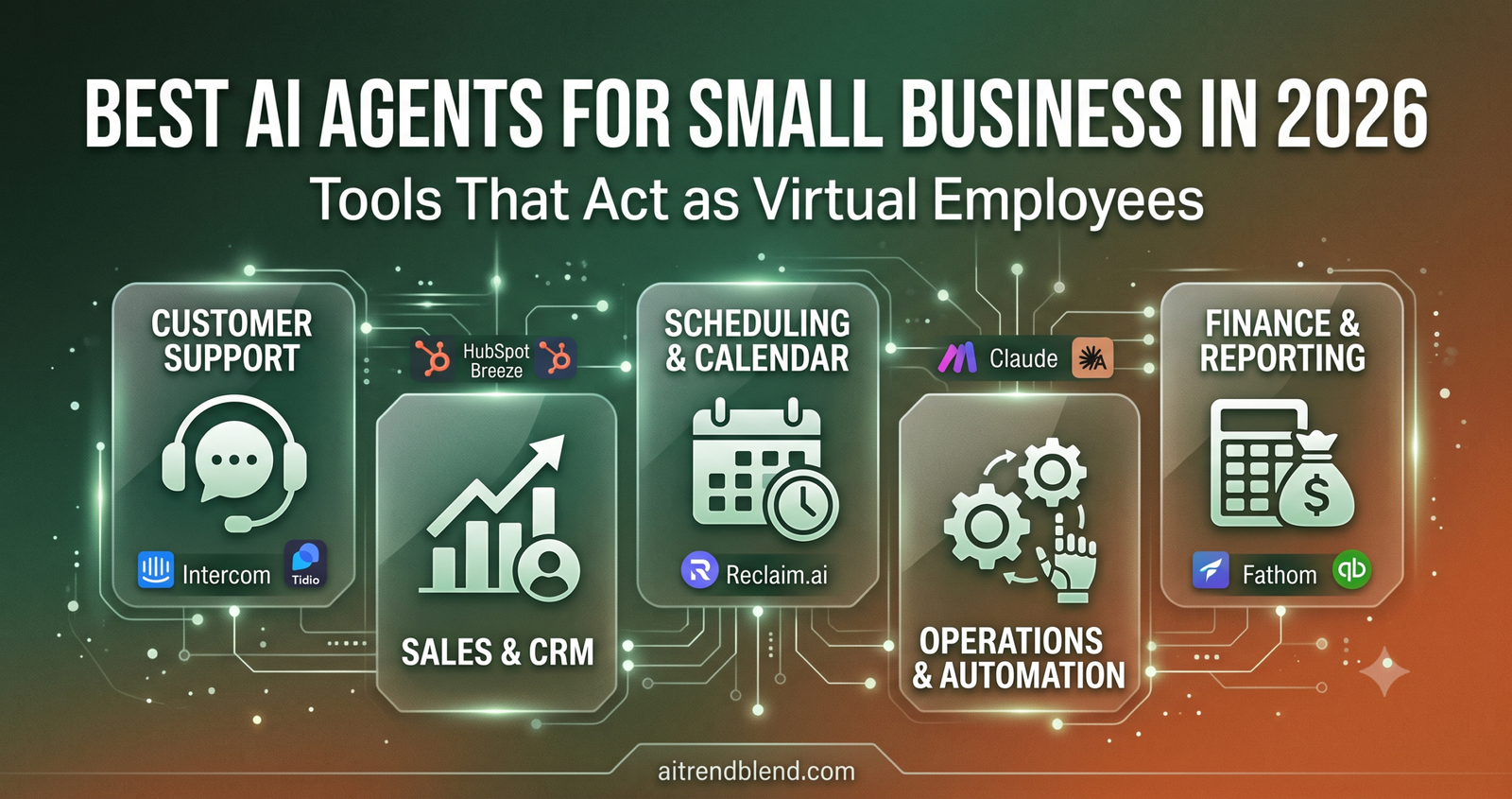
The hiring gap between a solo founder and a five-person team used to cost somewhere between $180,000 and $250,000 a year in salary. In 2026, a significant portion of that gap — customer support coverage, sales follow-up, appointment scheduling, content drafting, financial reporting summaries — is being filled by AI agents that work around the clock for a combined subscription cost that most small businesses spend on software anyway. This guide covers who those agents are, what they actually do, and which ones are worth your time.
Priya Mehta runs a boutique interior design studio with two full-time employees. For four years, she handled client enquiries personally — evenings, weekends, whenever her phone buzzed. She lost three potential clients in one month to competitors who responded to enquiry forms faster. Not better, just faster. She was not slow because she was careless; she was slow because she was doing client work during the hours when new enquiries came in.
Today, her enquiry response time is under four minutes, around the clock. A first-response AI agent reads the enquiry form, asks two qualifying questions, checks her project calendar for availability, and books a discovery call — all before Priya has seen the notification. She reviews and approves the call before it is confirmed. The client experience is faster and more professional than it was when she was doing it manually. The cost of the entire agent stack she runs: $247 per month.
That number — $247 covering what would previously have required a part-time admin assistant plus an after-hours answering service — is the story of AI agents for small business in 2026. Not the tools themselves, which change constantly, but the shift in what a two-person operation can practically accomplish without hiring.
What Makes an AI Agent Different from an AI Chatbot
The distinction matters for the buying decision, so it is worth being precise. An AI chatbot answers questions. An AI agent completes tasks. A chatbot responds to “when is my order shipping?” with information from a database. An agent receives a task — “follow up with every lead that opened our proposal but did not respond within 48 hours” — executes a sequence of steps to complete it, makes decisions when it encounters branching conditions, and reports back what it did.
The practical difference for a small business is the difference between a tool that saves you time by answering questions and a tool that saves you time by doing work. Chatbots handle volume. Agents handle workflows. Most of the best tools in 2026 are somewhere on a spectrum between the two — they start from a query or trigger, execute a multi-step response, and loop in a human only when the situation requires it.
Here is where it gets interesting. The shift from chatbot to agent is not just architectural — it changes what you can delegate. Booking a meeting requires accessing a calendar, reading availability, writing a confirmation message, and sending it. That is four steps, and each step depends on the previous one. A chatbot can handle step one (reading availability). An agent handles all four and only surfaces a human decision point when the calendar shows a conflict or the client asks a question the agent is not configured to answer.
When evaluating any AI tool for your business, ask one question: does it answer, or does it act? A tool that answers reduces the time you spend researching. A tool that acts reduces the time you spend doing. For a small business owner billing $80–$200 per hour on client work, the second category is where the financial return concentrates.
The Five Business Functions Where AI Agents Deliver the Most Return
Customer Support
First-response handling, FAQ resolution, ticket routing, follow-up sequencing. Available 24/7 at a fraction of after-hours staffing costs.
Sales & CRM
Lead qualification, follow-up sequences, pipeline management, deal notes. Turns “interested but not closed” leads into booked calls automatically.
Scheduling & Calendar
Meeting booking, availability management, rescheduling, prep brief generation. Eliminates the back-and-forth entirely for most appointment types.
Content & Marketing
Email drafts, social captions, blog posts, newsletter summaries. Not a replacement for brand voice — but a serious accelerant for volume work.
Finance & Reporting
Invoice tracking, expense categorisation, cash flow summaries, overdue chasing. Gives solo founders financial visibility without a bookkeeper on retainer.
The Best AI Agents for Small Business in 2026
Intercom Fin 2.0
Fin is the clearest example of what “agent” means at the customer support level. It does not just retrieve answers from a knowledge base — it reads a customer’s full conversation history, understands the intent behind the current question, and selects the appropriate resolution path: answer directly, escalate to a human, or initiate a refund or account action if you have given it those permissions. In testing across a broad range of SMB use cases, Fin resolves roughly 50–65% of incoming support conversations without any human involvement.
The setup process requires connecting your existing help centre, knowledge base, or documentation. Fin reads these sources and learns from them — not by memorising them, but by using them as context for each conversation. When a user asks something that is not covered by the documentation, Fin says so and routes to a human rather than hallucinating an answer. This boundary-setting behaviour is what separates it from generic chatbots and makes it genuinely safe to deploy on a live customer-facing surface.
Tidio Lyro
Tidio Lyro sits at a different price point than Intercom — its free tier handles up to 50 AI-resolved conversations per month, which is enough for a small local service business to evaluate the technology without financial commitment. The paid tiers scale to unlimited AI conversations for $86/month, making it one of the most accessible entry points in the category.
The problem most people run into with Lyro is that the quality of responses scales directly with the quality of the knowledge base you give it. Businesses that set it up with a FAQ page of ten generic questions get generic responses. Businesses that invest two or three hours building a detailed knowledge base — covering product specifics, policies, edge cases, and common objections — get an agent that genuinely handles conversations the way a trained support rep would. This is not a knock against Lyro specifically; it reflects how all current retrieval-augmented support agents work. The setup investment determines the output quality.
HubSpot Breeze AI
HubSpot’s Breeze AI layer is not a separate product — it is a set of AI-powered capabilities baked into the HubSpot CRM that small businesses are already using. Breeze agents run specific workflows: the Prospecting Agent researches leads and writes personalised outreach; the Content Agent drafts blog posts and email campaigns from a brief; the Customer Agent handles support conversations in the same interface where your deals and contacts live. The integration advantage here is significant — Breeze works with the full context of your CRM data, so its prospecting messages reference actual deal history, not just publicly available LinkedIn information.
The honest caveat: Breeze AI’s quality varies significantly across its different agents. The Prospecting Agent is genuinely impressive for small B2B businesses. The Content Agent produces competent drafts that need editing rather than finished copy. If you are already on HubSpot, enabling Breeze costs nothing additional and the Prospecting Agent alone typically recovers the time investment within a week. If you are not on HubSpot, the CRM cost ($20–$800/mo depending on tier) is the real decision — Breeze is a reason to choose HubSpot, not a standalone reason to pay for it.
Clay
Clay occupies a specific niche that is extremely valuable if you operate there: highly personalised outbound prospecting at scale. Where most sales tools write generic personalised emails (“I noticed you went to [SCHOOL]…”), Clay builds multi-source research tables — pulling from LinkedIn, Crunchbase, news mentions, job postings, and the prospect’s own website — then feeds that research to an AI to write genuinely specific, relevant outreach. The output reads like a human wrote it after 20 minutes of research on the prospect, because in effect that is what it simulates.
This is not a tool for every small business. A local plumber, a yoga studio, or a Shopify store does not need Clay. A boutique consulting firm, a B2B software vendor, a commercial real estate agent, or anyone who lives and dies by a targeted, high-value outbound pipeline will find that Clay changes the economics of their prospecting work fundamentally. The price is justified by the volume of manual research it replaces — but only if you are doing significant outbound volume to begin with.
Reclaim.ai
Most tutorials skip this part entirely: Reclaim.ai is not just a scheduling tool. It is an AI that manages your calendar as a dynamic system — protecting blocks for focused work, automatically rescheduling tasks when meetings appear, learning your actual work patterns, and resisting the tendency for a calendar to fill entirely with meetings at the expense of the work those meetings are supposed to produce. For a small business owner who is both the strategic thinker and the person taking every incoming call, this matters enormously.
The practical function most users cite first is “habits” — recurring blocks that Reclaim defends and reschedules intelligently when conflicts arise. If you have a two-hour deep work block every morning that keeps getting pushed by ad hoc meeting requests, Reclaim becomes a calendar agent whose job is to protect your actual work time the way an executive assistant would. The scheduling link feature handles the external-facing part: clients book into windows Reclaim has decided are appropriate, not whatever happens to look empty at the moment they click the link.
Motion
Motion combines AI scheduling with a full task manager, and the combination matters. Most scheduling tools manage meeting time. Motion manages your entire day — meetings, tasks, deadlines — as a single optimisation problem and builds your daily schedule automatically. When a meeting moves, your task blocks reorganise around it. When you add a new project with a deadline, Motion allocates hours across your available schedule to hit that deadline without your manual intervention. It is the difference between a calendar that records your commitments and a calendar that manages them.
The limitation worth knowing: Motion’s auto-scheduling works best when you run your entire workflow through it. Users who use Motion for half their tasks and another tool for the rest find that the scheduling becomes less accurate because Motion cannot see the full picture. The setup investment — migrating all active tasks and projects into Motion — is the real barrier. Teams that make the full migration typically find that the time investment pays back within two weeks through reduced daily planning overhead.
Make.com (with AI modules)
Make.com is not an AI agent in the way Intercom Fin is. It is an automation platform — a visual tool for building workflows that connect your business applications and execute multi-step processes automatically. What has changed in 2026 is the addition of AI modules that allow any Make scenario to include steps handled by Claude, GPT-4o, or Gemini: classify an email, generate a response draft, extract structured data from an unstructured document, summarise a meeting transcript, make a conditional decision based on the content of a form submission.
The difference between Make and a dedicated AI agent is flexibility. A dedicated agent (like Intercom Fin) does one job very well. Make lets you build your own agent — one that routes a new client enquiry from your website form to a Google Sheet, generates a personalised welcome email draft in Claude, adds the lead to HubSpot, and sends you a Slack notification with a three-line summary of the enquiry, all within 60 seconds of form submission. That workflow replaces what a part-time admin assistant would have spent the first 20 minutes of each morning doing. The learning curve is real — Make’s visual interface takes several hours to become fluent in — but the ceiling on what you can build is substantially higher than any single-purpose agent.
Claude Projects (Anthropic)
Claude Projects function as persistent, context-aware AI workspaces that function like briefing a team member who never forgets what you have told them. You upload your brand guide, tone of voice document, client onboarding templates, frequently asked proposal sections, and past email examples — and every conversation in that project draws from this context automatically. The practical result is that every output Claude produces in your Project sounds like you, follows your specific formats, and uses your established language rather than generic AI output that needs heavy editing.
For content-heavy businesses — agencies, consultancies, coaches, writers, marketers — this is the tool that changes the quality ceiling. The difference between asking Claude a question cold and asking it within a well-populated Project is the difference between hiring a general assistant and working with someone who has been with the company for two years. The $20/month Claude Pro subscription is arguably the highest ROI expenditure available to a small business owner doing knowledge work in 2026, not because Claude is magic but because the Project context turns it into something that understands your work specifically.
Fathom
Fathom earns its place in this list partly because it is free for individual use and does one thing exceptionally well: it records, transcribes, and summarises meetings — extracting action items, decisions made, and key discussion points — and syncs them to your CRM. The free tier is genuinely unlimited, not artificially constrained. For a small business owner who runs multiple client calls per day and struggles to maintain reliable notes and follow-through, Fathom functions as a meeting memory agent that ensures nothing important disappears into the gap between the call ending and the follow-up email being written.
The less obvious value is in the aggregate. After three months of Fathom running on your calls, you have a searchable, structured record of every commitment made, every client preference noted, every objection raised across every conversation. This is not just note-taking — it is institutional memory for a business that runs on conversations, and it is the kind of record that a large company has because it employs an account management team, now available to a sole trader at no cost.
QuickBooks AI Assist
QuickBooks integrated its AI layer (built on GPT-4o) into its accounting platform in 2025, and the result is a finance agent that allows small business owners to ask natural language questions about their financial data: “Which clients have unpaid invoices over 30 days?” “What was my most profitable service last quarter?” “How does my current cash position compare to this time last year?” The answers come as structured summaries with the underlying figures, reducing the time a non-accountant founder spends digging through reports to understand their financial position.
The agent also handles cash flow forecasting, flags unusual expense patterns, and drafts overdue payment reminder emails with the invoice details pre-populated. None of this replaces an accountant for tax preparation, strategic financial planning, or complex decisions. What it replaces is the 45–90 minutes per week a typical small business owner spends manually interpreting financial data to answer questions they should already be able to answer at a glance. Financial awareness without financial expertise — that is the specific gap QuickBooks AI fills.
The small businesses winning with AI agents in 2026 are not the ones who found the best single tool. They are the ones who mapped their highest-friction workflows, matched an agent to each one, and configured those agents properly. Mediocre configuration of a good tool produces mediocre results. Good configuration of even a mid-tier tool produces meaningful time savings.
— aitrendblend.com Editorial Team, May 2026
How to Deploy Your First AI Agent (Without Wasting a Month Evaluating Tools)
The most common mistake small business owners make with AI agents is starting with the tool rather than starting with the problem. Signing up for five free trials simultaneously and hoping one of them is obviously better than the others is how people end up having subscribed to eight tools six months later without meaningfully changing how they work.
Identify your single most painful recurring task
Not the most expensive, not the most strategic — the most painful. The task that you dread, that interrupts your actual work, that you postpone and then feel bad about postponing. For most service business owners, this is either responding to enquiries, following up on unpaid invoices, or scheduling meetings. Pick one.
Map what the task actually involves
Write down every step: what triggers the task, what information is needed, what decisions are made, what the output looks like, who needs to be notified when it is done. This is not bureaucracy — it is the spec that tells you what kind of agent can actually handle it and what you need to configure before the agent can work independently.
Choose one tool and commit to configuring it properly
Based on your task map, select the most appropriate agent from the list above. Sign up, and plan to spend 2–4 hours on the initial configuration — building the knowledge base if it is a support agent, writing the system instructions if it is a scheduling agent, uploading your context documents if it is a content agent. This investment is what determines whether the agent saves you time or creates more work through errors and escalations.
Run it in supervised mode for two weeks
Most agents have a “review before sending” or “draft mode” option. Use it for the first two weeks. Review every output before it reaches a client. This is not because the agent cannot be trusted — it is because this is how you learn the gaps in your configuration. Every output that needs editing tells you what additional context or instruction the agent needs to produce the right result unsupervised.
Measure time saved, then expand
After 30 days, calculate how much time the agent saved. Be specific: count the tickets handled, the follow-ups sent, the meetings booked, the notes taken. Convert that to hours and multiply by your hourly rate or opportunity cost. That number is your baseline for deciding whether to expand to a second agent — and it is the data that makes the next agent adoption easier to justify to yourself and to any business partner.
2. Reclaim.ai (scheduling)
3. Fathom (meeting notes)
Est. cost: ~$30/mo
2. HubSpot Breeze (CRM + sales)
3. Motion (team scheduling)
4. Make.com (workflow glue)
Est. cost: ~$150/mo
2. Make.com (order workflows)
3. QuickBooks AI (finance)
4. Jasper (product copy)
Est. cost: ~$130/mo
2. Clay (prospecting)
3. Claude Projects (proposals)
4. Fathom (client calls)
Est. cost: ~$310/mo
Common Mistakes Small Businesses Make When Deploying AI Agents
| Mistake | Wrong Approach | Right Approach |
|---|---|---|
| Deploying without configuration |
WRONG Signing up for a customer support agent, connecting it to the website chat widget, and going live the same afternoon. The agent has no product knowledge, no brand voice, no escalation rules, and no sense of what it should and should not offer. The first five customer conversations produce responses that are either wrong or embarrassingly generic. |
RIGHT Spending 2–4 hours building the knowledge base before the agent sees a single real user. Writing the escalation rules. Defining what the agent is not allowed to discuss. Running 20 test conversations to find the gaps. Going live only when a supervised test session produces results you would be comfortable with under your name. |
| Treating AI agents as set-and-forget |
WRONG Configuring an agent once and never reviewing it. Three months later, the product has changed, the pricing has changed, and the return policy has changed — but the agent is still providing the old information confidently. Customers receive incorrect answers, attribute them to the company, and escalate frustrated because what they were told proved false. |
RIGHT A monthly review cadence: read through the 10 most common escalated conversations from the past month, update the knowledge base to cover any gaps or outdated information, and re-test the affected flows. Agent quality is a maintenance task, not a one-time configuration. |
| Building too many automations too fast |
WRONG Automating five different workflows simultaneously in the first month. When something breaks — and something will break — it is impossible to identify which automation caused the problem or what the downstream effects are. The business is now dependent on automations it does not fully understand. |
RIGHT One automation deployed, monitored for two weeks, optimised, and understood before the next one is built. Building slowly means you understand what is running and can diagnose problems when they appear. A business that deeply understands three automations is in better shape than one running ten automations it built in a week and has not reviewed since. |
| Automating exceptions instead of rules |
WRONG Trying to automate complex, judgment-heavy interactions first — a client escalation process, a sensitive refund situation, a nuanced onboarding conversation. These interactions require context, empathy, and flexibility that current agents cannot reliably provide. The attempt creates worse outcomes than a human handling the same situation would have. |
RIGHT Starting with high-volume, rule-based, repeatable workflows where the right answer is consistent and predictable. These are the interactions where agents genuinely outperform humans — not because they are more capable, but because they are infinitely more consistent and available. Reserve human judgment for the genuinely complex and relationship-critical conversations. |
| No human override or escalation path |
WRONG Deploying an AI agent with no visible way for the customer to reach a human. The agent cannot resolve the issue; the customer cannot find the escape hatch; the frustration compounds. A customer who would have been satisfied with a direct human response leaves the interaction feeling trapped and unvalued, and the business receives a complaint instead of a resolved ticket. |
RIGHT Every AI agent interaction includes a clearly visible “talk to a human” option at all times. The agent is configured to proactively offer escalation when it cannot resolve the issue within two turns. Escalation is not a failure state — it is the designed behaviour for situations the agent was not built to handle. Making it easy protects the customer relationship. |
The businesses that get the most from AI agents are not the ones with the most sophisticated tools — they are the ones who configured their tools carefully, maintained them consistently, and built them around defined workflows rather than vague hopes. An AI agent is only as good as the instructions and knowledge it was given. Treat the configuration as the product, not the subscription.
What AI Agents Still Cannot Replace in 2026
The cost comparison table earlier in this article shows AI agents replacing 96–98% of the cost of specific human roles. That figure needs context, because what it represents is not replacing a whole person — it is automating the repeatable, process-driven portion of what that person does. The human whose job included those tasks also did things that AI agents in 2026 genuinely cannot replicate well.
Relationship-building in high-value accounts is one example. A sales AI can research a prospect, write personalised outreach, and follow up with timing precision that no human will match. What it cannot do is notice that a long-standing client mentioned their company is going through a difficult period and decide that this is not the right moment for a renewal conversation. It cannot read the emotional register of a relationship and adjust accordingly. For commodity transactions — subscriptions under $500, standardised services, e-commerce — this does not matter much. For high-value, trust-dependent relationships, human judgment in the relationship layer remains essential and is unlikely to be displaced in the near term.
Strategic decisions that require integrating external context are another genuine limitation. An AI agent that monitors your cash flow and drafts payment reminder emails does not know that you have a verbal agreement with a client that their next payment will be delayed because of a project dispute you are managing. Agents operate on the data and instructions they are given; they cannot integrate the informal knowledge that runs through a well-managed business. This is not a reason to avoid agents — it is a reason to be precise about which workflows are genuinely rule-based and which require the contextual judgment that only someone inside the business relationship can provide.
Creative strategy and brand positioning remain human work. AI agents can execute content briefs efficiently, maintain brand voice across communications, and produce first drafts that reduce the time skilled writers spend on volume work. They do not generate the insight that “this campaign needs to acknowledge the real anxiety our customers are feeling rather than promising a solution” — that observation comes from someone who understands the customer relationship at a level that goes beyond what can be encoded in a knowledge base.
Priya’s studio now has a waiting list. The four minutes average response time became a competitive differentiator — in her market, most competitors take two to three days to respond to initial enquiries. The AI agent did not make her studio better at interior design. It made the business around the design work perform at a level that was previously only possible if she hired someone whose sole job was managing the front of the business.
That reframing matters. AI agents for small business are not tools that make you better at your core work. They are tools that make the business around your core work function — the enquiry handling, the follow-up, the scheduling, the note-taking, the reporting — at a level of consistency and availability that was previously only achievable with dedicated staff. The creative and strategic work that your business was built around stays with you. The machinery that surrounds it can now largely run itself.
The qualifier “largely” is worth holding onto. These tools require setup, maintenance, and periodic review. They surface edge cases that require human decisions. They cannot anticipate changes in your business context unless you tell them. They work best when they are one part of a thoughtfully designed operations system, not a collection of isolated subscriptions each running independently. The investment of understanding them properly pays back quickly — but the investment is real.
Where this goes in the next 18 months: voice-based AI agents that handle inbound calls with human-level conversational fluency are being deployed in early commercial pilots and will be in mainstream small business tools by late 2027. Agent-to-agent coordination — where your scheduling agent and your CRM agent communicate directly without human orchestration — is already available in enterprise tools and is moving down-market. The businesses that have built the operational habits and configured the current generation of agents well are the ones positioned to absorb those capabilities when they arrive. The advantage of starting now is not the tools you get today — it is the operational knowledge you build that will compound over the next several years.
Start With One Agent Today
Pick the highest-friction task in your business, choose the right tool from this guide, and spend 2–4 hours configuring it properly. That is the whole playbook.