
Multimodal AI in 2026: Tools That Seamlessly Integrate Text, Image, Audio, and Video
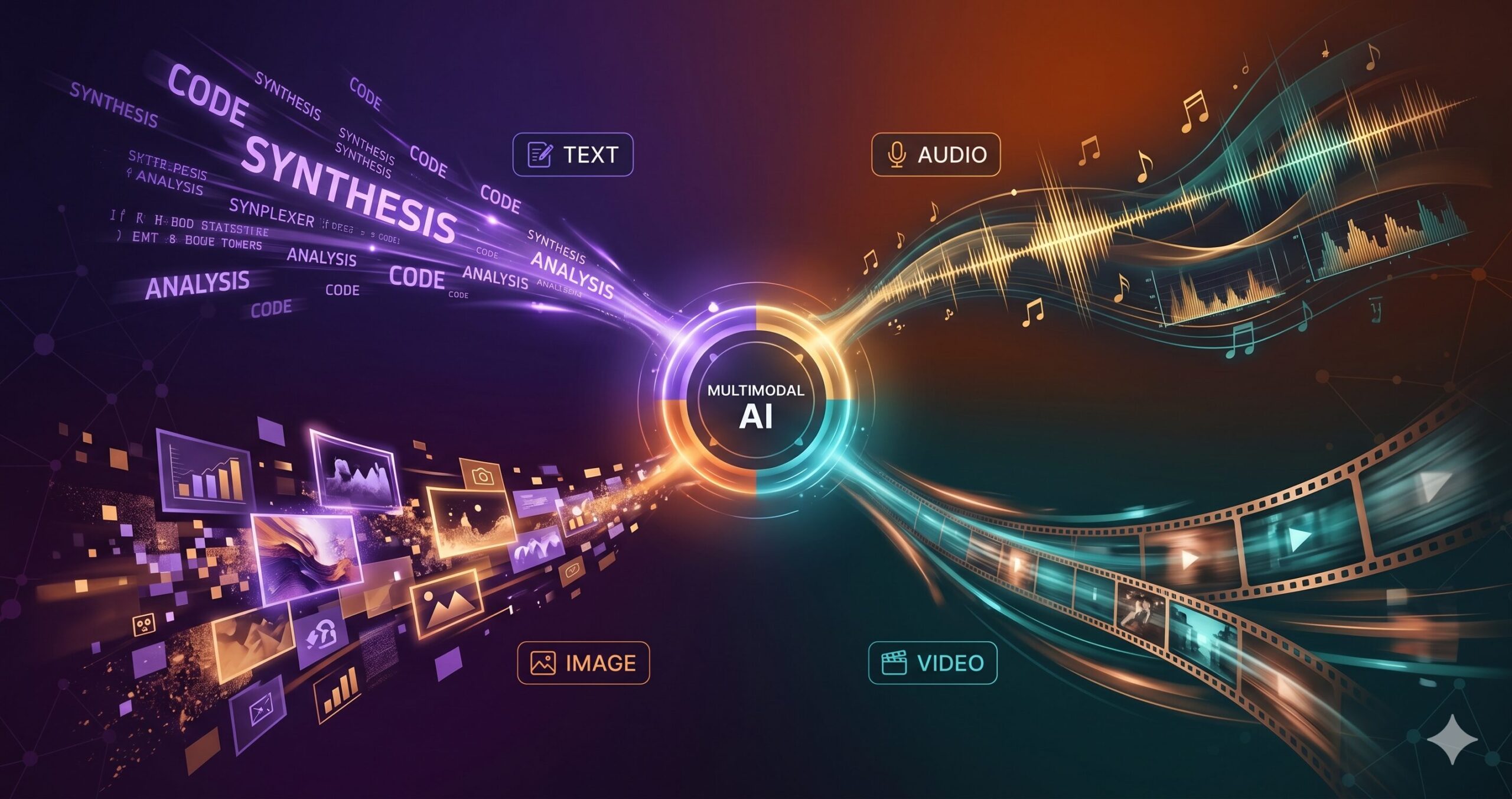
A broadcast journalist uploads a 45-minute interview recording, three pages of handwritten research notes, and a folder of reference photographs to a single AI session — and asks for a production-ready script. Five minutes later, she has a structured 2,000-word article draft that draws on all three sources, with timestamps linking each claim back to the audio and visual citations. No transcription service. No separate note-processing tool. No manual synthesis pass. That is what multimodal AI looks like when it actually works — not switching between tools for each modality, but one coherent session that understands all of them simultaneously.
The word “multimodal” has been attached to AI products for longer than the underlying capability has existed at production quality. For most of 2023 and 2024, “multimodal” often meant: here is a language model that can also look at an image, slowly, with caveats. By 2026, the reality has diverged from that history in ways that are worth understanding carefully — because the gap between tools that are genuinely multimodal and tools that merely claim the label is significant enough to affect what you can actually build with them.
This article covers what true multimodal AI means architecturally, which tools lead in each modality category, what workflows become possible when modalities are genuinely integrated rather than awkwardly chained, and where the current generation still struggles. By the end, you should be able to make intelligent decisions about which tools to use for which tasks — and stop treating multimodal as a marketing feature rather than a capability distinction that changes the work.
Native Multimodal vs. Orchestrated Multimodal: Why the Difference Matters
The distinction most product descriptions deliberately obscure: there are two fundamentally different architectures being sold under the “multimodal” label, and they produce meaningfully different results.
A natively multimodal model processes all inputs — text, images, audio, video — within a single unified architecture. The model does not internally convert an image to a text description and then process the text; it processes the image as a first-class modality alongside the text, within the same neural network and the same context window. The practical consequence is that the model can reason about the relationship between modalities — noticing that what someone says in a transcript contradicts what is visible in the image they uploaded, or identifying that the tone of an audio clip is inconsistent with the sentiment of the accompanying text. Cross-modal reasoning is only possible when the modalities are truly co-processed.
An orchestrated multimodal system routes each input to a specialist model: your audio file goes to a speech-to-text model, the transcript goes to a language model, your image goes to a vision model, the description comes back to the language model for synthesis. The final output may be impressive, but the AI never actually “saw” the audio and “heard” the image simultaneously — it processed separate channels and combined the results. This works well for workflows where modalities are independent. It fails for tasks that require understanding how modalities relate to each other.
Think about what this actually requires. If you upload a product demonstration video and ask “does the presenter’s body language match the enthusiasm of the script they’re reading?”, only a natively multimodal model can attempt this question — because it requires simultaneous processing of audio (the words), visual (the body language), and semantic (the script content) channels. An orchestrated system would give you separate analyses that you would need to synthesise yourself.
When evaluating a multimodal AI tool, ask whether the model processes modalities together or whether it routes them to separate specialist models. Native multimodal models reason across modalities. Orchestrated systems synthesise after the fact. For tasks involving relationships between modalities — tone vs. content, visual vs. verbal, audio timing vs. visual action — only native multimodal delivers reliable results.
The Four Modalities: What Each One Brings to the Table
Text
The foundational modality. Every major AI model handles text fluently. The interesting question in a multimodal context is how text serves as both input (prompts, documents, transcripts) and output (analysis, summaries, generated content) within a session that involves other modalities.
Image
Image understanding (reading charts, photographs, diagrams, screenshots) is now a standard capability in frontier models. Image generation remains in specialist tools. The gap between comprehension and generation quality matters enormously for which tool you choose.
Audio
Audio as input (speech, music, ambient sound) is handled natively in GPT-4o and Gemini. Audio as output (voice synthesis, music generation) is dominated by specialist tools. Audio understanding — distinguishing emotional tone, detecting speaker changes, identifying non-speech sounds — is where capabilities vary most significantly.
Video
Video understanding (analysing footage, extracting information from recordings) is the newest frontier capability. Video generation has matured significantly but requires specialist tools. The combination — understanding existing video and generating new video in the same session — is not yet reliably achieved by any single platform.
The Leading Multimodal AI Platforms in 2026
GPT-4o (OpenAI)
GPT-4o is the most broadly capable multimodal model available to the general public in 2026. The “o” in the name stands for “omni” — and in practice, this is the closest any consumer-facing model comes to true cross-modal reasoning in a single session. You can speak a question while showing an image, upload a document and ask questions while sharing your screen, or have a real-time voice conversation about a visual you are both looking at. The Advanced Voice mode, available in ChatGPT Plus, processes spoken audio directly rather than converting it to text first — which is what enables emotionally responsive, natural-paced voice conversation rather than the stilted turn-taking of earlier voice AI.
The generation side is equally comprehensive. Within a single ChatGPT session, GPT-4o can analyse an uploaded photograph and then generate a new image based on that analysis, produce a written report, and narrate that report in a synthetic voice — all without switching tools. The practical ceiling is the context window and the quality of each modality’s output: GPT-4o’s image generation (via DALL-E 4) is strong but not the absolute leader in visual quality; its voice synthesis is natural but less stylistically customisable than ElevenLabs; its text reasoning is frontier-tier. For workflows that need breadth across modalities more than depth in any single one, GPT-4o is the clear starting point.
Gemini 1.5 Pro & Gemini Ultra (Google DeepMind)
Gemini’s differentiating capability in 2026 is its context window and its native video understanding. The 1.5 Pro model offers a 1 million token context window — and 1 million tokens is enough to process roughly 11 hours of audio, 700,000 words of text, or a full-length feature film’s worth of video frames within a single session. This is not just an incremental improvement over GPT-4o’s 128K window; it enables entire categories of work that were previously impossible within a single AI session. You can upload an entire product development research archive and ask cross-cutting questions. You can analyse a two-hour client interview video and ask the model to identify all instances where the client expressed hesitation and what they had been discussing at each point.
The native video processing deserves particular attention. Where GPT-4o extracts frames from video and reasons about those discrete images, Gemini 1.5 Pro processes video as a temporal sequence — understanding that events occur in time, that earlier scenes provide context for later ones, and that motion and timing carry information that static frames do not capture. For use cases involving video analysis — reviewing recordings, extracting structured information from footage, understanding narratives in video — this architectural difference produces noticeably better results.
Claude 3.7 Sonnet (Anthropic)
Claude’s multimodal profile is narrower than GPT-4o or Gemini in terms of input modality range — it handles text, images, and documents, but does not natively process audio or video. What it trades in breadth, it maintains in quality of reasoning over the modalities it does handle. Claude’s image understanding is particularly strong for complex visual analysis tasks: reading and interpreting dense data visualisations, extracting structured information from complex tables in scanned documents, analysing architectural or technical diagrams. The combination of image input with Claude’s extended thinking capability produces particularly strong results for tasks that require careful, multi-step reasoning about visual content.
The feature that distinguishes Claude for multimodal knowledge work is Projects. Uploading a set of mixed-format research materials — PDFs, images of charts, screenshots of interfaces, text documents — to a Claude Project creates a persistent multimodal knowledge base that every subsequent conversation can draw from. This is not just a context window; it is a structured workspace with memory that persists across sessions. For professional and creative work that involves ongoing reference to a consistent body of materials, this changes the workflow in a meaningful way. Claude does not generate images natively, but its Artifacts feature can produce interactive web applications, data visualisations, SVG graphics, and React components directly from analysis of uploaded visual content.
Google NotebookLM
NotebookLM may be the most underrated multimodal tool currently available, and its free pricing makes it particularly remarkable. Upload up to 50 sources — research papers, meeting transcripts, YouTube videos, podcast episodes, web pages, your own documents — and NotebookLM creates an AI-powered research workspace that understands all of them simultaneously. The tool can answer questions across your entire source library, generate structured study guides, produce timelines and comparative analyses, and create briefing documents that synthesise across sources with citation links back to the originals.
The Audio Overview feature — which generates a natural-sounding two-host podcast discussion of your uploaded materials — has become its most discussed capability and remains genuinely impressive for what it is: a way to process research by listening rather than reading. The two AI hosts discuss, debate, and illustrate the key ideas from your uploaded sources in a conversational format. This is not just text-to-speech over a summary; it is a generated discussion that adds explanatory context, makes connections between sources, and surfaces tensions between conflicting viewpoints. For researchers, students, and knowledge workers who process information better through audio than text, it changes how a document archive gets consumed.
ElevenLabs
ElevenLabs is a specialist tool rather than a general multimodal platform, but it occupies a critical position in any multimodal production workflow: it is the audio output layer. No current general-purpose multimodal model — not GPT-4o, not Gemini, not Claude — produces voice output with the quality, expressiveness, emotional range, and stylistic control that ElevenLabs delivers. For any workflow that terminates in high-quality audio — marketing narrations, podcast production, video voiceovers, e-learning content, accessibility audio descriptions — ElevenLabs is where the text ends up.
The voice cloning capability has matured to the point where a consistent brand voice can be established from a few minutes of source audio and reproduced at scale across any volume of content. The dubbing studio handles video content specifically — uploading a video and selecting a target language produces a dubbed version with lip-sync that works well enough for most business video applications. The professional voice library, covering hundreds of distinct voice profiles in 29 languages, means that custom voice cloning is not necessary for most use cases.
Runway Gen-3 Alpha
Runway Gen-3 Alpha is the current professional-grade video generation tool for teams who need quality-first output with controlled aesthetics. Where Sora (OpenAI’s video model) prioritises physical realism and dramatic scene consistency, Runway Gen-3 excels at stylistic control — the cinematographic look, the colour grade, the visual texture of the output. For marketing teams, brand content creators, and commercial production workflows, the ability to specify visual style precisely and get consistent output is more valuable than raw photorealism.
The image-to-video capability — animating a static image into a short video clip — is the feature that integrates most cleanly into multimodal workflows. A workflow that generates a character or scene image in Midjourney, then animates it in Runway, then adds voiceover from ElevenLabs, represents a genuinely functional multi-tool multimodal pipeline where the output quality at each stage feeds the next. Runway’s motion brush feature, which allows you to paint specific areas of an image and direct their motion independently, gives a degree of editorial control over video generation that is not available in any other tool at this price point.
Sora (OpenAI)
Sora’s differentiating capability is physical realism — generating video that exhibits plausible real-world physics, consistent lighting across a scene, and coherent object permanence over the duration of a clip. A pedestrian crossing the street in a Sora video casts a shadow that moves correctly; a coffee cup on a table in the background stays in place while the foreground action develops. This sounds like a baseline expectation for video, but it represents a significant advance over what was achievable in early 2025 and is still not consistently achieved by all competing tools.
The trade-off is price and creative control. Sora’s full capabilities are only available on the ChatGPT Pro tier at $200/month — a subscription level that is justified for high-volume professional production but significant for occasional use. The creative direction controls are less granular than Runway’s motion brush and camera control features. For content that needs to look believably real — product demonstrations, scene recreations, training video simulations — Sora’s physical realism is the decisive advantage. For content that needs a specific visual style or precise cinematographic control, Runway typically delivers more predictable results.
The multimodal future is not one tool that does everything. It is a set of specialist tools — each excellent at one modality — connected by orchestration intelligence that knows when to hand off, what to pass, and what to do with what comes back. The value is not in the individual tools. It is in the connections.
— aitrendblend.com Editorial Team, May 2026
The Multimodal Capability Matrix: At a Glance
| Tool | Text In/Out | Image In | Image Out | Audio In | Audio Out | Video In | Video Out | Context |
|---|---|---|---|---|---|---|---|---|
| GPT-4o | ● | ● | ● | ● | ● | ◐ | ○ | 128K |
| Gemini 1.5 Pro | ● | ● | ● | ● | ◐ | ● | ○ | 1M |
| Claude 3.7 | ● | ● | ◐ | ○ | ○ | ○ | ○ | 200K |
| NotebookLM | ● | ○ | ○ | ● | ● | ◐ | ○ | Very large |
| ElevenLabs | ● | ○ | ○ | ● | ● | ◐ | ◐ | N/A |
| Runway Gen-3 | ● | ● | ○ | ○ | ○ | ● | ● | N/A |
| Sora | ● | ● | ○ | ○ | ○ | ○ | ● | N/A |
● Full capability ◐ Partial / limited ○ Not supported
Four Real Workflows Built on Multimodal AI
Workflow 1: Research-to-Broadcast Pipeline
A journalist or analyst receives source material in multiple formats — a PDF report, some data visualisations, an audio interview recording, and a set of reference photographs. The old workflow: transcribe the audio manually or with a separate tool, read the PDF, interpret the charts, review the photos, then synthesise everything into a written piece. Total time: 2–4 hours for a competent researcher.
The 2026 multimodal workflow: upload all four source types to a Gemini 1.5 Pro session (which handles the audio, PDF, and images natively) and request a structured research brief. Follow up with specific questions as needed. Move the resulting brief to Claude Projects for drafting, using the document as context within a project that also contains brand voice and editorial guidelines. Final step: if an audio version is needed, pass the completed text to ElevenLabs for narration. Total active working time: 30–45 minutes.
Ingestion
Images · Data
Analysis
1M context
Refine
Brand voice
Production
Voice narration
Ready
+ Visual assets
Workflow 2: Product Demo Video from a Feature Brief
A product team needs to produce a walkthrough video for a new feature. The input is a written feature specification, some UI screenshots, and a few user research recordings. Previously: a dedicated content producer would spend a day scripting, recording screen captures, writing narration, and assembling the edit.
The multimodal workflow: GPT-4o or Gemini processes the specification document and UI screenshots together and generates a video script with precise scene descriptions tied to specific UI states. That script is the prompt for generating voiceover in ElevenLabs (using the established brand voice). The UI screenshots are animated using Runway Gen-3 to produce screen-recording-style clips. The clips, voiceover, and any additional B-roll generation are assembled in Descript or CapCut AI. The feature is documented, the video is published, and the total human time is roughly two hours rather than eight.
Workflow 3: Meeting Archive to Knowledge Base
A consultancy firm runs dozens of client workshops every year. The recordings, slide decks, and follow-up notes from those workshops represent enormous institutional knowledge that is almost never consulted again because retrieval is too laborious. Each workshop produces an audio recording, a PDF of slides, and an email thread of notes.
With NotebookLM, all three source types from every workshop can be uploaded to a notebook per client or per project. The team can then query across the entire archive — “what concerns did the operations team consistently raise across all three strategy workshops?” or “how did the client’s stated priorities shift between the Q1 and Q4 sessions?” — and get cited, source-grounded answers. The Audio Overview feature turns a specific topic or question into a listenable briefing that a team member can absorb on a commute. The knowledge exists; the multimodal interface makes it accessible.
Workflow 4: Multilingual Content Localisation
An e-learning company produces courses in English and needs to localise each course for French, Spanish, German, and Japanese markets. Each course consists of video lectures, on-screen text, and downloadable PDF handouts. The old workflow involved separate translators, voice actors, and video editors for each language — per-language costs in the five figures for a single course.
The 2026 multimodal workflow: GPT-4o or Claude handles document translation and transcript adaptation; ElevenLabs handles voiceover production in each target language using language-matched voice profiles; the video dubbing feature in ElevenLabs synchronises the translated audio to the original video with lip-sync applied to the presenter’s clips. Final output: a localised course in four languages, with professionally synthesised voice, in a timeline that previously required months. The cost difference is roughly 85–90% reduction in production cost per language — not because the AI outputs are perfect (human review remains important) but because the first-pass production that previously required human specialists is now automated.
Five Mistakes That Undermine Multimodal AI Workflows
| Mistake | Wrong Approach | Right Approach |
|---|---|---|
| Using one tool for all modalities |
WRONG Routing every task — text analysis, image generation, audio production, video creation — through a single platform because it claims to handle all modalities. The result: acceptable output on the modalities that tool handles natively, mediocre output on everything else. No single platform in 2026 leads on all four modalities simultaneously. |
RIGHT Route each task to the tool with the strongest capability in that modality. Use Gemini for long-form cross-modal analysis. Use ElevenLabs for voice output. Use Runway or Sora for video generation. Accept that the best multimodal workflow is a pipeline of specialist tools, not a single platform. |
| Confusing native and orchestrated multimodal |
WRONG Assuming that a tool described as “multimodal” can reason about relationships between modalities. Asking an orchestrated system “does the tone of this audio match the sentiment of this transcript?” and trusting the answer, not realising the tool never processed both simultaneously — it generated independent analyses and combined them. |
RIGHT Reserve cross-modal reasoning tasks for natively multimodal models (GPT-4o, Gemini). Use orchestrated systems for tasks where modalities are independent — transcription + translation, image generation from text brief, audio production from script. Match the architecture to the task requirement. |
| Treating audio input as just transcription |
WRONG Uploading an audio file to a multimodal model and asking only for a text transcript. This is using an expensive, capable tool for a commodity task — a dedicated transcription service (AssemblyAI, Whisper) does this faster and at lower cost. The audio understanding capabilities of GPT-4o and Gemini go far beyond transcription and are wasted on it. |
RIGHT Use native multimodal audio understanding for tasks that require more than transcription: tone analysis, speaker identification, emotional register detection, cross-referencing audio content against uploaded documents, identifying inconsistencies between what was said and what was written. The capability is in the analysis, not the transcription. |
| Not verifying cross-modal reasoning outputs |
WRONG Accepting the output of a cross-modal analysis — “the speaker sounds confident despite the transcript showing hedged language” — as fact without verification. Multimodal reasoning is the frontier capability with the highest error rate. The model is making inferences that go beyond the safe territory of summarisation and translation. |
RIGHT Treat cross-modal reasoning outputs as hypotheses that require human verification for high-stakes decisions. The model is pointing you at something worth examining — the moment in the recording, the inconsistency in the data — and you verify by going back to the source. Use it to accelerate review, not to replace it. |
| Building complex multimodal pipelines without fallbacks |
WRONG Constructing an automated pipeline — form submission triggers audio generation triggers video production triggers social publishing — with no human checkpoint and no fallback when any stage produces poor output. A single model error at step two produces polished, published content built on a broken foundation. |
RIGHT Every automated multimodal pipeline has at least one human review gate before any output reaches a public channel. Define what constitutes a “pass” at each stage and build the pipeline to pause and notify a human when any stage output fails the quality threshold. Automation handles the volume; human judgment handles the quality gate. |
The most effective multimodal workflows in 2026 are not built around one platform — they are pipelines. Each tool contributes what it does best: Gemini for long-form cross-modal analysis, Claude for reasoning-intensive document work, ElevenLabs for voice output, Runway or Sora for video generation. The skill is in knowing which tool to hand each stage to, and building the connective workflow that passes outputs cleanly between them.
Where Multimodal AI Still Struggles in 2026
The progress has been real and the gap with 18 months ago is significant. But the remaining limitations are worth naming precisely, because they are exactly where production decisions need to be made with care.
Sustained cross-modal coherence over long sessions degrades. Ask GPT-4o or Gemini to analyse a ten-minute audio clip and a ten-page document simultaneously at the start of a conversation, and the cross-modal synthesis is strong. Return to that analysis twelve turns later, after the conversation has ranged across several subtopics, and the model’s ability to re-reference the original materials accurately diminishes. The context window technically contains all the information, but the model’s attention to the original multimodal inputs competes with the accumulated conversation history. For long research sessions, periodically restating the key claims from original sources rather than relying on the model to reference them accurately from deep in the context is a practical mitigation.
Generating coherent long-form video remains unsolved. Runway Gen-3 and Sora both produce clips that are impressive within their duration limits — ten seconds for Runway, up to a minute for Sora. Request a five-minute video that maintains character consistency, spatial continuity, and narrative coherence across its runtime, and neither tool delivers acceptable results without significant human assembly work. The current state of AI video generation is a collection of excellent short clips that require human editorial intelligence to arrange into something with the coherence of professionally produced content. That is a meaningful constraint for any workflow that requires long-form video output.
Audio generation quality has a ceiling that matters for music and complex soundscapes, even though voice synthesis has largely cleared that bar. AI-generated music from text descriptions — the current generation of tools like Suno and Udio — produces plausible, stylistically recognisable compositions, but the gap between “plausible background music” and “music that serves a specific emotional function in a specific moment” is still substantial. A skilled composer hearing AI-generated music for a film scene will identify exactly where the emotional timing fails. For background audio in marketing content, the tools are adequate. For any application where the music is doing real emotional work, human composition remains the standard.
Real-time multimodal generation across all four modalities simultaneously does not yet exist at production quality. The closest approximation — GPT-4o’s Advanced Voice mode, which processes audio in and produces audio out in near real-time — is impressive for conversational interaction but does not support simultaneous visual generation. A fully integrated AI interlocutor that sees what you are pointing a camera at, hears what you are saying, generates relevant visual responses, and speaks them back in real time is a research demonstration capability, not a deployable tool in 2026. Pieces of this experience are available; the fully integrated version is the near-term frontier.
The journalist from the opening of this article filed her story three hours ahead of deadline. The sources were three modalities; the workflow was one session. That is not a story about AI replacing her judgment — the questions she asked the model, the angles she chose to pursue, and the editorial decisions about what the story was actually about all remained hers. What changed was the overhead between receiving raw source material and having a working draft to apply that judgment to.
That overhead has historically been what separates the journalists, researchers, marketers, and creators who produce a lot of good work from those who produce occasional bursts of great work between long fallow periods of processing and synthesis. The multimodal tools available in 2026 compress the processing phase — not to zero, because the tools have real limitations and require intelligent configuration — but enough to materially change the ratio between time spent processing and time spent making decisions.
Human judgment has not been automated out of multimodal work. It has been concentrated in a smaller portion of the total time. The questions “what should I make of these sources?” and “what story do they collectively tell?” are still answered by the person who asked the AI for help. The tools handle the retrieval, the transcription, the cross-referencing, the synthesis pass. The decision about what it all means and what to do with it — that question has not changed. The tools have just moved it closer to the surface.
The next 12 to 18 months will see real-time multimodal generation improve to near-deployable quality, video coherence extend to several minutes reliably, and audio generation move from plausible background music to emotionally functional composition. The integrated “one session for all modalities” experience will tighten. The teams building workflows around the current generation of tools — learning the tool routing logic, identifying where human review is essential, and accumulating the configuration knowledge that determines output quality — will find themselves well-positioned to absorb each capability improvement as it arrives without rebuilding from scratch.
Start Your Multimodal Workflow Today
Pick one workflow from this article that matches your work. Map your current tool routing. Run one session with Gemini 1.5 Pro or GPT-4o using inputs from multiple modalities. See what changes.