
10 Best ChatGPT Prompts for YouTube Script Writing (2026 Guide)
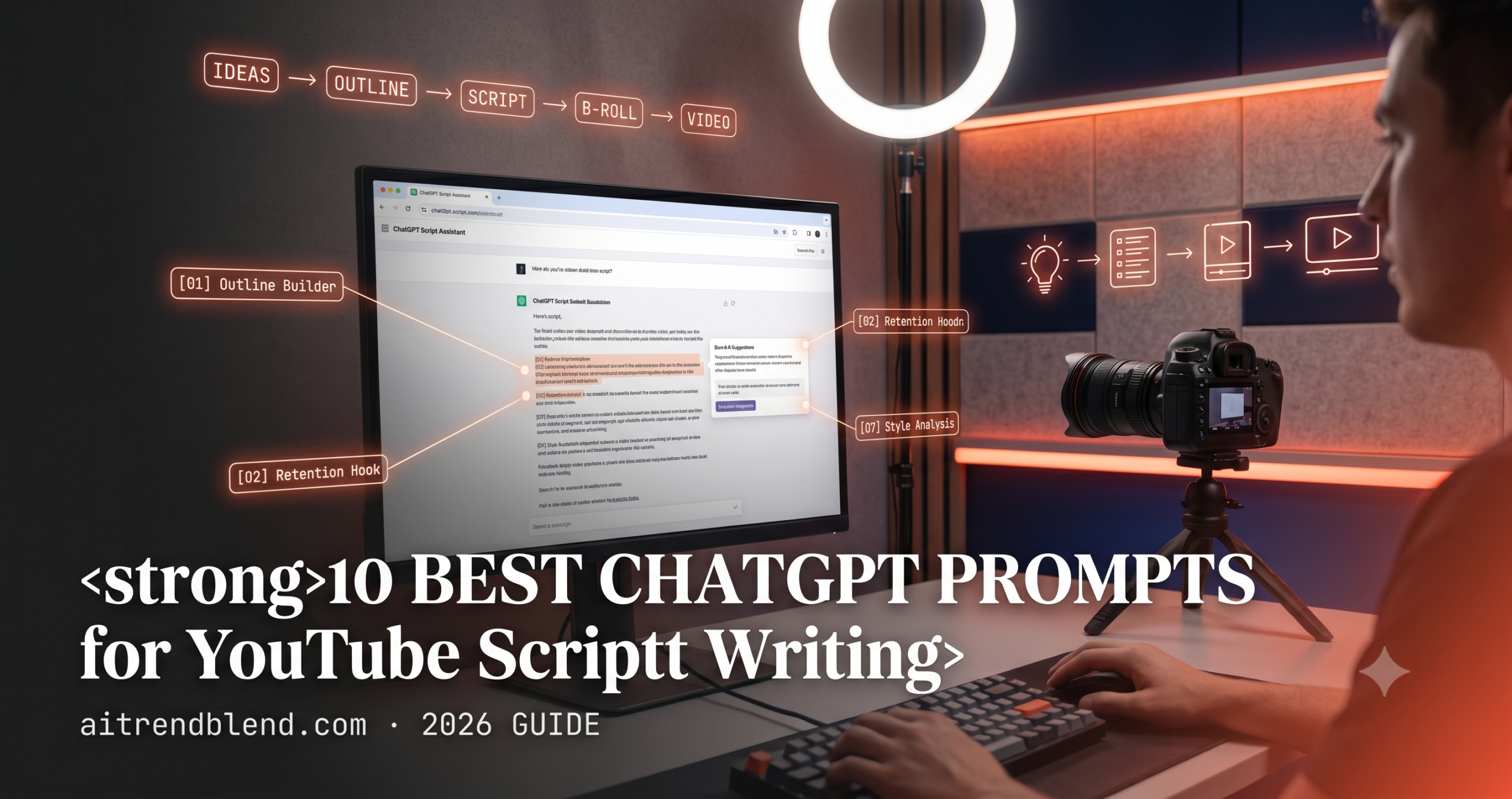
The blank page is not your problem. The blank page with a publish deadline in four hours — that is your problem. These 10 ChatGPT prompts are built specifically for YouTube script writing, tested on real videos, and structured to do the heavy lifting without flattening your voice into something that sounds like everyone else’s channel.
Three months into running a tech channel, I hit a wall most creators know exactly. The ideas were there. The camera was set up, the ring light was warming the wall behind me. But every time I sat down to write a script, the words came out either too stiff or completely shapeless — either I sounded like a corporate training video, or the whole thing rambled without landing anywhere. YouTube viewers notice immediately when a script feels forced. They do not click away politely; they just leave.
That is when I started treating ChatGPT as a writing partner rather than a ghostwriter. The distinction matters more than it sounds. A ghostwriter replaces your thinking. A writing partner accelerates it — it gets you a usable first draft fast enough that you can actually improve it, rather than staring at a cursor until the ideas calcify. What surprised me was how much the quality of my prompt determined the quality of what came back. A lazy prompt gets you a generic script no viewer would sit through past the 90-second mark. A well-structured prompt gets you something that actually sounds like it came from a person who has opinions.
This guide covers the 10 prompts I have refined specifically for YouTube script writing — not generic “write me a video” requests, but prompts designed around the specific challenges creators run into. How to write a hook that holds viewers past the 30-second drop-off. How to structure a 15-minute tutorial without losing momentum halfway through. How to get ChatGPT to write in your voice instead of its default polished-but-bland register. By the time you finish reading, you will know which prompts to reach for and exactly how to modify them for your niche.
Why ChatGPT Handles YouTube Script Writing Differently
The problem most people run into when they first use AI for scripting is expecting the tool to just know what a good YouTube video feels like. ChatGPT does not come with an innate sense of watch-time psychology or platform-specific pacing — but it does come with something genuinely useful: the ability to hold a long, iterative conversation about a single piece of writing without losing the thread. That matters for scripting more than people realise.
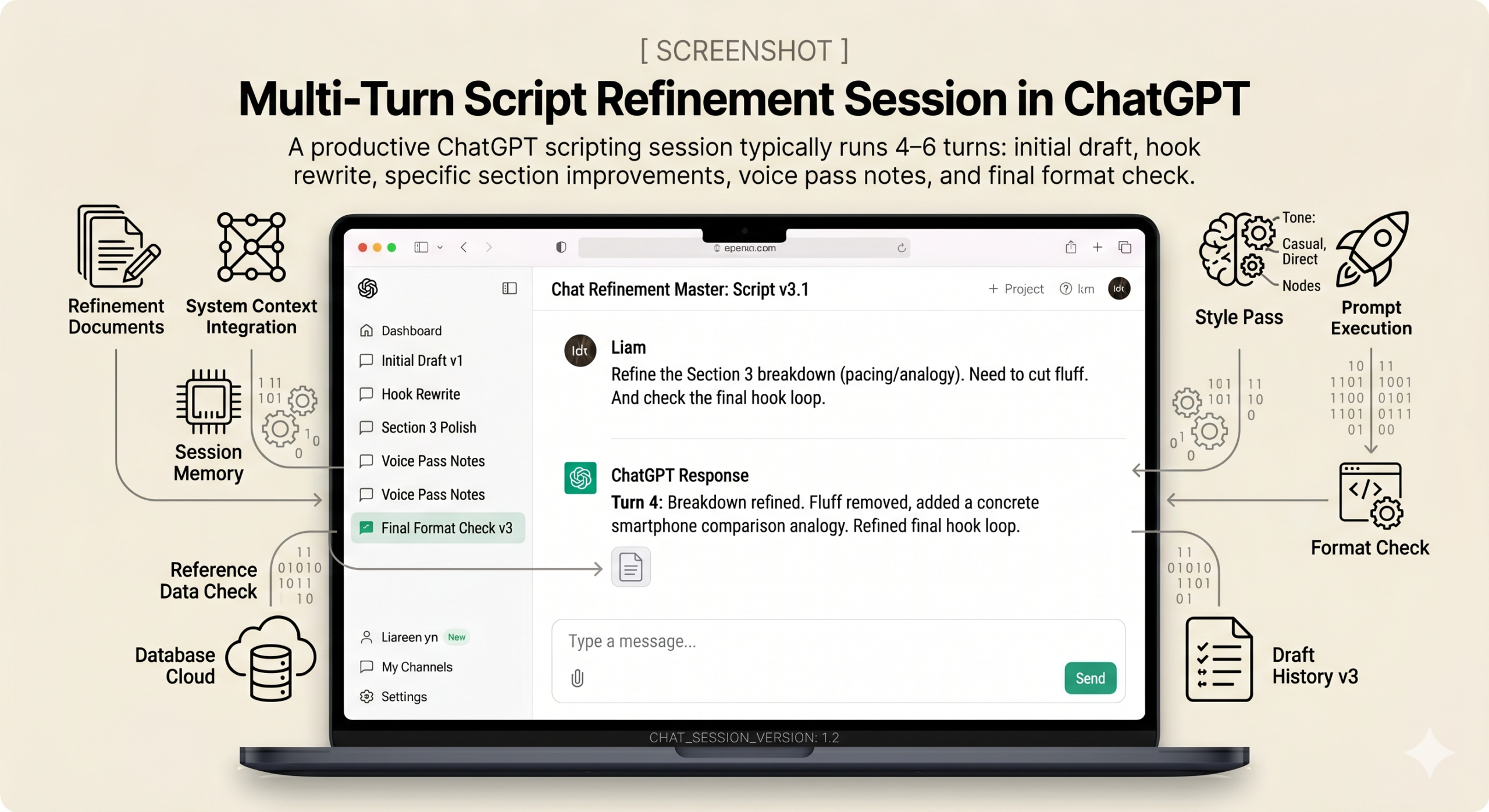
When you are refining a script across multiple drafts, you need an assistant that remembers what you changed two turns ago and why. ChatGPT’s conversation memory, especially within Projects, lets you do that. You can paste in a rough draft, ask for a hook rewrite, reject it, explain what felt wrong, and get a third attempt — all without starting over. This conversational iteration loop is where ChatGPT genuinely earns its place in a creator’s workflow. Most of my best script improvements happened in turn four or five, not turn one.
How does it compare to the other major tools? Gemini has a real edge if you want to pull in YouTube research directly — you can ask it to summarise competitor videos or ground your script in specific data it finds on the web. Claude is noticeably more careful with tone and nuance; if you need a script that walks a fine line between technical and accessible, Claude tends to produce subtler adjustments. ChatGPT sits in the middle — faster to produce full drafts, better for rapid iteration, and easier to keep in one continuous working session. None of these tools is categorically better. The one that fits your workflow is the one you will actually use.
ChatGPT’s real advantage for YouTube scripting is iterative conversation — use it across multiple turns within a single session rather than pasting a new prompt each time you want a change.
Before You Start: How to Get the Best Results
Here is where most tutorials skip something important. Before you touch any of the prompts below, there is setup work that will change the quality of every output you get from ChatGPT for scripting. Skipping it means you will spend more time editing and less time filming.
Use GPT-4o for all scripting work — not GPT-4o mini, not older model versions. The difference in output quality for long-form, stylistically consistent writing is substantial, and scripting is exactly the kind of task that benefits from the full model. If you are on the free tier, the prompts here will still function, but expect to do more clean-up in the editing pass.
The single biggest improvement you can make is pasting two or three of your existing video transcripts into ChatGPT’s Custom Instructions or into a Project’s system prompt. Tell it: “Here are examples of how I write and speak on camera. Use these as a style reference for everything I ask you to write.” ChatGPT cannot perfectly replicate your voice from examples, but it gets significantly closer than starting cold. The more idiosyncratic your style — the more specific your sentence rhythm, your use of pauses, your favourite rhetorical moves — the more this setup step is worth doing.
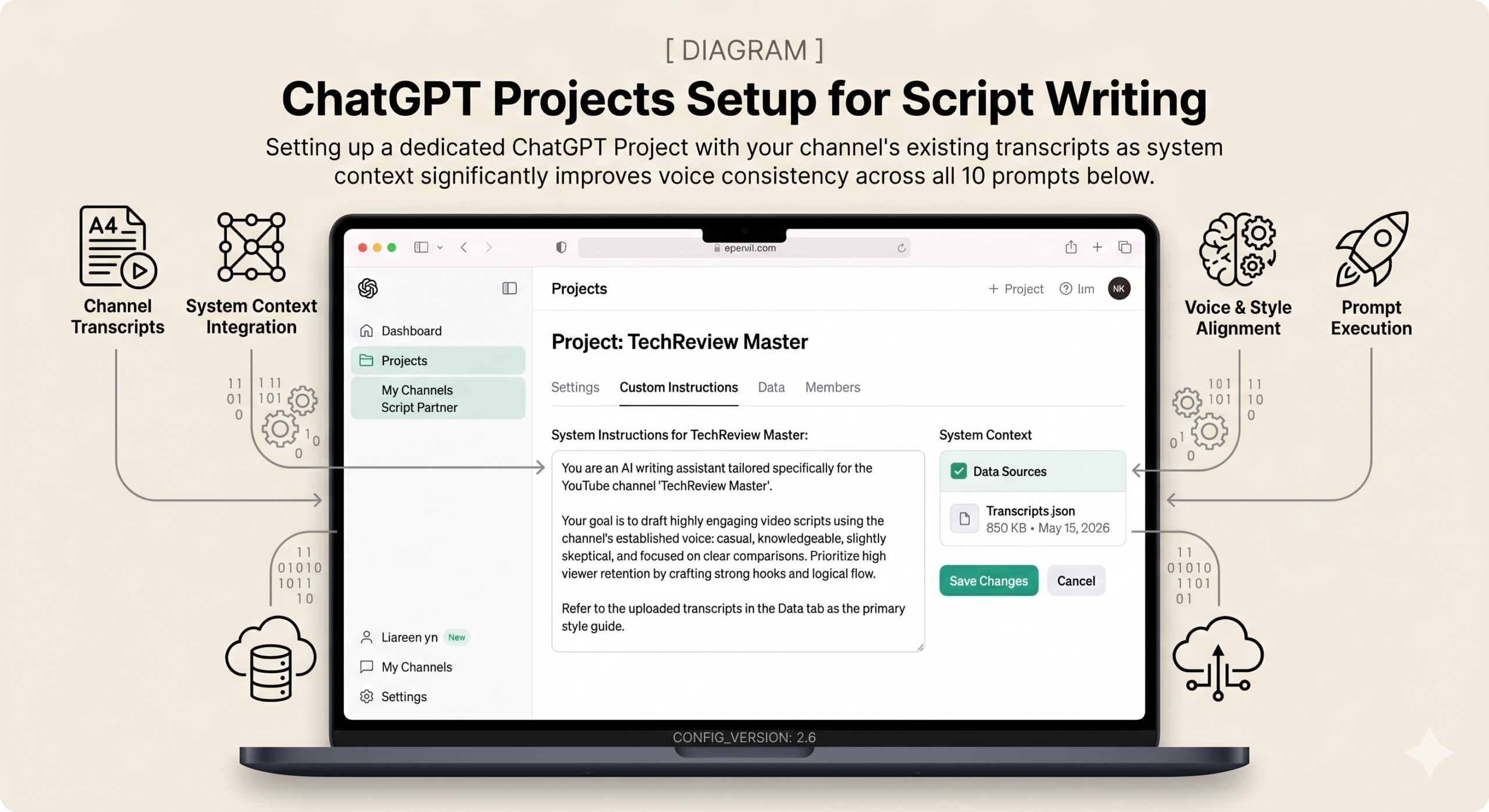
Two more practical notes. When working on a long script — anything over 1,200 words — do not try to rewrite the whole thing at once. Feed ChatGPT the script in sections; context window limits mean it starts losing coherence on long single inputs. The other thing: you can upload a PDF of your research notes, a competitor’s transcript you saved, or even your channel analytics export. ChatGPT with file upload can use those directly as grounding material for your script, which cuts down on the vague generic content that plagues AI-assisted writing.
Paste 2–3 of your existing video transcripts into ChatGPT’s Custom Instructions before starting. That single step does more for output quality than any prompt tweak in this entire guide.
“The difference between a mediocre prompt and a great one is not complexity — it is specificity. The more precisely you describe your audience, your tone, and what you are trying to make the viewer feel, the less generic the output.” — Tested across 40+ YouTube script drafts, aitrendblend.com
The 10 Best ChatGPT Prompts for YouTube Script Writing
Prompt 1: The Video Outline Builder
The problem most people run into with blank-page scripting is starting in the middle — they know their main point but have no idea how to open or where to end. This prompt turns a raw video idea into a five-section blueprint you can actually film from. It is intentionally simple: no role assignment, no complex variables. Paste it and use it.
This is the prompt I reach for first on any new video. Not to write the script — just to see the shape of it. Once you have an outline that flows logically, the actual writing becomes a fill-in exercise rather than a creative problem.
I want to make a YouTube video about [VIDEO TOPIC].
My target audience is [AUDIENCE — be specific, e.g. "first-year university students learning Python for the first time"].

Create a 5-section script outline with this structure:

Section 1: Hook (first 30–60 seconds)
— Include a question or bold claim that creates an open loop the viewer needs resolved

Section 2: Context + Promise (1–2 minutes)
— Why this matters to this specific audience right now

Section 3: Core Content — 3 main points
— List each point with a one-sentence description of what the viewer learns

Section 4: Biggest Insight
— The one "I did not know that" moment — deliver this near the end, not the middle

Section 5: Outro
— What to include in the CTA and what the next video in the series would logically cover

For each section, write 2–3 sentences describing what I should actually say — not just what the section is called. Write it as a natural video flow, not a list of headings.

Target video length: [e.g. 8–12 minutes]
The explicit instruction to write what to say rather than section names is the key. Without it, ChatGPT defaults to outlining the outline — giving you labels rather than substance. Forcing it to write 2–3 actual sentences per section produces something you can read aloud immediately, which reveals pacing problems early.
For interview-style or reaction videos, change Section 3 from “3 main points” to “3 key questions I will ask my guest” — the rest of the structure holds perfectly for that format too.
Prompt 2: The Hook Generator — 5 Variations
Your hook is not the intro. It is the moment — usually the first four seconds — that determines whether someone stays or leaves. Most script hooks fail because they are written last, when the creator is tired, or because they sound like every other video in the same niche: “Today we are going to talk about X.” Nobody clicks for that.
This prompt generates five different hook approaches for the same video idea. The value is not in using any single one verbatim — it is in seeing five different angles and stealing the best element from each.
Write 5 different opening hooks for a YouTube video about [VIDEO TOPIC].

Each hook must be 2–4 sentences max, written to be spoken out loud — not read on a page.
Do not use the phrase "In this video" or "Today we are going to" in any hook.

Make each hook use a different approach:

Hook 1: Start with a counterintuitive or surprising claim about [VIDEO TOPIC]
Hook 2: Open with a specific frustration or mistake the viewer has probably already made
Hook 3: Begin with a bold, direct promise ("By the end of this video, you will be able to...")
Hook 4: Set a scene in 2–3 sentences — drop the viewer into a specific moment
Hook 5: Ask a question the viewer cannot immediately answer

Target audience: [AUDIENCE]
Channel tone: [e.g. direct and educational / casual and conversational / dry humour]

After all 5, add one sentence noting which hook you think is strongest and why.
Banning “In this video” forces ChatGPT out of its default opening pattern, which accounts for a significant chunk of generic outputs on this kind of prompt. The five distinct structural approaches ensure real variety rather than five versions of the same hook. The final self-assessment line is a small trick — it makes ChatGPT commit to a judgment, which often surfaces the strongest option faster than reading all five yourself.
Add a sixth hook type: “Hook 6: Reference something the viewer just watched or searched for — start with ‘If you just finished watching [RELATED TOPIC], here is what you missed.'” This works well for videos in a series or playlist context.
Prompt 3: The Outro That Does Not Sound Scripted
The outro is the section most creators write in thirty seconds when they are exhausted. It shows. “If you found this video helpful, please smash that subscribe button and hit the bell icon” is the written equivalent of a form email — viewers have heard it thousands of times and their brains filter it out entirely. A good outro feels like the natural end of a conversation, not a pitch.
Write a natural-sounding 30–45 second outro script for a YouTube video about [VIDEO TOPIC].

Rules — these are strict, not suggestions:
- Do NOT use the phrases "smash that subscribe button", "hit the bell", "if you found this helpful", or "drop a comment below"
- Reference one specific insight from the video by name — make it feel connected, not generic
- Mention subscribing once, casually, as if you genuinely mean it — not as a demand
- Suggest a next video topic the viewer would naturally want to watch after this one
- End on a single human-sounding sentence, not a corporate sign-off

Channel name: [CHANNEL NAME]
Specific insight from the video to reference: [ONE KEY POINT YOU MADE IN THE VIDEO]
Channel tone: [TONE]

Write it exactly as it would be spoken — include natural pauses where helpful, marked with [pause].
The strict rules list prevents ChatGPT from falling back on the clichéd outro template it has absorbed from thousands of YouTube scripts in training. Requiring a reference to a specific insight from the video is the structural key — it forces the outro to feel like a conclusion rather than a separate advertisement tacked on at the end.
For channels that sell courses or newsletters, replace the subscribe mention with one low-pressure mention of your lead magnet: “Add this line: Reference the free [RESOURCE NAME] in the description, casually, as a genuine recommendation rather than a sales line.”
Prompt 4: The Full First Draft — Role, Audience, Format
Think about what a full script draft actually requires ChatGPT to do: hold a consistent voice across 1,500 words, structure information in a way that retains viewer attention, write for the ear rather than the eye, and produce something that fits a specific runtime. None of that happens without clear instructions. This is the prompt that does the full job — but it needs the variables filled in carefully before it produces anything worth keeping.
The key is the audience description. “Beginners” is not enough. “Beginners who have heard the buzzwords but have never opened a terminal” tells ChatGPT exactly how much to explain and where to set the technical baseline.
You are a professional YouTube scriptwriter with deep experience in [NICHE OR GENRE] content.

Write a complete, ready-to-read script for a YouTube video on this topic:
[VIDEO TOPIC — be precise]

Audience: [Specific description — e.g. "intermediate Python developers who have written scripts but never built a full web app"]
Tone: [e.g. "direct and slightly skeptical — like a knowledgeable colleague who will not sugarcoat"]
Target length: [e.g. 12–14 minutes, approximately 1,600–1,800 words at 130 words per minute]
Channel voice note: [One sentence describing what makes your channel different — e.g. "We skip theory and go straight to working examples"]

Script structure:
1. Hook (0:00–0:45): one specific scene or claim + the core promise for this video
2. Context (0:45–2:00): why this topic matters to this audience right now
3. Main content (2:00–[TIMESTAMP]): cover these points in this order:
   — [POINT 1]
   — [POINT 2]
   — [POINT 3]
4. Key insight ([TIMESTAMP]–[TIMESTAMP]): the "I did not know that" moment
5. Outro: CTA + next video tease

Format requirements:
- Include timestamps at each section break
- Add [B-ROLL] notes in brackets where a visual cut would help
- Write for spoken delivery — contractions, natural rhythm, no formal sentence constructions
- Do not use bullet points in the script body; write in continuous flowing speech
The [B-ROLL] instruction is easy to overlook but essential — it forces ChatGPT to think about the script visually rather than as a written document, which produces natural edit points. The word-count calculation (words per minute × runtime) gives ChatGPT a concrete target it can actually hit, rather than a vague length instruction it will interpret inconsistently.
For talking-head vlogs or personal story videos, replace the main content bullet points with: “The narrative arc follows: [SETUP] → [COMPLICATION] → [RESOLUTION]. Write the main content as a story with this arc, not a point-by-point list.”
Prompt 5: The Retention Booster — Rewrite a Flat Section
You have a section that works informationally but drags on camera. Every creator has at least one per video — the part where the explanation is correct but the delivery would make viewers open a second tab. This is not a structural problem; it is a pacing and engagement problem. The retention booster prompt solves it without touching your core argument.
The rule here is important: you are not asking ChatGPT to rewrite your ideas. You are asking it to rewrite the delivery of ideas you already have. That distinction is what keeps the output feeling like your video rather than a generic replacement.
Here is a section from my YouTube script that feels flat — I think viewers will click away during it:

[PASTE YOUR SCRIPT SECTION — minimum 100 words for best results]

Rewrite this section to do four specific things:

1. Add at least one pattern interrupt — a sudden shift in pacing, a direct question to the viewer, or a brief two-sentence tangent that pulls attention back before returning to the point
2. Cut any sentence that does not move the argument or the story forward — be ruthless
3. Add one concrete analogy or real-world example that makes the main idea click faster than the explanation alone
4. End this section with a small open loop — one question or unresolved tension that gives the viewer a reason to keep watching

Constraints:
- Do not change my core argument or add information I have not given you
- Do not make it longer than the original — shorter is better
- Keep my tone, which sounds like: [describe your speaking style in 1–2 sentences]

After the rewrite, add a one-sentence note on what specific change you think will have the biggest retention impact and why.
The four-task structure prevents ChatGPT from doing a generic polish pass — it has to produce specific structural changes you can verify. The constraint about not adding new information is the safety valve; without it, ChatGPT tends to expand rather than sharpen, and you end up with a longer section that has the same pacing problem at higher word count.
Use this prompt as a second pass after Prompt 4 — run the full first draft through it section by section, focusing on whichever parts felt slow when you read it aloud. Reading aloud before prompting tells you exactly which sections need this treatment.
Prompt 6: The Tutorial Storyteller — Step-by-Step with Payoffs
Tutorial videos are the format most likely to lose viewers halfway through. The reason is structural: a dry list of steps provides no narrative tension. The viewer knows exactly where the video is going, which makes it easy to leave. The tutorial storyteller prompt restructures your how-to content as a narrative where each step has a payoff — a small moment of satisfaction before moving to the next challenge.
I am writing a YouTube tutorial about [SKILL OR PROCESS].
Instead of a dry step-by-step list, I want to structure it as a narrative where each step has a micro-payoff.

My steps are:
1. [STEP 1]
2. [STEP 2]
3. [STEP 3]
— add more steps as needed

For each step, write:
A) The instruction — phrased as something the viewer actively does, not just knows
B) A "why this matters" sentence — gives the viewer a reason to follow through
C) A "common mistake" callout — one line warning about what most people get wrong here
D) A micro-payoff — one sentence acknowledging the viewer has made real progress

After the final step, write a 2-sentence bridge into the conclusion that frames what the viewer has just built or accomplished — make it feel earned, not summarised.

Audience: [AUDIENCE]
Total video target: [LENGTH]
Tone: [TONE]
The micro-payoff instruction is the unusual element here — most script prompts do not ask for it, and most tutorials do not include it. It works because it mirrors what good teachers do naturally in person: they acknowledge progress before moving forward. On camera, that acknowledgement keeps viewers from feeling lost in a long process.
For recipe or cooking tutorials, replace “common mistake callout” with “chef’s note — one insider tip that makes this step easier or the result better.” The rest of the structure transfers directly.
Prompt 7: The Voice Cloner — Write in Your Style
This is where it gets interesting. Most AI-assisted scripts sound like AI-assisted scripts. The reason is that creators paste a topic and expect the model to guess their voice from nothing. The voice cloner prompt works by giving ChatGPT a reference — an actual transcript from one of your existing videos — and asking it to extract your stylistic fingerprint before writing the new one.
The analysis step is not optional. Without it, ChatGPT skips straight to writing and defaults to its standard voice. When you force it to identify your specific patterns first — sentence length, how you handle transitions, whether you use humour, how you open sections — the new script reads like a continuation rather than a replacement.
I am going to give you a transcript from one of my existing YouTube videos, a new video topic, and points I want to cover. Your job is to write the new script in my voice — not an imitation of me, but a continuation.

EXISTING TRANSCRIPT (use this to learn my style — minimum 800 words for best results):
[PASTE YOUR EXISTING TRANSCRIPT HERE]

NEW VIDEO TOPIC: [TOPIC]
Target length: [LENGTH]
Key points to cover:
- [POINT 1]
- [POINT 2]
- [POINT 3]

Instructions — follow these in order:

Step 1: Analyse my transcript and write 5 bullet points identifying the specific characteristics of my writing style. Include: average sentence length, how I handle transitions between sections, whether and how I use humour, how I open and close main points, and any distinctive phrases or structural moves I repeat.

Step 2: Write the new script using those 5 characteristics as your style guide.

Step 3: After the script, flag any section where you guessed at my style rather than found clear evidence in the transcript.

Do not use any phrases from the transcript word-for-word. Voice, not copying.
The three-step structure is the mechanism — it forces analysis before generation. Step 3 (flagging guesses) is the accountability layer; it tells you exactly where to focus your editing pass because those are the sections where ChatGPT defaulted to its own voice rather than yours.
If you do not have a transcript, paste the auto-generated captions from YouTube Studio — they are imperfect but contain enough of your speech patterns for the style analysis to work. Clean up the final script’s punctuation in the edit pass.
Prompt 8: The Series Architecture Builder
Single videos build views. Series build audiences. The difference between a channel that plateaus and one that grows steadily is often whether each video creates a reason for the viewer to come back — not just a generic “watch my other videos” gesture, but an actual structural reason. This prompt designs the full series architecture and writes the first episode as a complete script.
I want to create a YouTube video series on: [SERIES TOPIC]
Number of episodes: [NUMBER — e.g. 5]
Channel: [CHANNEL NAME]
Tone: [TONE]

Series goals:
- Help [TARGET AUDIENCE] go from [STARTING LEVEL] to [END OUTCOME]
- Each episode must stand alone for new viewers but reward those who watch in order
- Concepts from episode 1 should reappear naturally in later episodes

Part 1 — Series Blueprint:
For each episode, provide:
- Working title (must be a standalone video title that would get clicks on its own)
- One-paragraph description of what this episode covers and what the viewer will be able to do after watching
- 3 key points the episode will cover
- One "bridge concept" that connects this episode to the next
- A hook opening line for this episode — write it as a sentence someone would actually say on camera

Part 2 — Full Episode 1 Script:
Write the complete script for Episode 1, from hook through outro, including [B-ROLL] notes and timestamps. Use the series description as context for what Episode 1 needs to establish and set up.

Target episode length: [LENGTH PER EPISODE]
The “bridge concept” field is what separates this from a simple episode list — it forces ChatGPT to think about how episodes connect rather than treating them as independent units. That connection is what creates returning viewers: they watch episode 2 because episode 1 introduced a concept that episode 2 completes.
After generating the full blueprint, use this follow-up in the same conversation: “Now write a 50-word playlist description for the entire series, plus individual end-screen text suggestions for each episode pointing to the next one.” ChatGPT will maintain the series context from the previous turn.
Prompt 9: The SEO-Integrated Script with Chapter Markers
Most advice about SEO and scripting treats them as separate processes: write the script, then optimise. That third prompt is doing something more subtle — it bakes the keyword strategy into the script structure itself, so the primary keyword appears in the first 30 seconds of spoken audio (YouTube’s auto-captions index this), chapter titles read as natural sentences rather than keyword lists, and the video description is already written when the script is done.
Write a YouTube script for a video titled: "[VIDEO TITLE — include your target keyword naturally in this title]"

Primary keyword: [PRIMARY KEYWORD]
Secondary keywords to include naturally — do not force them: [KEYWORD 2], [KEYWORD 3], [KEYWORD 4]
Audience: [AUDIENCE]
Video length: [LENGTH]

The script must be structured so each section creates a natural chapter break. Suggest timestamps for:
0:00 — Hook
[TIMESTAMP] — [CHAPTER 2 — write as a spoken sentence, not a keyword]
[TIMESTAMP] — [CHAPTER 3]
[TIMESTAMP] — [CHAPTER 4]
[TIMESTAMP] — Conclusion

SEO requirements baked into the script:
1. The primary keyword must appear in the first 30 seconds of spoken audio
2. Each chapter title, when read aloud at the chapter break, must sound like a natural sentence a person would say — not a keyword phrase
3. Secondary keywords should appear once each, naturally, at contextually relevant points

After the script, write separately:
- A 150-word video description: primary keyword in the first sentence, all chapter timestamps in YouTube format, a CTA, and 3 hashtags
- 15 tags: comma-separated, ranging from broad (3–4 word phrases) to specific (7–10 word long-tail phrases)
The instruction that chapter titles must “sound like a natural sentence” is the anti-keyword-stuffing mechanism. It produces chapters like “Here is where most people get stuck” rather than “common mistakes beginners make” — which sounds better on camera, and YouTube’s algorithm treats differently in auto-generated transcripts.
For Shorts repurposing, add after the main script: “Also write a 60-second vertical Short version of this video — same primary keyword, same hook structure, but cut everything except the single most actionable point. End with a 5-second CTA.”
Prompt 10: The Full Production Command Centre
None of this comes free. The master prompt requires the most input — you need to fill in channel context, audience, tone, primary keyword, and the topic with precision. But what it produces in return is everything you need to go from idea to upload-ready in a single ChatGPT session: three hook variants, the complete script, chapter markers, a keyword-optimised description, 15 tags, a thumbnail concept, and an A/B testing suggestion. This is not a prompt for every video — it is for the videos that matter most.
Use it for your pillar content: the videos you want to rank for a keyword long-term, the ones you will link back to from future videos, the ones that are supposed to convert viewers into subscribers.
You are a senior YouTube content strategist and professional scriptwriter. Produce a complete production package for one YouTube video — everything needed from idea to upload.

CHANNEL DETAILS:
- Channel name: [CHANNEL NAME]
- Niche: [NICHE]
- Audience: [Specific description — who they are, what they already know, what they are trying to achieve]
- Channel voice/tone: [Describe in 2–3 sentences, OR paste a paragraph from an existing script as a sample]
- Average video length: [LENGTH]
- Channel goal for this video: [e.g. grow subscribers / rank for a keyword / convert to email list]

VIDEO:
- Topic: [TOPIC]
- Primary keyword: [PRIMARY KEYWORD]

Produce all 7 items below, in this order — label each one clearly:

1. HOOK VARIANTS
   Three options, each 2–4 sentences, each using a different structural approach. Label the approach for each.

2. COMPLETE SCRIPT
   Full script from hook through outro, written to be spoken aloud. Include timestamps, [B-ROLL] notes, and my speaking voice as described above. Primary keyword in first 30 seconds.

3. CHAPTER MARKERS
   In YouTube description format (0:00 Title, 1:30 Title, etc.) for a [LENGTH] video. Chapter titles written as natural spoken sentences.

4. VIDEO DESCRIPTION
   150–200 words. Primary keyword in opening sentence. Chapters embedded. One CTA line. Three hashtags at the end.

5. TAGS
   15 tags, comma-separated. Mix of broad and long-tail. No tag over 10 words.

6. THUMBNAIL CONCEPT
   Describe the visual: what text overlay (max 4 words), what the image or scene shows, what emotional reaction it is designed to trigger in a viewer scrolling through suggested videos.

7. ITERATION NOTE
   One specific, testable suggestion for how to A/B test this video against a future version — what single variable would you change first, and why.

After delivering all 7, ask me if I want to adjust anything before I start filming.
The final instruction — “ask me if I want to adjust anything before I start filming” — turns this from a one-shot output into the start of a conversation. It reframes ChatGPT as a collaborator at the pre-production stage rather than a content generator, which is exactly how it should be used for high-stakes content. The Thumbnail Concept field is the sleeper hit: most creators treat thumbnails as an afterthought, and having the concept written before filming means you can set up the shot deliberately instead of grabbing something from footage after the fact.
After running this prompt, follow up in the same session: “Now write a Shorts version — 60 seconds, same hook, same primary keyword, but built specifically for vertical scroll behaviour. Different thumbnail concept for the Short.” ChatGPT will hold all the production context from the master prompt.
Common Mistakes and How to Fix Them
The mistakes that hurt ChatGPT scripting sessions are not what most guides cover. They are not about prompt length or complexity — they are about how creators think about the process.
Mistake 1: Treating ChatGPT as a ghostwriter. The single most common misuse is asking ChatGPT to write the script and then reading it on camera verbatim. The output is almost never in your voice, and viewers can tell. ChatGPT should produce the draft; you should do the voice pass — reading it aloud, cutting what sounds wrong, adding your real examples and anecdotes. The AI gets you past the blank page. The human gets you past generic.
Mistake 2: Under-specifying the audience. “My audience is beginners” tells ChatGPT almost nothing. “My audience is people who have started an online business but are not sure how to drive traffic to their website” gives it enough to calibrate explanation depth, assumed knowledge, and the specific anxieties the script should address. The more specific your audience description, the less generic the script.
| Wrong Approach | Right Approach |
|---|---|
| Write me a script about productivity tips for entrepreneurs | Write a 10-minute script for solopreneurs who work from home and struggle to separate work time from personal time — they have tried to-do lists but don’t stick to them |
| Make it sound more human | Rewrite this section cutting any sentence over 18 words and adding one question the viewer would genuinely ask themselves here |
| Add a better hook | Write 5 hook variants for this video using these 5 structural approaches: [list them] |
| Check this script and fix any problems | Read this script aloud in your internal voice. Flag every sentence that would sound unnatural when spoken, and rewrite only those sentences |
| Accept the first output | Follow up: “The hook is too gentle — make it bolder. The conclusion is too long — cut it to 3 sentences. Keep everything else.” |
Mistake 3: Skipping the iteration turn. The first output is a draft. Treating it as final is the most common reason AI-assisted scripts sound like AI. The best scripting sessions I have run involve four or five turns — pushing back on what felt flat, asking for specific rewrites of specific sections, not accepting the whole document as the answer.
Mistake 4: Copying ChatGPT’s phrasing verbatim. ChatGPT has absorbed the writing patterns of thousands of YouTube scripts, blog posts, and articles. When it produces a phrase that sounds smooth, that smoothness often comes from it being a pattern it has encountered hundreds of times — which means it sounds exactly like everyone else’s content. Your job in the editing pass is to replace those smooth, generic phrases with your actual words.
What ChatGPT Still Struggles With
The honest version of this section is worth reading even if you are already sold on using ChatGPT for scripting. These are not minor edge cases — they are recurring limitations that affect real outputs.
YouTube-specific platform intuition is not something ChatGPT genuinely has. It knows what makes writing engaging in a general sense, but it does not know from experience that certain hook structures fail catastrophically at the 8-second mark, or that tutorial videos in a specific niche hold viewers differently than entertainment channels. When ChatGPT writes a hook, it is applying writing principles — not platform knowledge derived from watching millions of videos and correlating them with watch-time data. You still need that intuition, and it only comes from making videos and watching the analytics respond.
Personal stories are an obvious limitation that catches people off guard. ChatGPT cannot tell your stories because it does not know them. When it tries — when you ask it to “include a personal anecdote” without providing one — it will fabricate something plausible-sounding and generic. The fix is simple but requires effort: write your actual anecdotes as rough bullet points before prompting, then include them in the prompt context. Here is an example of what happens without that step: you ask for a personal story opener about learning to code, and you get something like “I remember sitting at my desk at 2am, surrounded by empty coffee cups, finally watching my code run for the first time.” That is a real story that ChatGPT invented for someone who has never told it. It reads as fake because it is.
The creative ceiling is the subtlest limitation. ChatGPT is exceptionally good at producing competent, well-structured content — but genuine originality, the kind that makes someone share a video because it said something they had not heard before, is harder to generate from a prompt. The most original parts of your scripts will come from your real opinions, your specific experiences, and the things you believe that your audience has not considered. Use ChatGPT to structure and draft those ideas — not to generate them.
The Skill Behind the Prompts
What you have learned across these 10 prompts is not a set of templates to copy — it is a way of thinking about AI-assisted writing. The prompts work because they are specific about audience, precise about format, honest about constraints, and built for iteration rather than single-shot generation. Those principles transfer to any new prompt you write, for any tool, on any topic.
There is a deeper principle here about working with AI that the scripting context makes unusually clear. ChatGPT is a thinking accelerant, not a thinking replacement. The creators who get the best results from it are the ones who bring strong opinions, specific audiences, real stories, and genuine editorial taste to the prompt — and who push back hard when the output is not right. The tool reflects the quality of your inputs. That has always been true of tools.
What still requires human judgment: your personal stories, your honest takes, the genuine enthusiasm or scepticism that makes a viewer trust you specifically rather than any other channel covering the same topic. ChatGPT can help you structure those things. It cannot supply them. The videos that build channels are built on something real — and that part is yours to bring.
Where is this heading? GPT-4o’s successor models in the next 12–18 months will almost certainly improve on the voice-consistency problem — the limitation where generated scripts sound like everyone else’s content unless you work against it deliberately. Multimodal inputs will make it possible to paste in a video thumbnail and have the model understand the visual register you are working in. Whether any of that changes the fundamental principle — bring your real thinking, use the AI to move faster — seems unlikely. The best scripting workflow 18 months from now will probably look like a better version of what these 10 prompts already do.
Try These Prompts Right Now
Open a new ChatGPT Project, paste your two best existing video transcripts into the system instructions, and run Prompt 1. You will have a usable outline in under three minutes.